EasyManua.ls Logo

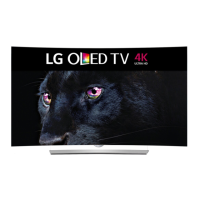
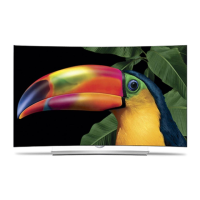
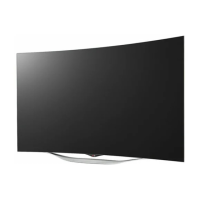
LG 55EA8800-UF - User Manual

LG 55EA8800-UF
41 pages
Print Icon
To Next Page IconTo Next Page
Loading...
G
Order Number
: GETEC-C1-13-224
FCC Part 15 subpart B
Test Report Number
: GETEC-E3-13-053
Page 1 / 1
EUT Type: OLED TV
FCC ID.: BEJ55EA8800UF
APPENDIX G
: USERS MANUAL

Questions and Answers

  • M
    morganchelseaAug 8, 2025
    What to do if LG 55EA8800-UF remote is not working?
    • J
      Jacob JenkinsAug 8, 2025
      If you cannot control your LG OLED TV with the remote, try these steps: First, check the remote control sensor on the TV and try again. Second, make sure there are no obstacles between the remote and the TV. Finally, check that the batteries are working and properly installed ( to , to ).
  • P
    Paul RamirezAug 12, 2025
    Why does my LG 55EA8800-UF turn off suddenly?
    • W
      wendybeasleyAug 12, 2025
      Your LG OLED TV might be turning off suddenly due to a few reasons. The power supply may be interrupted, so check the power control settings. Also, the Auto sleep feature in the Time settings might be activated. Finally, if there is no signal while the TV is on, it will turn off automatically after 15 minutes of inactivity.
  • K
    Kayla FranklinAug 17, 2025
    Why is my LG 55EA8800-UF OLED TV showing no image and producing no sound?
    • K
      Kathleen McconnellAug 17, 2025
      If your LG OLED TV isn't displaying an image or producing sound, ensure the TV is turned on. Also, check that the power cord is properly connected to a wall outlet. To verify the outlet is working, connect another device to it.
  • N
    Nathan MillerAug 21, 2025
    How to fix echo on LG 55EA8800-UF?
    • M
      Melanie ZunigaAug 22, 2025
      If you're experiencing echo on your LG OLED TV (hearing your voice played back), try changing the home theater audio setting to stereo instead of surround. Reducing the speaker volume may also help. Also, too much echo in the room can decrease audio quality. You can also test the microphone using the 'Echo / Sound Test Service'.
  • J
    jessicawalkerAug 26, 2025
    What to do if the notification window is not displayed on LG 55EA8800-UF OLED TV when a call is received?
    • J
      Jimmy Dyer Jr.Aug 26, 2025
      If the notification window isn't displayed on your LG OLED TV when you receive a call, first check that your status is not set as 'Do not disturb'. Also, when using certain TV functions, incoming calls can’t be received (e.g. during a software update, etc.). Finally, check ‘Privacy Settings’ is 'Allow calls from people in my contact list only'.
  • C
    Casey HodgesAug 30, 2025
    Why does my LG 55EA8800-UF call end abruptly?
    • D
      dnovakAug 30, 2025
      If your LG OLED TV call ends abruptly, it might be because certain TV functions are activated (e.g. Sleep timer, etc.). Also, avoid unplugging the Video Call Camera during a call.
  • S
    Sean DominguezSep 3, 2025
    What to do if the Skype menu does not appear on the Premium menu of LG OLED TV?
    • B
      Brandy MorrisonSep 3, 2025
      Connect the camera to your TV, then update the software. For details about how to update the software, refer to your TV manual.

LG 55EA8800-UF Specifications

General IconGeneral
BrandLG
Model55EA8800-UF
CategoryOLED TV
LanguageEnglish

Related product manuals