21
ENGLISH_index
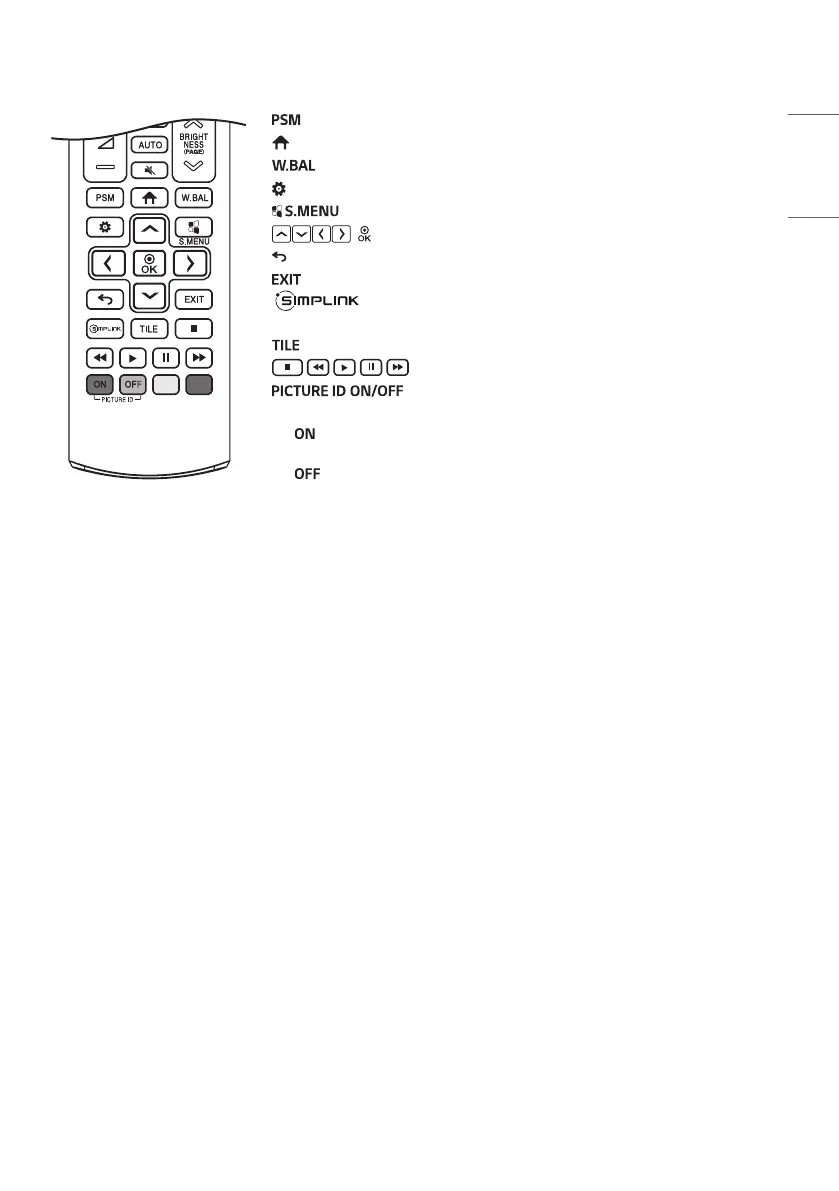
Selects the Picture Mode.
(HOME) Activates the Launcher.
Enters the White Balance menu.
(SETTINGS) Accesses the main menus or saves your input and exit menus.
SuperSign menu key. (This function is not supported.)
, After selecting the menu, select and adjust functions.
(BACK) Returns to the previous level.
Closes the menu.
Allows you to control various multimedia devices to enjoy
multimedia simply by using the remote control through the SimpLink menu.
You can choose to turn TILE Mode on/off.
(Control buttons) Controls media playback.
When the Picture ID number matches the Set ID number,
you can control whichever monitor you want in multi-display format.
- : Individually control the monitors with an image ID assigned to each of
them.
- : Control the monitors at once.


 To Next Page