EasyManua.ls Logo

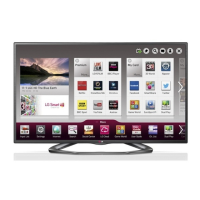
LG 55LA860W - User Manual

LG 55LA860W
260 pages
Print Icon
To Next Page IconTo Next Page
Loading...
User Guide
This is a 「User Guide」 installed on the TV.
The contents of this guide are subject to change without prior notice for quality
improvement.

Table of Contents

Other manuals for LG 55LA860W

Questions and Answers

  • C
    Cristina BishopAug 10, 2025
    How to fix LG LED TV remote control not working?
    • L
      Laura WongAug 11, 2025
      If you cannot control your LG LED TV with the remote, first check the remote control sensor on the TV and try again. Also, make sure that there are no obstacles between the remote and the TV. Finally, check that the batteries in the remote are working and properly installed.
  • S
    susanjacksonAug 20, 2025
    Why does my LG LED TV turn off by itself?
    • S
      Stephanie MurphyAug 20, 2025
      If your LG LED TV turns off suddenly, the power supply may be interrupted, so check the power control settings. Also, check if the Auto sleep feature is activated in the Time settings. If the TV is on but not receiving a signal, it will turn off automatically after 15 minutes of inactivity.
  • Z
    zgonzalesAug 31, 2025
    What to do if LG LED TV says no signal when connected to PC?
    • R
      rebeccacamachoAug 31, 2025
      If your LG LED TV displays ‘No signal’ or ‘Invalid Format’ when connected to a PC via HDMI or DVI, try turning the TV off and on using the remote control. If that doesn't work, reconnect the HDMI cable. As another solution, restart the PC while the TV is powered on.

LG 55LA860W Specifications

General IconGeneral
BrandLG
Model55LA860W
CategoryTV
LanguageEnglish

Related product manuals