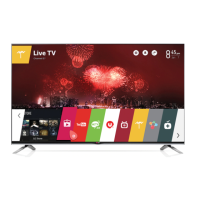
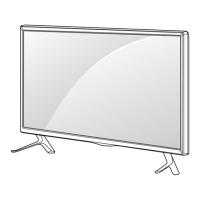
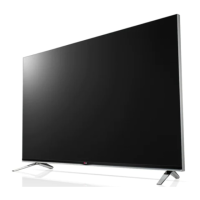
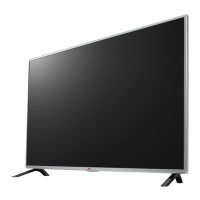
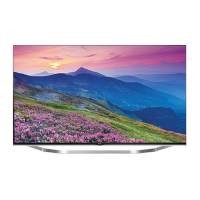
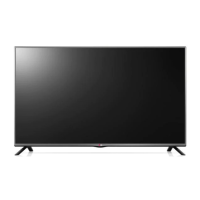
This document is an owner's manual for an LG LED TV, specifically models 47LB5900, 50LB5900, 55LB5900, 60LB5900, 47LB6000, 50LB6000, 55LB6000, and 60LB6000. It provides essential information for safe operation, setup, and maintenance of the television.
Function Description
The LG LED TV serves as a display for various external devices such as HD receivers, DVD players, VCRs, audio systems, USB storage devices, PCs, and gaming devices. It utilizes an LCD screen with LED backlights to produce images. The TV can be connected to an antenna or cable for watching broadcast television channels. It supports HDMI connections for high-definition audio and video, as well as component and AV inputs for other external devices. The TV also features a USB port for playing multimedia files from storage devices. An optical digital audio output allows connection to external audio systems, including LG audio devices with LG Sound Sync (Optical) for enhanced sound. The TV includes various picture and sound modes, along with advanced control options for calibration and personalization. It also has an Energy Saving feature to reduce power consumption.
Usage Features
The TV can be operated using a remote control or a joystick button located below the screen. The joystick button allows for basic functions such as power on/off, volume control, channel scrolling, and accessing the main menu. The remote control provides a comprehensive set of buttons for navigating menus, adjusting settings, changing input sources, and controlling playback of multimedia content.
Remote Control Functions:
- POWER: Turns the TV on or off.
- TV: Returns to the last TV channel.
- CAPTION: Activates or deactivates subtitles.
- AV MODE: Selects an AV mode.
- RATIO: Resizes the image.
- INPUT: Changes the input source.
- Number buttons (0-9): Enters numbers.
- DASH (-): Inserts a dash between numbers (e.g., 2-1).
- LIST: Accesses the saved channel list.
- FLASHBK: Alternates between the two last selected channels.
- +VOL-: Adjusts the volume level.
- FAV: Accesses the favorite channel list.
- AUDIO: Changes the audio language for digital signals or MTS sound for analog signals.
- MUTE: Mutes all sounds.
- CH: Scrolls through saved channels.
- PAGE: Moves to the previous or next screen in menus.
- PICTURE: Changes the image mode.
- INFO: Shows information on the current program.
- SOUND: Changes the sound mode.
- SETTINGS: Accesses the main menu.
- Q.MENU: Accesses the quick menu.
- Navigation buttons (up/down/left/right): Scrolls through menus or options.
- OK: Selects menus or options and confirms input.
- BACK: Returns to the previous screen.
- EXIT: Clears all on-screen displays and returns to TV viewing.
- SLEEP: Sets the length of time until the TV turns off.
- Control buttons (Play, Pause, Stop, Fast Forward, Rewind): Controls SIMPLINK compatible devices (USB, SIMPLINK).
- Special function buttons (::, ஃ): Access special functions in some menus.
Picture Settings:
- Picture Mode: Selects optimized picture modes like Vivid, Standard, APS (Energy Saver), Cinema, Game, Sport, and Expert Menu.
- Advanced Control: Adjusts Dynamic Contrast, Dynamic Color, Skin Color, Sky Color, Grass Color, Gamma, Color Gamut, and Edge Enhancer.
- Expert Control: Provides patterns for expert adjustment, Color Filter, Color Temperature, and Color Management System.
- Picture Option: Includes Noise Reduction, MPEG Noise Reduction, Black Level, Real Cinema, Motion Eye Care, and TruMotion (depending on model).
- Energy Saving: Offers Off, Minimum, Medium, Maximum, and Screen Off options to reduce power consumption.
Audio Settings:
- Sound Out: Configures sound output through TV speakers, External Speaker (Optical), or Digital Sound Out.
- AV Sync. Adjust: Synchronizes unmatched video and audio.
Other Features:
- SIMPLINK: Controls and manages multimedia devices connected via HDMI with the TV remote control. Functions include Direct Play, selecting multimedia devices, disc playback, power off all devices, and Sync Power on.
- Lock System: Sets or changes the TV password.
- Caption: Displays captions for programming, with options for mode (CC 1-4, Text 1-4, Service 1-6) and digital option settings (size, color).
- Initial Setting: Returns the TV to its initial default mode.
- USB Device: Allows safe removal of USB storage devices.
- My Media Supported Files: Provides information on supported video, audio, and photo formats, including maximum data transfer rates and subtitle formats.
Maintenance Features
Regular cleaning and proper handling are crucial for maintaining the TV's peak performance and extending its lifespan.
Cleaning Your TV:
- Before cleaning: Always turn off the TV and disconnect the power cord and all other cables.
- Screen, frame, cabinet, and stand:
- For dust or light dirt, wipe surfaces with a dry, clean, and soft cloth.
- For major dirt, use a soft cloth dampened with clean water or a diluted mild detergent, then immediately wipe with a dry cloth.
- Caution: Do not push, rub, or hit the screen with sharp objects or fingernails to avoid scratches or image distortions.
- Caution: Avoid using chemicals like waxes, benzene, alcohol, thinners, insecticides, air fresheners, or lubricants, as they can damage the finish and cause discoloration.
- Caution: Do not spray liquid directly onto the surface, as it can lead to fire, electric shock, or malfunction.
- Power cord: Regularly remove accumulated dust or dirt from the power cord.
Safety Precautions:
- Electrical Safety:
- Do not remove the cover or back of the TV; refer servicing to qualified personnel.
- Protect the power cord from being walked on or pinched.
- Unplug the apparatus during lightning storms or when unused for long periods.
- Ensure proper grounding of the outdoor antenna system.
- Do not connect too many appliances to the same AC power outlet.
- Periodically examine the power cord for damage.
- Always grasp the plug when unplugging the power cord.
- Handling and Installation:
- Avoid touching the screen to prevent damage.
- Use only manufacturer-specified attachments/accessories.
- Use caution when moving the TV on a cart to avoid tip-over.
- When moving or lifting the TV, hold the top and bottom of the frame firmly, and ensure the screen faces away from you.
- Use at least two people to move large TVs.
- When transporting, keep the TV upright and avoid jolts or excessive vibration.
- Install the TV in a well-ventilated area, away from heat sources and direct sunlight.
- Do not block ventilation openings.
- Do not expose the TV to rain, moisture, or liquids.
- Do not place objects filled with liquids on or over the apparatus.
- When mounting on a wall, ensure proper installation and use VESA standard-compliant mounts and screws.
- Do not allow children to climb on or hang on the TV.
- Battery Safety:
- Store batteries out of reach of children.
- Dispose of batteries properly according to local regulations.
- Do not dispose of batteries in a fire, short circuit, disassemble, or overheat them.
- Image Burn Prevention:
- Avoid displaying fixed images on the TV screen for long periods (2 or more hours for LCD) to prevent image burn or burn-in.
- Image burn is not covered by the warranty.
- USB Storage Devices:
- Use USB storage devices formatted with FAT32 or NTFS.
- For external HDDs, use devices with less than 5V-rated voltages and 500mA-rated current.
- Back up important files from USB storage devices, as data loss is the user's responsibility.

 Need help?

 To Next Page
 General