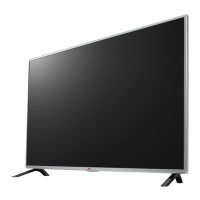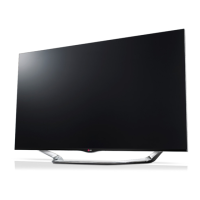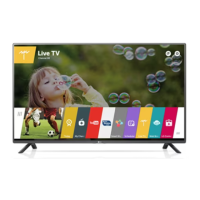
EasyManua.ls Logo

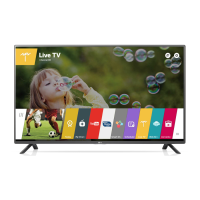
LG 55LF595T - User Manual

LG 55LF595T
64 pages
Print Icon
To Next Page IconTo Next Page
Loading...
OWNER’S MANUAL
Safety and Reference
P/NO : MFL68703302 (1512-REV05)
www.lg.com
*MFL68703302*
Please read this manual carefully before operating your set and
retain it for future reference.
40LF6350
43LF6350
49LF6350
55LF6350
60LF6350
60LF6300
42LF6500
50LF6500
55LF6500
60LF6500
42LF650T
50LF650T
55LF650T
60LF650T
42LF640T
49LF640T
42LF6400
49LF6400
42LF645T
49LF645T
42LF6450
49LF6450
40LF635T
43LF635T
49LF635T
55LF635T
60LF635T
LED TV*
* LG LED TVs are LCD TVs with LED backlighting.
32LF595B
32LF595D
43LF590T
43LF5900
49LF590T
49LF5900
55LF5950
55LF595T

Other manuals for LG 55LF595T

Questions and Answers

  • J
    Julie MyersAug 8, 2025
    Why does my LG LED TV turn off suddenly?
    • K
      Kelly AdamsAug 9, 2025
      If your LG LED TV turns off suddenly, the power supply may be interrupted, so check the power control settings. Also, check if the Sleep Timer or Timer Power Off feature is enabled within the Timers settings. If the TV is on but not receiving a signal, it will automatically turn off after 15 minutes of inactivity.
  • M
    mitchelljoyceAug 12, 2025
    What to do if my LG LED TV turns off suddenly?
    • T
      Taylor Riley MDAug 12, 2025
      If your LG LED TV turns off unexpectedly, it could be due to a few reasons. First, the power supply might be interrupted, so check the power control settings. Second, the Sleep Timer or Timer Power off function may be activated in the Timers settings. Finally, if the TV doesn't receive a signal for 15 minutes, it will automatically turn off.
  • E
    Elizabeth GarciaAug 17, 2025
    How to fix LG LED TV remote control not working?
    • A
      Alyssa BallardAug 17, 2025
      If you cannot control your LG LED TV with the remote, first check the remote control sensor on the TV and try again. Ensure there are no obstructions between the remote and the TV. Also, verify that the batteries in the remote are working and properly installed.
  • K
    kparksAug 21, 2025
    What to do if my LG 55LF595T LED TV has no image and sound?
    • K
      kimberlywilsonAug 21, 2025
      If your LG LED TV is not displaying an image and there is no sound, first ensure that the TV is powered on. Next, verify that the power cord is securely connected to a functioning wall outlet. You can test the outlet by plugging in another device to see if it works.
  • J
    Jennifer BellAug 26, 2025
    Why my LG LED TV remote control is not working?
    • W
      William CannonAug 26, 2025
      If you cannot control your LG LED TV with the remote, there might be a few reasons. Ensure that there are no obstacles blocking the path between the remote and the TV's sensor. Also, verify that the batteries in the remote are working and properly installed. Finally, check the remote control sensor on the TV and try again.
  • M
    morrisheidiAug 30, 2025
    Why does my LG TV tilt forward after installing it?
    • M
      maddenjenniferAug 30, 2025
      If your LG TV tilts forward after installation, ensure that all screws are securely tightened.
  • J
    jacobfuentesSep 3, 2025
    How to prevent my LG TV from getting scratched or damaged during a move?
    • R
      Robert GarrettSep 3, 2025
      If you need to move your LG TV, it is recommended to use the original box or packing material to prevent scratches or damage.

LG 55LF595T Specifications

General IconGeneral
Screen Size55 inches
Display TypeLED
Resolution1920 x 1080 (Full HD)
Refresh Rate50 Hz
Smart TVYes
Operating SystemwebOS
HDMI Ports3
USB Ports2
Wi-FiYes
Audio Output20W
Weight14.5 kg

Related product manuals