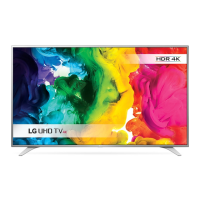
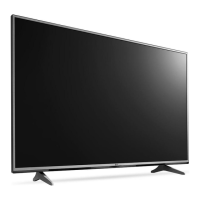
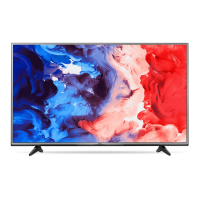
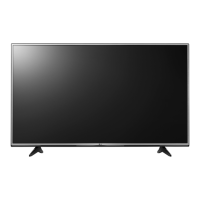
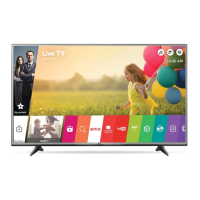
This document is an owner's manual for an LG LED TV, which uses an LCD screen with LED backlights. It provides essential information on safety, setup, usage, and maintenance to ensure proper operation and longevity of the product.
Function Description:
The LG LED TV serves as a display device for various media content, including broadcast television, external video sources, and potentially smart TV functionalities depending on the model. It is designed to offer a visual and auditory experience for entertainment and information. The TV can be controlled via a remote control, with some models also featuring a joystick or dome button for basic operations directly on the unit. It supports multiple input sources, allowing users to connect devices like HD receivers, DVD players, VCRs, audio systems, PCs, and gaming consoles. For digital TV, it supports encrypted (pay) services through a CI module. The TV is capable of displaying ULTRA HD content, though performance may vary based on the connected PC's capabilities. Some models also support 3D imaging, requiring specific LG 3D glasses for viewing.
Usage Features:
The TV offers a range of features to enhance the user experience. Basic functions include power on/off, volume control, and program selection, accessible via the remote control or on-device buttons. The remote control, particularly the Magic Remote (on supported models), provides intuitive navigation through menus and options. The Magic Remote allows for voice recognition, content search, and quick access to settings and the home menu. Users can adjust various settings, including input sources, picture modes, and sound options. The TV supports different audio formats, including Dolby Digital and DTS. For optimal viewing, it is recommended to maintain a distance of 2 to 7 times the diagonal screen size. The TV can be mounted on a stand or a wall, with specific instructions provided for each setup. When connecting external devices, users are advised to use HDMI cables for the best picture and audio quality. The manual also details how to register and deregister the Magic Remote, ensuring seamless control.
Maintenance Features:
Proper maintenance is crucial for the TV's safety and performance. The manual emphasizes several key maintenance aspects.
- Cleaning: When cleaning the product and its components, users should unplug the power cord first and wipe with a soft, dry cloth. It is important to avoid spraying water or cleaner directly onto the screen and to use only a small amount of water or cleaner on a dry cloth. Harsh chemicals like glass cleaner, car shiner, abrasives, or alcohol should not be used as they can damage the product and its panel. Care should be taken to prevent liquids or foreign objects from entering gaps between the panel and guide panel.
- Power Cord and Plug: The power cord should be regularly examined for damage or deterioration. If any is found, the cord should be unplugged and replaced by an authorized servicer. Users are warned against plugging too many electrical devices into a single outlet to prevent overheating. The power cable plug must be fully inserted into the wall socket to prevent fire. Dust accumulation on the power plug pins or outlet should be prevented.
- Ventilation: To prevent overheating, the TV should be installed with at least 10 cm of space from the wall and not in confined spaces like bookshelves or cupboards. Air vents should not be blocked by tablecloths or curtains.
- Battery Replacement: For remote controls, batteries should be replaced when indicated, ensuring correct polarity. Old and new batteries should not be mixed, and non-rechargeable batteries should not be placed in charging devices. Batteries should not be exposed to excessive heat.
- Handling and Installation: When moving the TV, it is recommended to do so in its original packaging and with at least two people for larger models. The screen should face away from the user to prevent damage, and the TV should be kept upright. Excessive pressure on the frame chassis should be avoided. For wall mounting, specific VESA standard brackets and screws are required, and professional installation is recommended. The stand hole should be covered to prevent dust and insects if wall-mounted.
- Troubleshooting: The manual includes a troubleshooting section to address common issues such as the remote control not working, no image/sound, or sudden power-offs. These sections guide users through basic checks like battery status, power cord connection, and input source selection.
- CI Module: When inserting the CI module, users must ensure it is in the correct direction to avoid damage to the TV and the module slot.
- Antenna Connection: If image quality is poor, users are advised to install a signal amplifier or realign the antenna.
- Software Updates: The manual mentions that product specifications or contents may change due to software upgrades, implying that users might receive updates that enhance features or performance.
- Open Source Software: Information is provided on how to obtain source code for the open-source software used in the product, highlighting LG's commitment to open-source principles.



 To Next Page

 General
 Weight and Dimensions