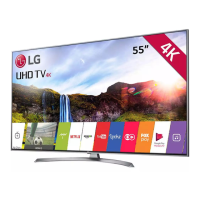
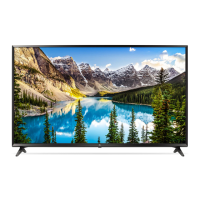
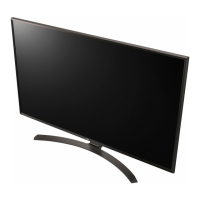
This document is an owner's manual for an LG LED TV, specifically models UJ75** and SJ81**. It covers safety instructions, basic setup, connections, remote control functions, specifications, troubleshooting, and external control device setup.
Device Description
The LG LED TV is a display unit that uses an LCD screen with LED backlights. It is designed for home entertainment, offering various connectivity options for external devices and supporting digital and analogue TV broadcasts.
Important Technical Specifications
Model Series: UJ75**, SJ81** (e.g., 43UJ750V-ZB, 49SJ810V-ZA, 55UJ750V-ZB, 60SJ810V-ZA, 65UJ750V-ZB, 75SJ95**, 86SJ95**)
Power Requirement: AC 100-240 V ~ 50/60 Hz
Dimensions and Weight (examples):
- 43-inch models (e.g., 43UJ750V-ZB):
- A (width): 967.6 mm
- B (height with stand): 628.9 mm
- C (depth with stand): 213.4 mm
- D (height without stand): 566.4 mm
- E (depth without stand): 62.1 mm
- F (weight with stand): 11.4 kg
- F-G (weight without stand): 10.2 kg
- 49-inch models (e.g., 49UJ750V-ZB):
- A (width): 1100.1 mm
- B (height with stand): 698.6 mm
- C (depth with stand): 247.3 mm
- D (height without stand): 640.9 mm
- E (depth without stand): 62.1 mm
- F (weight with stand): 14.1 kg
- F-G (weight without stand): 12.7 kg
- 55-inch models (e.g., 55UJ750V-ZB):
- A (width): 1236 mm
- B (height with stand): 773.5 mm
- C (depth with stand): 247.3 mm
- D (height without stand): 717.6 mm
- E (depth without stand): 62.1 mm
- F (weight with stand): 16.7 kg
- F-G (weight without stand): 15.3 kg
- 60-inch models (e.g., 60UJ750V-ZB):
- A (width): 1344.1 mm
- B (height with stand): 837.7 mm
- C (depth with stand): 312.4 mm
- D (height without stand): 778.4 mm
- E (depth without stand): 63.5 mm
- F (weight with stand): 22.3 kg
- F-G (weight without stand): 20.8 kg
- 65-inch models (e.g., 65UJ750V-ZB):
- A (width): 1455.2 mm
- B (height with stand): 898.1 mm
- C (depth with stand): 312.4 mm
- D (height without stand): 840.9 mm
- E (depth without stand): 63.5 mm
- F (weight with stand): 25.5 kg
- F-G (weight without stand): 24.0 kg
Wireless Module (LGSBWAC72) Specifications:
- Wireless LAN (IEEE 802.11a/b/g/n/ac):
- Frequency Range: 2400 to 2483.5 MHz (Output Power Max: 14 dBm), 5150 to 5725 MHz (Output Power Max: 16.5 dBm), 5725 to 5850 MHz (Not for EU) (Output Power Max: 11.5 dBm)
- Bluetooth:
- Frequency Range: 2400 to 2483.5 MHz (Output Power Max: 8.5 dBm)
- "IEEE 802.11ac" is not available in all countries.
CI Module (W x H x D): 100.0 mm x 55.0 mm x 5.0 mm
- Operating Temperature: 0 °C to 40 °C
- Operating Humidity: Less than 80%
- Storage Temperature: -20 °C to 60 °C
- Storage Humidity: Less than 85%
Television System:
- Digital TV: DVB-T, DVB-T2, DVB-C, DVB-S/S2
- Analogue TV: PAL/SECAM, B/G, D/K, I, SECAM L
Channel Coverage (Band):
- DVB-S/S2: 950 ~ 2150 MHz
- DVB-C: 46 ~ 890 MHz
- DVB-T/T2: VHF III: 174 ~ 230 MHz, UHF IV: 470 ~ 606 MHz, UHF V: 606 ~ 862 MHz, S Band II: 230 ~ 300 MHz, S Band III: 300 ~ 470 MHz
- Analogue TV: 46 ~ 862 MHz
Maximum Number of Storable Programmes:
- Digital TV: 2,000
- Analogue TV: 6,000
External Antenna Impedance: 75 Ω
VESA Wall Mount Bracket (A x B) (mm):
- 43UJ75, 43UJ74**, 43UJ70**, 43UJ67**, 43UJ65**, 43UJ63**: 200 x 200 (Standard screw: M6, Number of screws: 4, Wall mount bracket: LSW240B, MSW240)
- 49/55SJ93, 49/55SJ85**, 49/55SJ81**, 49/55SJ80**, 49/55UJ75**, 49/55UJ74**, 49/55UJ70**, 49/55UJ67**, 49/55UJ65**, 49/55UJ63**: 300 x 300 (Standard screw: M6, Number of screws: 4, Wall mount bracket: LSW350B, MSW240)
- 60/65SJ80, 60/65SJ85**, 60/65SJ81**, 60/65UJ75**, 65UJ70**, 65UJ67**, 60/65UJ65**, 60/65UJ63**: 300 x 300 (Standard screw: M6, Number of screws: 4, Wall mount bracket: LSW350B)
- 75/86SJ95, 70/75UJ67**, 75UJ65**: 600 x 400 (Standard screw: M8, Number of screws: 4, Wall mount bracket: LSW640B)
- 55/65SJ95: 300 x 200 (Standard screw: M6, Number of screws: 4, Wall mount bracket: OTW420B)
Usage Features
Basic Operation:
- Power On/Off: The TV can be turned on or off using the power button on the TV or the remote control.
- Input Source Selection: Change input sources (HDMI, USB, Antenna, etc.) using the INPUT button.
- Volume Control: Adjust volume with the volume buttons on the TV or remote.
- Programme Control: Change channels using the programme buttons.
- Quick Settings: Access common settings quickly.
- Menu Navigation: Navigate through menus using directional buttons and OK/Wheel button.
Remote Control:
- Standard Remote Control: Features number buttons, navigation buttons, volume/programme control, mute, info, search, home, back, exit, teletext functions, and media control buttons.
- Magic Remote (AN-MR650A, optional): Offers advanced features like voice recognition, screen remote, universal control menu, and pointer functionality.
- Pairing: Insert batteries, point at TV, and press the Wheel (OK) button.
- Deregistering: Press BACK and HOME buttons simultaneously for five seconds.
- Voice Recognition: Press the voice recognition button and speak when prompted (requires network connection).
- Pointer: Shake the remote to display the pointer on screen.
Connections:
- Antenna/Cable In: Connects to a wall antenna socket (RF cable 75 Ω).
- HDMI In: Multiple HDMI ports for connecting HD receivers, DVD players, game consoles, PCs, etc. HDMI cables and USB devices should have bezels less than 10 mm thick and 18 mm width for optimal connection. Supports ULTRA HD Deep Colour for clearer pictures.
- HDMI In/ARC: Supports Audio Return Channel (ARC) for simplified audio connections.
- USB In: For USB storage devices. Some USB Hubs may not work; direct connection is recommended.
- LAN: For wired network connection (CAT 7 cable recommended).
- Audio Out/H/P Out: For headphones or external audio systems.
- Satellite In: For satellite dish connection (satellite models only).
- Optical Digital Audio Out: For digital audio output to sound systems.
- PCMCIA Card Slot: For CI modules to view encrypted digital TV services.
- Component In (UJ75 models): For connecting devices using component cables (Y, PB, PR, L/MONO, AUDIO R).
- AV In (UJ75 models): For connecting devices using AV cables (VIDEO/Y, PB, PR, L/MONO, AUDIO R).
- Component In (SJ81 models): For connecting devices using component cables (Y, PB, PR, L/MONO, AUDIO R).
- AV In (SJ81 models): For connecting devices using AV cables (VIDEO/Y, PB, PR, L/MONO, AUDIO R).
External Control Device Setup:
- USB to Serial Converter: Supports PL2303 chip-based converters for external control via USB.
- RS-232C: For external control via RS-232C cable (DE9, D-Sub 9pin female-to-female type or phone-jack to RS-232 cable).
- Set ID: Allows setting a unique ID for the TV for external control (range 1-99).
- Commands: Supports various commands for power, aspect ratio, screen mute, volume, contrast, brightness, color, tint, sharpness, OSD select, remote control lock, treble, bass, balance, color temperature, ISM method, equalizer, energy saving, tune, channel add/delete/skip, key code, and backlight control.
Maintenance Features
Cleaning:
- Unplug the power cord before cleaning.
- Wipe with a soft, dry cloth.
- Do not use excessive force, spray water or cleaner directly onto the screen.
- Avoid chemicals like glass cleaner, air fresheners, insecticides, lubricants, wax, abrasive, thinner, benzene, or alcohol, as these can damage the product.
Battery Replacement (Remote Control):
- Open the battery cover.
- Replace old batteries with new 1.5 V AAA batteries, matching the ⊕ and ends.
- Close the battery cover.
Troubleshooting:
- Remote Control Issues: Check sensor, obstacles, and battery installation.
- No Image/Sound: Check power, wall outlet, and external device connections.
- Sudden Turn Off: Check power control settings (Sleep Timer, Timer Power Off, Auto Power Off) and signal presence.
- 'No Signal' or 'Invalid Format' (PC connection): Turn TV off/on, reconnect HDMI cable, restart PC.
- Abnormal Display: Small "flicker" on cold startup is normal. Tiny black/colored dots (1 ppm) are normal. Brightness/color variations by viewing position are normal. Avoid prolonged display of still images to prevent image sticking.
- Generated Sound: "Cracking" noise from thermal contraction is normal. Electrical circuit humming/panel buzzing is normal.
Safety Precautions:
- Do not expose the product to rain, moisture, direct sunlight, high humidity, heat sources, steam, oil, or water containers.
- Keep candles or open flames away from the product.
- Ensure power cord is connected to a grounded AC mains socket and fully inserted.
- Keep power cord away from hot objects and heavy objects.
- Do not bend antenna cable between inside and outside building.
- Install wall-mounted TV with neatly installed and isolated cabling.
- Avoid plugging too many electrical devices into a single outlet.
- Do not drop the product or let it fall over.
- Keep anti-moisture packing material and vinyl packing out of reach of children.
- Prevent children from climbing or clinging onto the TV.
- Dispose of used batteries carefully.
- Do not insert metal objects into power cable ends or touch the plug immediately after unplugging.
- Do not store inflammable substances near the product.
- Do not allow objects to fall onto the screen.
- Do not touch the product or antenna during a thunder/lightning storm.
- Do not touch the wall outlet during gas leakage; ventilate the area.
- Do not disassemble, repair, or modify the product. Contact service center for repairs.
- Unplug the TV if not used for a long period.
- Do not install on unstable surfaces or where it cannot be fully supported.
- If on a stand, take actions to prevent overturning.
- Maintain a distance of at least 2 to 7 times the diagonal screen size when watching TV to prevent blurred vision.
- Ensure adequate ventilation (more than 10 cm from wall, not in enclosed spaces, not on carpet/cushion, air vent not blocked).
- When moving, use at least two people, hold the top and bottom frame firmly, and keep the TV upright. Avoid jolts, excessive vibration, and pressure on the frame. Do not move by holding cable holders.

 Need help?

 To Next Page
 General