17
ENGLISH
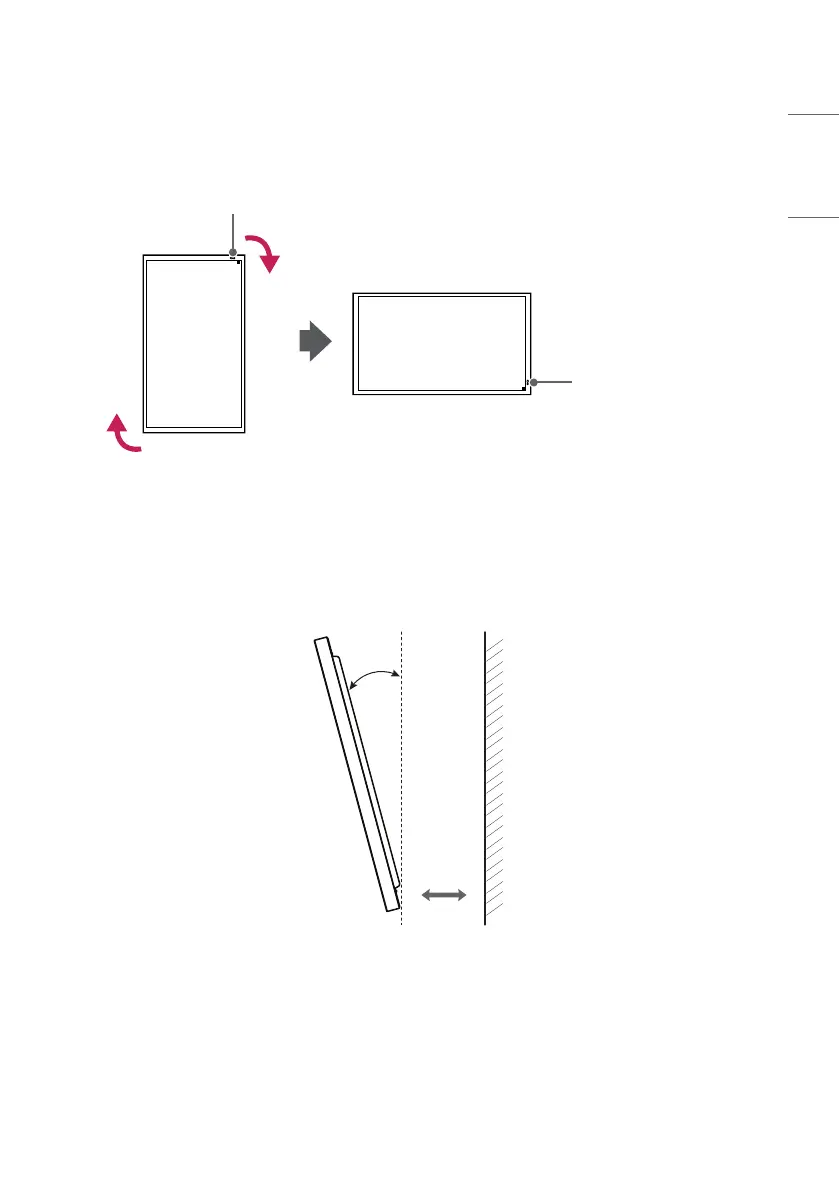
Installing in Landscape Orientation
To install in landscape orientation, rotate the screen clockwise 90 degrees while facing it from the front.
IR Sensor
IR Sensor
Installing the Product in a Tilted Position
You can install the product by tilting it horizontally or vertically.
You can tilt the product up to 15 degrees for installation, while the product should be spaced at least 40 mm apart
from the wall.
40 mm
15˚


 To Next Page