EasyManua.ls Logo

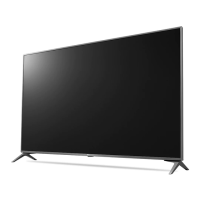
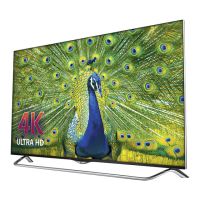
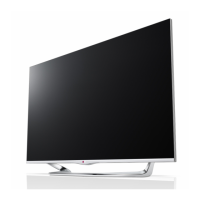
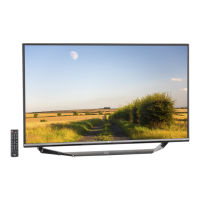
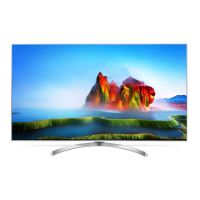
LG 5UF83 Series - User Manual

LG 5UF83 Series
196 pages
Print Icon
To Next Page IconTo Next Page
Loading...
Please read this manual carefully before operating your set and
retain it for future reference.
Safety and Reference
OWNER’S MANUAL
LED TV*
* LG LED TV applies LCD screen with LED backlights.
www.lg.com
**
P/NO : MFL68931014(1507-REV01)
Printed in Korea

Table of Contents

Questions and Answers

  • D
    Dominique ChenSep 8, 2025
    Why is there no picture or sound on my LG 5UF83?
    • J
      Joshua StevensSep 8, 2025
      If your LG LED TV has no image and no sound, start by checking if the TV is powered on. Next, confirm that the power cord is securely connected to a working wall outlet. To ensure the outlet is functioning correctly, test it by plugging in another device.
  • D
    danapowellAug 23, 2025
    Why is my LG LED TV remote not working?
    • W
      wigginsbruceAug 23, 2025
      If you're unable to control your LG LED TV with the remote, first ensure that there are no obstructions between the remote and the TV. Next, verify that the remote control sensor on the TV is unobstructed. Finally, check that the batteries in the remote are working correctly and properly installed.
  • T
    Tyler BrownAug 25, 2025
    Why does my LG 5UF83 LED TV keep turning off?
    • M
      Mark VargasAug 25, 2025
      Your LG LED TV might be turning off suddenly due to a few reasons. First, check the power control settings in case the power supply is interrupted. Also, verify that the Automatic Standby, Sleep Timer, or Timer Power Off features are not activated in the Timers settings. Lastly, if the TV doesn't receive a signal for 15 minutes, it will automatically turn off.
  • K
    Katherine BaileyAug 27, 2025
    Why does my LG LCD TV turn off suddenly?
    • J
      Jeffrey MaynardAug 27, 2025
      Your LG LCD TV might be turning off suddenly due to a few reasons. The power supply could be interrupted, so check your power control settings. Also, Automatic Standby, Sleep Timer, or Timer Power Off might be activated in the Timers settings. Finally, if the TV doesn't receive a signal for 15 minutes, it will turn off automatically.
  • P
    patriciacampbellAug 27, 2025
    How to fix LG 5UF83 LED TV remote control not working?
    • A
      Alex WhiteAug 27, 2025
      If your LG LED TV remote isn't working, first ensure there are no obstructions blocking the path between the remote and the TV's sensor. Then, check the remote's batteries to confirm they are correctly installed and still have power.
  • A
    angelica41Sep 22, 2025
    What to do if LG 5UF83 LED TV says no signal when connected to PC?
    • J
      John MillerSep 22, 2025
      If your LG LED TV displays ‘No signal’ or ‘Invalid Format’ when connected to a PC via HDMI, try turning the TV off and then on again using the remote. If that doesn't work, try reconnecting the HDMI cable. As a final step, restart your PC while the TV is powered on.
  • L
    Lisa HortonSep 16, 2025
    Why does my LG LCD TV turn off by itself?
    • D
      Darren CollinsSep 16, 2025
      If your LG LCD TV turns off suddenly, it could be due to a few reasons. The power supply might be interrupted, so check the power control settings. Also, verify if the Automatic Standby, Sleep Timer, or Timer Power Off is activated in the Timers settings. If the TV doesn't receive a signal for 15 minutes, it will automatically turn off.
  • J
    jonathan37Sep 18, 2025
    How to fix ‘No signal’ or ‘Invalid Format’ on LG LCD TV when connecting to PC (HDMI)?
    • C
      christy86Sep 18, 2025
      If you see a ‘No signal’ or ‘Invalid Format’ message on your LG LCD TV when connecting to a PC via HDMI, try turning the TV off and on using the remote control. If that doesn't work, reconnect the HDMI cable. As another option, restart your PC while the TV is on.
  • J
    Joshua KellySep 7, 2025
    Why does my LG LED TV turn off by itself?
    • G
      George GuzmanSep 7, 2025
      If your LG LED TV suddenly turns off, examine your power settings to ensure they are correctly configured. Also, verify if the Automatic Standby, Sleep Timer, or Timer Power Off features are enabled within the TV's timer settings. Note that the TV will automatically shut down after 15 minutes of inactivity if no signal is detected.
  • Q
    qrobertsSep 4, 2025
    What to do if my LG LCD TV remote control is not working?
    • B
      Bradley ReedSep 4, 2025
      If you cannot control your LG LCD TV with the remote control, first check the remote control sensor on the TV and try again. Ensure there are no obstacles between the remote control and the TV. Also, verify that the batteries in the remote are working and properly installed.

LG 5UF83 Series Specifications

General IconGeneral
Display TypeLED
Smart TVYes
USB3
Resolution4K UHD (3840 x 2160)
Operating SystemwebOS
Refresh Rate120Hz
Wi-FiYes
Audio Output20W

Related product manuals