EasyManua.ls Logo

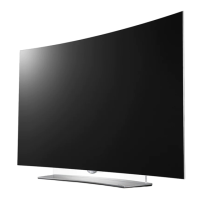
LG 65EV960H - User Manual

LG 65EV960H
57 pages
Print Icon
To Next Page IconTo Next Page
Loading...
www.lg.com
Please read this manual carefully before operating
your TV and retain it for future reference.
65EV960H
Safety and Reference
OLED TV
OWNER’S MANUAL
Copyright © 2017 LG Electronics Inc. All Rights Reserved.
Printed in Korea
P/NO : MFL69885502 (1712-REV02)
*MFL69885502*

Other manuals for LG 65EV960H

Questions and Answers

  • L
    Leslie FloresAug 11, 2025
    Why does my LG OLED TV remote not work?
    • E
      Eduardo MillerAug 11, 2025
      If your LG OLED TV remote isn't working, first ensure the remote is in 'TV' mode by pressing the MODE key. Then, point the remote directly at the IR receiver on the TV from a closer distance, ensuring nothing is blocking the path. Dim the room if there's too much light. Check and replace the batteries, making sure they are correctly aligned (+ and -). If applicable, connect the MPI cable to the MPI device.
  • S
    sellersjamesAug 18, 2025
    Why does my LG 65EV960H have normal picture but no sound?
    • A
      Andrew GreenAug 18, 2025
      If you have normal picture but poor or no sound on your LG OLED TV, first check if the audio is muted. Press the MUTE button or use the Volume Up key to increase the sound level. If that doesn't work, the issue might be with the broadcast itself, so try changing to a different channel.
  • K
    Kara KellyAug 27, 2025
    How to fix LG OLED TV when I cannot directly enter channel number?
    • M
      Matthew SnowAug 27, 2025
      If you cannot directly enter a channel number on your LG OLED TV, and the TV is in Pass-through Mode, set CH. OVERIDE to 1 to allow access for direct keypad entry to all channels. If the TV is not in Pass-through Mode, make changes to the Channel Map using the appropriate application/content editor, as the channel entered might not be included in the applicable Channel Map.
  • B
    brandon94Sep 2, 2025
    Why is there no picture on my LG 65EV960H OLED TV?
    • K
      Kim HoffmanSep 2, 2025
      If your LG OLED TV has no picture, start by ensuring the TV is turned ON and that the antenna or cable is correctly connected. Verify all connections to the TV are secure. If applicable, connect the MPI cable to the MPI device. If you're on an encrypted program, try switching to another channel. Finally, adjust the Installer Menu settings if the tuning band is incorrect.

LG 65EV960H Specifications

General IconGeneral
Screen Size65 inches
Display TypeOLED
Refresh Rate120 Hz
HDMI Ports4
USB Ports3
Audio Output40W (2.2 Channel)
Processorα9 Gen 5 AI Processor 4K
BluetoothYes
Resolution3840 x 2160 (4K)
HDR SupportDolby Vision, HDR10, HLG
Smart TVYes (webOS)
Wi-FiYes

Related product manuals