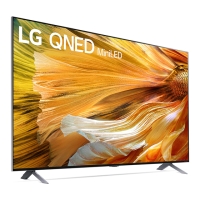
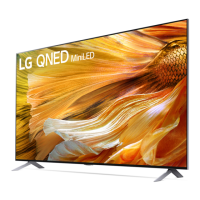
This document is an owner's manual for an LG LED TV, providing safety instructions, setup guidance, usage information, troubleshooting tips, and technical specifications.
Function Description:
The LG LED TV is a display device that uses an LCD screen with LED backlights to provide visual entertainment. It supports various broadcasting specifications, including Digital TV (DVB-S/S2, DVB-T/T2, DVB-C) and Analogue TV (PAL/SECAM B/G, D/K, I, SECAM L), depending on the country and model. The TV can be connected to external devices via HDMI and USB ports, and it supports smart features through NFC tagging with compatible smart devices and the LG ThinQ app. It also features a Magic Remote Control for intuitive navigation and voice recognition.
Important Technical Specifications:
- Broadcasting Specifications:
- Digital TV: DVB-S/S2, DVB-T/T2, DVB-C.
- Analogue TV: PAL/SECAM B/G, D/K, I, SECAM L.
- Program Coverage:
- DVB-S/S2: 950 ~ 2,150 MHz
- DVB-C: 46 ~ 890 MHz
- DVB-T/T2: VHF III (174 ~ 230 MHz), UHF IV (470 ~ 606 MHz), UHF V (606 ~ 862 MHz), S Band II (230 ~ 300 MHz), S Band III (300 ~ 470 MHz)
- Analogue TV: 46 ~ 862 MHz
- Maximum number of storable programmes: 6,000 (Digital TV), 3,000 (Analogue TV).
- External antenna impedance: 75 Ω.
- CI Module (W x H x D): 100.0 mm x 55.0 mm x 5.0 mm.
- HDMI Audio Format Support (Depending on model): True HD (48 kHz), Dolby Digital / Dolby Digital Plus (32 kHz / 44.1 kHz / 48 kHz), PCM (32 kHz / 44.1 kHz / 48 kHz / 96 kHz / 192 kHz).
- HDMI Deep Colour Support (Depending on model):
- On: Support 4K @ 50/60 Hz (4:4:4, 4:2:2, 4:2:0); <3,4 port Only> 4K @ 100/120 Hz (4:4:4, 4:2:2, 4:2:0) for QNED91* models.
- Off: Support 4K @ 50/60 Hz (4:2:0).
- For other models (Except QNED91*): 8K: Support 8K @ 50/60 Hz (4:4:4, 4:2:2, 4:2:0); 4K: Support 4K @ 50/60 Hz (4:4:4, 4:2:2, 4:2:0), 4K @ 100/120 Hz (4:4:4, 4:2:2, 4:2:0).
- USB Port Specifications: For optimal connection, HDMI cables and USB devices should have bezels less than 10 mm thick, 18 mm width, and 8 mm wire diameter. An extension cable that supports USB 2.0 is recommended if the USB cable or memory stick does not fit directly.
- Wireless Module (LGSBWAX12) Specifications (QNED99 models):*
- Wireless LAN (IEEE 802.11a/b/g/n/ac/ax) Frequency Range: 2,400 to 2,483.5 MHz (Output Power: 17 dBm), 5,150 to 5,725 MHz (Output Power: 15 dBm), 5,725 to 5,850 MHz (Output Power: 13 dBm).
- Bluetooth Frequency Range: 2,400 to 2,483.5 MHz (Output Power: 9 dBm).
- Wireless Module (LGSBWAC95) Specifications (Except for QNED99 models):*
- Wireless LAN (IEEE 802.11a/b/g/n/ac) Frequency Range: 2,400 to 2,483.5 MHz (Output Power: 19 dBm), 5,150 to 5,725 MHz (Output Power: 18 dBm), 5,725 to 5,850 MHz (Output Power: 13.5 dBm).
- Bluetooth Frequency Range: 2,400 to 2,483.5 MHz (Output Power: 9 dBm).
- Environment Condition: Operating Temperature: 0 °C to 40 °C, Operating Humidity: Less than 80%, Storage Temperature: -20 °C to 60 °C, Storage Humidity: Less than 85%.
- VESA Wall Mount Dimensions:
- For 65QNED91*, 65QNED96*, 65QNED99*: 400 x 400 mm (M6 screws, 4 screws).
- For 75QNED91*, 75QNED96*, 75QNED99*: 1,281 x 125 mm (M8 screws, 4 screws).
- For 86QNED91*, 86QNED99*: 1,586 x 125 mm (M8 screws, 4 screws).
- Alternative VESA for 65/75QNED91*, 65/75QNED96*, 65/75QNED99*: 400 x 400 mm (M6 screws, 4 screws).
- Alternative VESA for 86QNED91*, 86QNED99*: 600 x 400 mm (M8 screws, 4 screws).
Usage Features:
- Basic Operation: The TV can be turned on/off, volume adjusted, input source changed, and saved programs scrolled using a single button on the TV or the Magic Remote.
- Magic Remote Control: This remote allows for intuitive control with a pointer, scroll wheel (OK button), and voice recognition. It includes dedicated buttons for power, numbers, quick access, volume, mute, home, input, Q. Settings, and streaming services. The Magic Remote needs to be paired with the TV and uses 1.5 V AA batteries.
- NFC Tagging: Smart devices with NFC can be connected to the TV by tapping them near the NFC logo on the remote control. This allows for easy installation of the LG ThinQ app and access to various TV features.
- External Device Connectivity: Supports HDMI for high-definition video and audio, and USB for storage devices. It also includes an IR Blaster to control set-top boxes, Blu-ray/DVD players, soundbars, and other external devices.
- CI Module: For viewing encrypted (pay) services in digital TV mode.
- Mounting Options: Can be mounted on a table or to a wall using VESA-standard wall mount brackets. Specific instructions are provided for securing the TV to prevent overturning.
Maintenance Features:
- Cleaning: Unplug the power cord before cleaning. Use a soft/dry cloth and gently wipe the TV. Do not spray water or other liquids directly onto the TV. Avoid using chemicals like glass cleaner, air fresheners, insecticides, lubricants, wax, abrasives, thinner, benzene, or alcohol, as these can damage the product or panel.
- Battery Replacement: When the Magic Remote battery is low, replace the 1.5 V AA batteries, ensuring correct polarity. Do not mix new and old batteries, short circuit, disassemble, or expose them to excessive heat or fire.
- Troubleshooting: The manual provides solutions for common issues such as the remote control not working, no image/sound, sudden TV shutdown, no signal when connecting to PC (HDMI), and abnormal display (flicker, dead pixels, image sticking).
- Safety Precautions: Emphasizes keeping the TV away from direct sunlight, high humidity, heat sources, flammable objects, and dusty places. Advises against exposing the TV to rain, wind, dripping, or splashing. Stresses the importance of proper ventilation and protecting the power cord from physical abuse. Warns against climbing or clinging onto the TV, touching the apparatus or antenna during a lightning storm, and inserting metallic or inflammable objects into the product. It also advises against modifying the product without authorization and to use only LG-approved attachments/accessories.

 Need help?

 To Next Page
 General