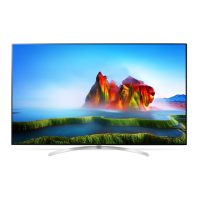
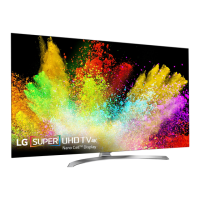
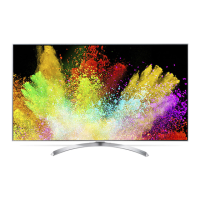
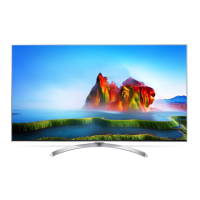
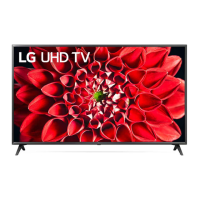
This document describes the LG LED TV, models SJ85**, SJ93**, and SJ95**, including setup, operation, and technical specifications.
Device Description and Setup
The LG LED TV is a smart television that uses an LCD screen with LED backlights. It comes with a stand for tabletop mounting and can also be wall-mounted using a VESA-compatible bracket.
Tabletop Mounting:
- Lift and tilt the TV into its upright position on a table.
- Ensure a minimum space of 10 cm from the wall for proper ventilation.
- Connect the power cord to a wall outlet.
- When assembling, do not apply foreign substances (oils, lubricants, etc.) to the screw parts.
- Secure the TV to a wall (if desired and available for the model) by inserting eye-bolts or TV brackets and bolts into the back of the TV. If bolts are already present, remove them first.
- Mount wall brackets to the wall, matching their location with the eye-bolts on the TV's rear.
- Connect the eye-bolts and wall brackets tightly with a sturdy rope, keeping it horizontal with the flat surface.
- Use a strong and large platform or cabinet to support the TV securely. Brackets, bolts, and ropes are not provided and can be obtained from a local dealer.
- Ensure children do not climb or hang on the TV to prevent injury.
Wall Mounting:
- Attach an optional VESA standard wall mount bracket to the rear of the TV.
- Install the wall mount bracket on a solid wall perpendicular to the floor. For other building materials, consult qualified personnel.
- LG recommends using its wall mount brackets for ease of movement with connected cables. If using a non-LG bracket, ensure adequate space for external device connectivity.
- Connect all cables before installing fixed wall mounts.
- Use screws and wall mount brackets that meet VESA standards.
- When installing the wall mounting bracket, it is recommended to cover the stand hole with tape to prevent dust and insects (depending on model).
- Remove the stand before wall mounting by reversing the stand attachment process.
- Do not use sharp objects when detaching the cable cover to avoid damaging cables or the cabinet, and to prevent personal harm.
Connections:
The TV supports various external devices:
- Antenna/Cable In: Connects to a wall antenna socket with a 75 Ω RF cable. A signal splitter can be used for multiple TVs. A signal amplifier may be needed for poor image quality. Realign the antenna if image quality is poor. Antenna cables and converters are not supplied. Supported DTV Audio: MPEG, Dolby Digital, Dolby Digital Plus, HE-AAC.
- HDMI In: For optimal connection, HDMI cables and USB devices should have bezels less than 10 mm thick and 18 mm width. An extension cable supporting USB 2.0 is recommended if the USB cable or memory stick doesn't fit. Use certified HDMI cables (High-Speed HDMI/TM cable or High-Speed HDMI/T™ cable with Ethernet, 3 m or less). Non-certified cables may cause display or connection errors.
- HDMI IN/ARC: Similar to HDMI In, but also supports Audio Return Channel (ARC).
- USB In: Some USB Hubs may not work. If a USB device connected via a USB Hub is not detected, connect it directly to the TV's USB port.
- LAN: For wired network connection, a CAT 7 cable is recommended.
- Audio Out/H/P Out: For headphones or external audio systems.
- Satellite In: (Only satellite models) Connects to a satellite dish with a 75 Ω satellite RF cable.
- Optical Digital Audio Out: For digital audio output to external audio systems.
- PCMCIA Card Slot: For CI modules to view encrypted digital TV services. Ensure the CI module is inserted correctly to avoid damage. Contact the service operator if no video/audio is displayed with a CI+ CAM.
- AV In: Connects to composite video and stereo audio devices (VIDEO, L/MONO, AUDIO R).
- Component In: Connects to component video (PR, PB, Y) and stereo audio (L, R) devices.
HDMI ULTRA HD Deep Colour:
- On: Supports 4K @ 50/60 Hz (4:4:4, 4:2:2, 4:2:0).
- Off: Supports 4K @ 50/60 Hz 8 bit (4:2:0).
- If the connected device supports ULTRA HD Deep Colour, the picture may be clearer. If not, connect to a different HDMI port or change the TV's HDMI ULTRA HD Deep Colour setting to Off.
- Supported HDMI Audio formats: Dolby Digital / Dolby Digital Plus (32 kHz, 44.1 kHz, 48 kHz), DTS (44.1 kHz, 48 kHz), PCM (32 kHz, 44.1 kHz, 48 kHz, 96 kHz, 192 kHz).
Remote Control:
The TV can be operated using a standard remote control or a Magic Remote (AN-MR650A, sold separately for some models).
- Standard Remote:
- Power On/Off: Press/hold the power button.
- Volume Control: Adjusts volume.
- Programmes Control: Scrolls through saved programs.
- Input: Changes input source.
- Q. Settings: Accesses Quick Settings.
- Number buttons: Enters numbers.
- LIST: Accesses saved programs list.
- GUIDE: Shows program guide.
- Q.VIEW: Returns to previously viewed program.
- QUICK ACCESS: Accesses apps or Live TV using number buttons.
- INFO: Views program/screen information.
- SEARCH: Searches for content.
- MUTE: Mutes all sounds.
- PAGE: Moves to previous/next screen.
- Streaming Service buttons: Connects to video streaming services.
- HOME: Shows Home menu.
- LIVE MENU: Shows list of Programs and Recommended.
- BACK: Returns to previous level.
- EXIT: Clears on-screen displays and returns to TV viewing.
- Navigation buttons: Scrolls through menus/options.
- OK: Selects menus/options.
- Teletext buttons (TEXT, T.OPT): For teletext.
- MAGIC LINK: Provides content related to the current program.
- AD: Enables audio descriptions.
- REC/*: Starts recording (Time Machine Ready models only).
- LIVE TV: Returns to LIVE TV.
- Control buttons: Controls media content.
- Special functions: Accesses special functions in some menus.
- Magic Remote (AN-MR650A):
- Battery Replacement: Open the cover, replace 1.5 V AA batteries matching the ⊕ and ⊖ ends, and close the cover. Point the remote towards the TV sensor.
- Registration: Insert batteries, turn on TV, point remote at TV, and press the Wheel (OK) button. If registration fails, turn TV off/on and try again.
- Deregistration: Press BACK and HOME buttons simultaneously for five seconds. Pressing and holding GUIDE will also cancel and re-register.
- Volume Control: Adjusts volume.
- Programmes Control: Scrolls through saved programs.
- MUTE: Mutes all sounds.
- Voice Recognition: Requires network connection. Press button, then speak when display window appears.
- SEARCH: Searches for content.
- HOME: Shows Home menu.
- RECENTS: Shows previous history.
- Q. Settings: Accesses Quick Settings. Pressing and holding ❖ displays All Settings menu.
- STB MENU: Displays set-top box Home menu.
- Number buttons: Enters numbers.
- LIST: Accesses saved programs list.
- Space: Opens screen keyboard.
- Screen Remote: Displays Screen Remote.
- Universal Control Menu: Accesses menu.
- QUICK ACCESS: Accesses apps or Live TV using number buttons.
- AD: Enables audio descriptions.
- Wheel (OK): Press center to select menu, use wheel to change programs.
- Navigation buttons (up/down/left/right): Scrolls menus. Shaking the remote displays the pointer again if it disappears.
Troubleshooting:
- Remote control issues: Check remote sensor, obstacles, and battery installation (⊕ to ⊖).
- No image/sound: Check if TV is on, power cord connection to wall outlet, and if other products work in the same outlet.
- TV turns off suddenly: Check power control settings, Sleep Timer, Timer Power Off, Auto Power Off (General -> Eco Mode), and if TV turns off after 15 minutes of inactivity due to no signal.
- 'No Signal' or 'Invalid Format' with PC (HDMI): Turn TV off/on, reconnect HDMI cable, restart PC with TV on.
- Abnormal Display:
- Small "flicker" when turning on (normal).
- Tiny black/colored dots (1 ppm) on panel (normal, not malfunction).
- Different brightness/color depending on viewing position (normal, not malfunction).
- Image sticking from prolonged display of still images (avoid fixed images).
- Generated Sound:
- "Cracking" noise from plastic thermal contraction (normal).
- Electrical circuit humming/panel buzzing from high-speed switching circuit (normal, varies by product).
Maintenance:
- Avoid touching ventilation openings during long viewing periods as they can become hot.
- Periodically examine the power cord for damage; if damaged, unplug and replace with an authorized part.
- Prevent dust accumulation on power plug pins or outlet.
- Protect the power cord from physical abuse (twisting, kinking, pinching, closing in a door, walking upon).
- Do not press strongly on the panel with hands or sharp objects to avoid screen damage.
- Avoid touching the screen or holding fingers against it for long periods to prevent temporary or permanent distortion.
- The unit is connected to AC power as long as it's plugged into the wall outlet, even if turned off by switch.
- When unplugging, grasp the plug, not the cord.
- When moving the product, turn off power, unplug all cables.
- Move/unpack the product in pairs due to weight.
- Refer all servicing to qualified personnel.
- Do not use high voltage electrical goods near the TV (e.g., electric mosquito-swatter) to prevent malfunction.
- When cleaning, unplug power, wipe with a soft, dry cloth. Do not spray water or use glass cleaner, car/industrial shiner, abrasives, wax, benzene, alcohol, etc., as these can damage the product and panel.
- Do not spray water or inflammable substances (thinner, benzene) on the product.
- Do not allow impact, shock, or objects to fall on the unit or screen.
- Never touch product/antenna during thunder/lightning storms.
- Never touch wall outlet during gas leakage; ventilate.
- Do not disassemble, repair, or modify the product. Contact service center for check/calibration/repair.
- If product is damaged, foreign objects enter, or smoke/strange smell occurs, unplug immediately and contact service center.
- Unplug TV from AC mains if not used for a long time to prevent fire hazard from accumulated dust.
- Apparatus shall not be exposed to dripping/splashing; no liquid-filled objects (vases) on apparatus.
- Do not install on a wall if exposed to oil/oil mist.
- If water enters/contacts TV/AC adapter/power cord, disconnect power and contact service center.
- Only use authorized LG Electronics AC adapter and power cord.
- Do not disassemble AC adapter/power cord.
- Handle adapter carefully to prevent external shocks.
- Ensure power cord is securely connected to the TV's power plug.
- Install product where no radio wave occurs.
- Ensure sufficient distance between outside antenna and power lines.
- Do not install on unstable shelves/inclined surfaces, or where there is vibration/insufficient support.
- If TV is on a stand, take action to prevent overturning.
- When wall mounting, attach VESA standard mounting interface.
- Only use manufacturer-specified attachments/accessories.
- Consult qualified service technician for antenna installation.
- Maintain 2-7 times diagonal screen size distance when watching TV to prevent blurred vision.
- Only use specified battery type for remote control.
- Do not mix new and old batteries.
- Batteries should not be exposed to excessive heat (sunlight, open fireplace, electric heaters).
- If remote control signal is interrupted by external/internal lighting, turn off lighting or darken viewing area.
- When connecting external devices, use long enough cables to prevent product from falling over.
- Do not turn TV On/Off by plugging/unplugging power plug from wall outlet.
- Maintain >10 cm distance between product and wall for ventilation.
- Do not install in places with no ventilation (bookshelf, cupboard), on carpet/cushion.
- Ensure air vent is not blocked by tablecloth/curtain.
- Avoid touching screen at all times to prevent damage.
- Do not move TV by holding cable holders to prevent breakage/injury.
Technical Specifications:
- Wireless Module (LGSBWAC72):
- Wireless LAN (IEEE 802.11a/b/g/n/ac):
- Frequency Range: 2400 to 2483.5 MHz (Output Power: 14 dBm)
- Frequency Range: 5150 to 5725 MHz (Output Power: 16.5 dBm)
- Frequency Range: 5725 to 5850 MHz (Not for EU) (Output Power: 11.5 dBm)
- Bluetooth:
- Frequency Range: 2400 to 2483.5 MHz (Output Power: 8.5 dBm)
- IEEE 802.11ac is not available in all countries.
- CI Module (W x H x D): 100.0 mm x 55.0 mm x 5.0 mm
- Operating Temperature: 0 °C to 40 °C
- Operating Humidity: Less than 80%
- Storage Temperature: -20 °C to 60 °C
- Storage Humidity: Less than 85%
- Television System:
- Digital TV: DVB-T, DVB-T2, DVB-C, DVB-S/S2
- Analogue TV: PAL/SECAM, B/G, D/K, I, SECAM L
- Channel Coverage (Band):
- DVB-S/S2: 950 ~ 2150 MHz
- DVB-C: 46 ~ 890 MHz
- DVB-T/T2: VHF III: 174 ~ 230 MHz, UHF IV: 470 ~ 606 MHz, UHF V: 606 ~ 862 MHz, S Band II: 230 ~ 300 MHz, S Band III: 300 ~ 470 MHz
- Analogue TV: 46 ~ 862 MHz
- Maximum Number of Storable Programmes: 6,000 (Digital TV), 2,000 (Analogue TV)
- External Antenna Impedance: 75 Ω
- Power Requirement: AC 100-240 V ~ 50/60 Hz
Dimensions and Weight (approximate):
- 55SJ850V-ZA, 55SJ8509-ZA, 55SJ930V-ZA:
- A (Width): 1229 mm
- B (Height with stand): 763 mm
- C (Depth with stand): 245 mm
- D (Height without stand): 708 mm
- E (Depth without stand): 58.2 mm
- F (Weight with stand): 19.6 kg
- F-G (Weight without stand): 18.1 kg
- 60SJ850V-ZA, 60SJ8509-ZA, 60SJ930V-ZA:
- A (Width): 1338 mm
- B (Height with stand): 827 mm
- C (Depth with stand): 285 mm
- D (Height without stand): 769 mm
- E (Depth without stand): 58.7 mm
- F (Weight with stand): 23.7 kg
- F-G (Weight without stand): 22.1 kg
- 65SJ850V-ZA, 65SJ8509-ZA, 65SJ930V-ZA:
- A (Width): 1452 mm
- B (Height with stand): 891 mm
- C (Depth with stand): 285 mm
- D (Height without stand): 833 mm
- E (Depth without stand): 58.7 mm
- F (Weight with stand): 28.6 kg
- F-G (Weight without stand): 27.0 kg
- 75SJ955V-ZA:
- A (Width): 1680.6 mm
- B (Height with stand): 1020.3 mm
- C (Depth with stand): 341.0 mm
- D (Height without stand): 959.0 mm
- E (Depth without stand): 56.0 mm
- F (Weight with stand): 50.3 kg
- F-G (Weight without stand): 46.8 kg
- 86SJ957V-ZA:
- A (Width): 1938 mm
- B (Height with stand): 1176 mm
- C (Depth with stand): 366 mm
- D (Height without stand): 1114 mm
- E (Depth without stand): 67.4 mm
- F (Weight with stand): 54.6 kg
- F-G (Weight without stand): 50.3 kg
Wall Mount Bracket VESA Dimensions:
- 55SJ93, 55SJ85, 43UJ75, 43UJ74, 43UJ70, 43UJ67, 43UJ65, 43UJ63, 49/55SJ81, 49/55SJ80, 49/55UJ75, 49/55UJ74, 49/55UJ70, 49/55UJ67, 49/55UJ65, 49/55UJ63 models: VESA (A x B) 200 x 200 mm, Standard screw M6, Number of screws 4. Wall mount bracket: LSW240B, MSW240.
- 65SJ93, 60/65SJ85, 60/65SJ81, 65SJ80, 60/65UJ75, 65UJ70, 65UJ67, 60/65UJ65, 60/65UJ63, 75/86SJ95, 70/75UJ67, 75UJ65 models: VESA (A x B) 300 x 300 mm, Standard screw M6, Number of screws 4. Wall mount bracket: LSW350B.
- 75/86SJ95, 70/75UJ67, 75UJ65 models: VESA (A x B) 600 x 400 mm, Standard screw M8, Number of screws 4. Wall mount bracket: LSW640B.
- 55/65SJ95 models: VESA (A x B) 300 x 200 mm, Standard screw M6, Number of screws 4. Wall mount bracket: OTW420B.
External Control Device Setup:
The TV can be controlled externally via USB to Serial converter or RS-232C.
- USB to Serial Converter: Supports PL2303 chip-based converters (Vendor ID: 0x0557, Product ID: 0x2008). Cable is not provided.
- RS-232C with RS232C Cable: Requires a DE9 (D-Sub 9pin) female-to-female RS-232C cable (not provided).
- 3-Wire Configurations (Not standard):
- PC to TV: RXD (PC 2) to TXD (TV 2), TXD (PC 3) to RXD (TV 1), GND (PC 5) to GND (TV 3).
- OR: RXD (PC 3) to TXD (TV 2), TXD (PC 2) to RXD (TV 1), GND (PC 5) to GND (TV 3).
- Phone Jack Type: Requires a phone-jack to RS-232 cable (not provided). For other models, connect to the USB port.
- Set ID:
- Press SETTINGS.
- Navigate to General → About this TV or OPTION, and press OK.
- Navigate to SET ID and press OK.
- Scroll left/right to select a set ID (range 1-99) and select CLOSE.
- Press EXIT.
Communication Parameters:
- Baud rate: 9600 bps (UART)
- Data length: 8 bits
- Parity: None
- Stop bit: 1 bit
- Communication code: ASCII code
- Use a crossed (reverse) cable.
Transmission / Receiving Protocol:
- Transmission:
[Command1][Command2][ ][Set ID][ ][Data][Cr]
- Command 1: First command (j, k, m or x)
- Command 2: Second command
- Set ID: 1-99 (decimal), 0x00-0x63 (hexadecimal). '0' controls all connected sets.
- Data: Hexadecimal command data. 'FF' to read status.
- Cr: Carriage Return (0x0D)
- Space: (0x20)
- OK Acknowledgement:
[Command2][ ][Set ID][ ][OK][Data][x]
- Indicates normal data reception. If data read mode, shows present status. If data write mode, returns PC data.
- Error Acknowledgement:
[Command2][ ][Set ID][ ][NG][Data][x]
- Indicates abnormal data from non-viable functions or communication errors.
- Data 00: Illegal Code.
- Real Data Mapping (Hexadecimal to Decimal): Conversion table for hexadecimal data input.
Command Reference List (Examples):
- 01. Power (k a): Control Power On (01) or Off (00).
- 02. Aspect Ratio (k c): Adjust screen format (e.g., Normal screen 01, Wide screen 02, Just Scan 09).
- 03. Screen Mute (k d): Mute screen (e.g., Screen mute off 00, Screen mute on 01).
- 04. Volume Mute (k e): Mute volume (e.g., Volume mute on 00, Volume mute off 01).
- 05. Volume Control (k f): Adjust volume (Data Min: 00 to Max: 64).
- 06. Contrast (k g): Adjust screen contrast (Data Min: 00 to Max: 64).
- 07. Brightness (k h): Adjust screen brightness (Data Min: 00 to Max: 64).
- 08. Color/Colour (k i): Adjust screen color (Data Min: 00 to Max: 64).
- 09. Tint (k j): Adjust screen tint (Data Red: 00 to Green: 64).
- 10. Sharpness (k k): Adjust screen sharpness (Data Min: 00 to Max: 32).
- 11. OSD Select (k l): Select OSD on/off (e.g., OSD off 00, OSD on 01).
- 12. Remote control lock mode (k m): Lock front panel controls (e.g., Lock off 00, Lock on 01).
- 13. Treble (k r): Adjust treble (Data Min: 00 to Max: 64).
- 14. Bass (k s): Adjust bass (Data Min: 00 to Max: 64).
- 15. Balance (k t): Adjust balance (Data Min: 00 to Max: 64).
- 16. Color Temperature (x u): Adjust color temperature (Data Min: 00 to Max: 64).
- 17. ISM Method (j p) (Plasma TV only): Control ISM method (e.g., Orbiter 02, Normal 08).
- 18. Equalizer (j v): Adjust EQ.
- 19. Energy Saving (j q): Reduce power consumption (e.g., Off 00, Minimum 01, Auto 04).
- 20. Tune Command (m a): Tune to physical channel number (Data 00, Data 01 for channel data, Data 02 for input source).
- 21. Channel Add/Del(Skip) (m b): Skip/add current channel (e.g., Del/Skip 00, Add 01).
- 22. Key (m c): Send IR remote key code.
- 23. Control Backlight (m g): Control backlight (Data Min: 00 to Max: 64).
- 24. Input Select (x b): Select input source (e.g., DTV 00, HDMI1 90).
- 25. 3D (x t) (3D models only): Change 3D mode (e.g., 3D On 00, 3D Off 01, 2D to 3D 03).
- 26. Extended 3D (x v) (3D models only): Change 3D option (e.g., 3D Picture Correction 00, 3D Depth 01).
- 27. Auto Configure (j u): Adjust picture position and minimize image shaking automatically (RGB PC mode only).
Licenses:
Supported licenses may differ by model. For more information, visit www.lg.com. Includes DOLBY AUDIO™, HDMI™, dts-HD, and DOLBY VISION™ (for UJ75**, SJ80**, SJ81**, SJ85**, SJ93**, SJ95** models).
Open Source Software Notice:
Source code under GPL, LGPL, MPL, and other open source licenses is available at http://opensource.lge.com. License terms, warranty disclaimers, and copyright notices are available for download. LG Electronics also provides source code on CD-ROM for a charge upon email request to opensource@lge.com, valid for three years from purchase date.

 Need help?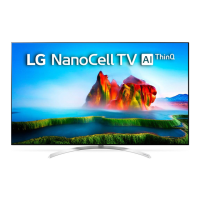

 To Next Page
 General