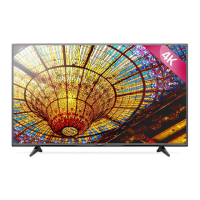
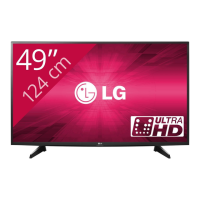
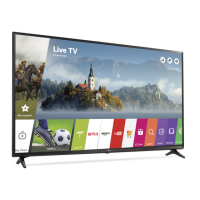
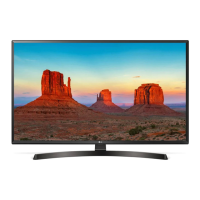
This document is an owner's manual for an LG television, providing safety instructions, usage guidelines, maintenance tips, and technical specifications.
Function Description
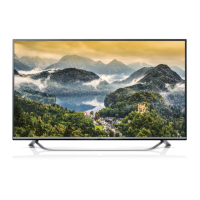
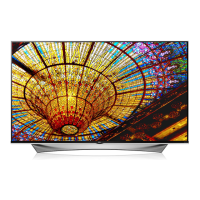
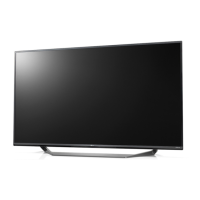
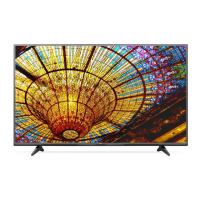
The LG TV is designed for home entertainment, offering a range of features for viewing digital and analogue television, connecting external devices, and, for some models, 3D imaging. It serves as a central hub for various media, including video games, USB devices, and audio equipment. The TV can be operated via a joystick button on the device itself or through a remote control, with some models supporting a Magic Remote for enhanced interaction.
Important Technical Specifications
CI Module (W x H x D): 100.0 mm x 55.0 mm x 5.0 mm
Operating Temperature: 0 °C to 40 °C
Operating Humidity: Less than 80%
Storage Temperature: -20 °C to 60 °C
Storage Humidity: Less than 85%
Television System:
- Digital TV: DVB-T/T2*, DVB-C, DVB-S/S2*
- Analogue TV: PAL/SECAM B/G/I/D/K, SECAM L/L'
Programme Coverage:
- Digital TV: VHF, UHF, C-Band*, Ku-Band*
- Analogue TV: VHF: E2 to E12, UHF: E21 to E69, CATV: S1 to S20, HYPER: S21 to S47
Maximum Number of Storable Programmes:
- Digital TV: 6,000
- Analogue TV: 1,500
External Antenna Impedance: 75 Ω
Wireless Module Specifications (LGSBW41 / LGSBW51):
- Wireless LAN Standard: IEEE 802.11a/b/g/n/ac
- Bluetooth Standard: Bluetooth Version 4.0
- Frequency Range:
- 2400 to 2483.5 MHz
- 5150 to 5250 MHz (for Non EU)
- 5725 to 5850 MHz (for Non EU)
- Output Power (Max.):
- 802.11a: 13 dBm
- 802.11b: 14 dBm
- 802.11g: 14 dBm
- 802.11n - 2.4 GHz: 16 dBm
- 802.11n - 5 GHz: 16 dBm
- 802.11ac - 5 GHz: 15.5 dBm
- Bluetooth: 10 dBm or Lower
Usage Features
Joystick Button Control: The TV can be operated using a single joystick button located on the device.
- Power On/Off: Press once to turn on; press and hold for a few seconds to turn off.
- Volume Control: Move left or right to adjust volume.
- Programme Control: Move up or down to scroll through saved programmes.
- Menu Navigation: Press once to access the menu, then move up, down, left, or right to navigate. Options include power off, clear on-screen displays, change input source, and access Quick Settings.
Remote Control (Standard):
- Power (ن): Turns TV on or off.
- INPUT: Changes the input source.
- Q. MENU / (Q. Settings): Accesses Quick Settings.
- INFO (i): Views current programme and screen information.
- RATIO: Resizes image (model dependent).
- (User Guide): Accesses the user guide.
- Number buttons (0-9): Enters numbers.
- (Space): Opens an empty space on the screen keyboard.
- GUIDE: Shows programme guide.
- Q.VIEW: Returns to the previously viewed programme.
- Volume (+/-): Adjusts volume.
- FAV: Accesses favourite programme list.
- 3D: Used for viewing 3D video (model dependent).
- MUTE (X): Mutes all sounds.
- PAGE (P): Scrolls through saved programmes.
- Navigation buttons (up/down/left/right): Scrolls through menus/options.
- OK: Selects menus/options and confirms input.
- BACK: Returns to the previous level.
- EXIT: Clears on-screen displays and returns to TV viewing.
- AD: Enables audio descriptions.
- REC/*: Starts recording (Time Machine Ready models).
- Control buttons (,, II, «, »): Controls Premium content, Time Machine Ready, SmartShare, or SIMPLINK compatible devices.
- Coloured buttons: Access special functions in menus.
- Teletext buttons (TEXT/T.OPT): Used for teletext.
- RECENT: Shows previous history.
- LIVE MENU: Shows Recommended, Programmes, Search, and Recorded lists.
- (HOME): Accesses the Home menu.
Magic Remote (Model Dependent):
- Registration: Pair by inserting batteries, pointing at TV, and pressing Wheel (OK).
- Deregistration: Press BACK and HOME simultaneously for five seconds.
- Usage: Shake slightly or press HOME, INPUT, 3D buttons to make the pointer appear. Pointer disappears if unused or placed on a flat surface.
- Wheel (OK): Selects menu items, changes programmes.
- Navigation (up/down/left/right): Scrolls menus. Pointer disappears if pressed while active.
- (Screen Remote): Displays the Screen Remote.
- 3D: Used for viewing 3D video (3D models).
- (Voice recognition): Network connection required. Press button, speak when window appears. Keep within 10 cm of face.
- (Q. Settings): Accesses Quick Settings. Press and hold for Advanced menu.
- SUBT.: Recalls preferred subtitle in digital mode.
Mounting:
- Table Mount: Lift and tilt TV into upright position, ensuring 10 cm minimum space from wall for ventilation.
- Wall Mount: Attach VESA standard mounting interface (optional parts) to the back. Use LG wall mount bracket for secure installation.
3D Imaging (3D Models Only):
- Viewing Environment: Maintain 2-7 times diagonal screen size distance. Take 5-15 minute breaks every hour.
- Cautions: Not recommended for children under 6, pregnant individuals, or those with epilepsy, cardiac issues, or stereo blindness. Use LG 3D glasses only.
Maintenance Features
Cleaning Your TV:
- General: Turn off power and disconnect power cord and all cables before cleaning.
- Screen, Frame, Cabinet, Stand: Wipe with a dry, clean, soft cloth for dust. For major dirt, use a soft cloth dampened with clean water or diluted mild detergent, then wipe dry immediately.
- Precautions: Avoid touching the screen, pushing, rubbing, or hitting with sharp objects. Do not use chemicals or spray liquids directly onto the surface.
- Power Cord: Regularly remove accumulated dust or dirt.
Lifting and Moving:
- General: Move in original box/packing material. Disconnect power cord and all cables. Hold top and bottom of frame, screen facing away.
- Large TVs: Requires at least two people.
- Handling: Avoid jolts, excessive vibration. Keep upright, do not turn on side or tilt. Do not apply excessive pressure to frame chassis. Be careful not to damage joystick button.
- Precautions: Avoid touching the screen. Do not move by holding cable holders.
Energy Saving:
- The TV can be placed in standby mode to reduce power consumption. Turn off if not watched for some time.
- Reduce picture brightness to significantly reduce energy consumption.
Regulatory Information:
- LG Electronics offers a take-back and recycling service for e-waste.
- The product is designed to facilitate repair and recycling.
- EU Ecolabel certified for energy efficiency and reduced environmental impact.

 Need help?

 To Next Page
 General