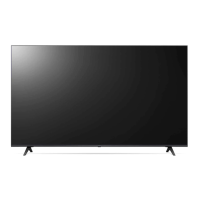
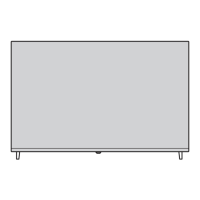
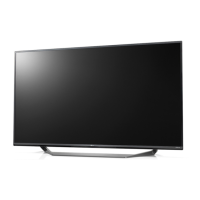
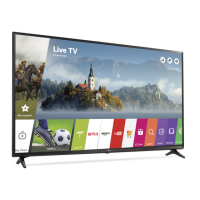
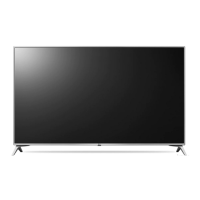
This document serves as an Owner's Manual for an LG LED TV, providing essential information for its safe operation, setup, and maintenance. The manual is structured to guide users through various aspects of the TV, from initial preparation and installation to remote control usage, connections, troubleshooting, and regulatory information.
The primary function of this device is to display visual content, enhanced by LED backlighting for improved picture quality. It is designed for home entertainment, offering various input options for connecting external devices and supporting different broadcasting standards.
Usage Features:
The TV can be operated using a physical button located on the device itself, which allows for basic functions such as power on/off, volume adjustment, input source selection, and navigating through saved programs. For more comprehensive control, a Magic Remote Control is provided, which offers advanced functionalities.
The Magic Remote Control requires batteries (1.5 V AA or AAA, depending on the model) and needs to be paired with the TV before use. The pairing process involves inserting batteries, pointing the remote at the TV, and pressing the Wheel (OK) button. If pairing fails, turning the TV off and on again is recommended. To deregister the remote, specific button combinations (Back and Home, or Home and Q. Settings) need to be pressed and held for several seconds. The manual also advises keeping the Access Point (AP) more than 0.2 m away from the TV to prevent frequency interference with the Magic Remote.
The Magic Remote features a variety of buttons for different functions:
- Power: Turns the TV on or off.
- Number buttons (0-9): Enters numbers, accesses saved programs, and can be held to activate "Quick Access" for specific apps or Live TV.
- Dash (-): Inserts a dash between numbers (e.g., 2-1).
- GUIDE: Accesses the program guide.
- QUICK ACCESS: Accesses the Quick Access menu.
- Volume buttons (+/-): Adjusts the volume level.
- Programme buttons (up/down arrows): Scrolls through saved programs.
- Mute: Mutes all sounds and can access the Accessibility menu.
- Voice recognition: Activates voice control for content search and recommendations (requires network connection).
- Up/Down/Left/Right arrows: Navigates menus. When the pointer is active, pressing these buttons makes the pointer disappear, and the remote functions like a general remote control. Shaking the remote reactivates the pointer.
- Home: Accesses the Home menu and launches the last used apps.
- Input: Changes the input source and accesses the Home Dashboard.
- Wheel (OK): Selects menu items, changes channels, and accesses the Magic Explorer feature. The Magic Explorer can be activated by pressing and holding the pointer on video or text within certain menus (TV Guide, Settings, Sports Alert, Art Gallery).
- Q. Settings: Accesses the Quick Settings menu and the All Settings menu.
- Back: Returns to the previous level or clears on-screen displays.
- Search: Checks for recommended content, searches for TV programs, movies, videos, or performs a web search.
- Red button: Initiates recording.
- Streaming Service buttons: Connects to video streaming services.
- Home Dashboard: Accesses the Home Dashboard.
- User Guide: Accesses the embedded user guide.
- FAV: Accesses the favorite programs list.
- Control buttons: Controls media content.
The TV supports various external connections:
- HDMI: For connecting Blu-ray players, HD receivers, DVD players, VCRs, audio systems, PC, and gaming devices. The manual emphasizes turning off and unplugging devices before connecting HDMI cables. It also details supported HDMI audio formats and the "HDMI Deep Colour" setting, which can be adjusted for clearer pictures with compatible devices. Certified "Ultra High Speed HDMI®/™" cables (3 m or less) are recommended.
- USB: For connecting USB storage devices. It notes that some USB Hubs may not work and recommends connecting USB devices directly to the TV port if issues arise. Specific dimensions for USB cables and devices are provided to ensure optimal connection.
- CI Module: For viewing encrypted (pay) digital TV services. Users are advised to ensure correct insertion to prevent damage.
- Antenna/Cable: Connects to a wall antenna socket with an RF cable (75 Ω). Recommendations include using a signal splitter for multiple TVs, installing a signal amplifier for poor image quality, and realigning the antenna if necessary.
- Satellite dish: Connects to a satellite socket with a satellite RF cable (75 Ω).
- Wired LAN: For network connectivity, a CAT 7 cable is recommended.
Maintenance Features:
The manual provides crucial safety and maintenance guidelines to ensure the longevity and safe operation of the TV:
- Placement: The TV should be placed in a well-ventilated area, away from direct sunlight, high humidity, heat sources, kitchen counters, humidifiers, rain, wind, flammable objects, and excessively dusty places. It should not be installed in confined spaces or on carpets/cushions, and its ventilation openings should not be blocked.
- Power Cord: The power cord must be protected from physical or mechanical abuse. It should not be moved while plugged in, and damaged or loosely fitting cords should be avoided. Users should grasp the plug, not the cord, when unplugging. Connecting too many devices to one AC outlet is warned against.
- Cleaning: Before cleaning, the power cord should be unplugged. The TV should be wiped gently with a soft/dry cloth. Water or other liquids should not be sprayed directly onto the TV. Harsh chemicals like glass cleaner, air fresheners, insecticides, lubricants, wax, abrasives, thinner, benzene, or alcohol should not be used, as they can damage the product or panel.
- Batteries: Batteries should be stored safely out of children's reach. Short-circuiting, disassembling, overheating, or disposing of batteries in fire is prohibited. Mixing new and old batteries or incorrect polarity can cause overheating, leakage, fire, or explosion. Local regulations for battery disposal should be followed.
- Moving the TV: The TV should be moved in its original packing material. The power cord and all cables should be disconnected. The screen should face away from the person moving it, and the top and bottom frames should be held firmly, avoiding the transparent part, speaker, or speaker grill. For large TVs, at least two people are required. The TV should be kept upright, not tilted, and protected from jolts or excessive vibration. Excessive pressure on the frame chassis should be avoided.
- Stand Installation: When installing the stand, foreign substances should not be applied to screw parts. The TV must be secured to prevent overturning. Only approved items should be used, and screws should be inserted correctly and fastened securely without overtightening.
- Wall Mounting: If wall-mounting, the stand should be removed first. VESA standard mounting interfaces should be used, and the TV should be fixed carefully. Power and signal cables should not be hung on the back of the TV. The product should not be installed on a wall exposed to oil or oil mist. Sharp objects should be avoided when detaching the cable cover. The stand hole should be covered with tape to prevent dust and insects.
- Troubleshooting: The manual includes a troubleshooting section for common issues like remote control malfunction, no image/sound, sudden TV shutdown, and no signal from PC (HDMI). It also addresses abnormal display characteristics (flicker, black/colored dots, varying brightness/color depending on viewing position) and generated sounds ("cracking" noise, electrical circuit humming/panel buzzing), explaining that some of these are normal characteristics of the panel or product. Users are advised to avoid displaying still images for prolonged periods to prevent image sticking.
The manual emphasizes that the power plug is the disconnecting device and must remain readily accessible. It warns against children climbing on the TV and advises proper grounding for three-prong AC plugs. In case of product damage, water/substance ingress, smoke/odor, lightning storms, or prolonged disuse, the product should be unplugged immediately, and customer service contacted. High voltage electrical equipment should not be used near the TV, and unauthorized modifications are prohibited. Only authorized attachments/accessories should be used. The AC adapter and power cord should not be disassembled, and the TV should not be touched with wet hands.

 Need help?
 General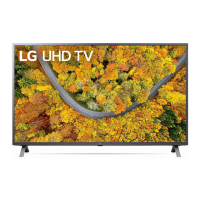

 To Next Page