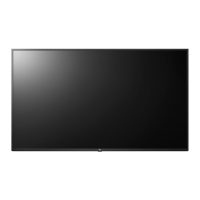
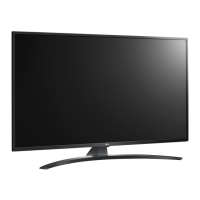
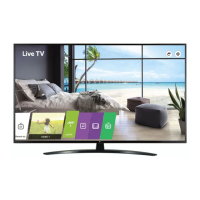
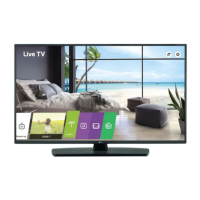
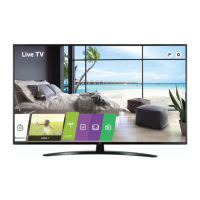
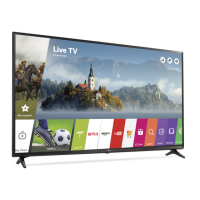
This document serves as the owner's manual for an LG LED TV, providing comprehensive instructions for its safe operation, installation, and maintenance. The manual emphasizes safety precautions, proper handling, and various setup procedures to ensure optimal performance and longevity of the device.
The primary function of this device is to display visual content, acting as a central entertainment hub. It supports various input sources, including antenna/cable, satellite dish, and external devices connected via HDMI and USB ports. The LED TV utilizes an LCD screen with LED backlights to produce images.
Usage Features:
The TV offers a range of usage features designed for user convenience and a rich viewing experience. It can be operated using either the physical buttons on the TV itself or a remote control.
- Basic Functions: The physical buttons on the TV allow for basic operations such as power on/off, volume control, and programme control. Depending on the model, there might be different button configurations (Type A or Type B) for these functions.
- Menu Navigation: The buttons also enable access and adjustment of the TV's menu settings, allowing users to change input sources, scroll through saved programmes, adjust volume, and access the main settings menu.
- Remote Control: The remote control provides a more extensive set of functions, including power on/off, energy saving mode, input source selection, TV/Radio/DTV programme selection, number and alphabet input, access to saved programme lists (LIST), quick view (Q.VIEW), volume adjustment (+/-), smart home menu access (SMART), previous history (SMART™/APP), mute (MUTE), accessibility menu (MUTE), programme scrolling (PAGE), programme guide (GUIDE), hotel interactive menu (PORTAL), information display (INFO), navigation buttons (up/down/left/right), menu selection/confirmation (OK), main menu access (SETTINGS), return to previous level (BACK), exit from on-screen displays (EXIT), special functions (..), teletext functions (TEXT, T.OPT), subtitle recall (SUBTITLE), media content control (Control buttons), and alarm setting (ALARM).
- Connectivity: The TV supports various external connections. For antenna/cable, it connects to a wall antenna socket with an RF cable (75 Ω). For satellite, it connects to a satellite dish with a satellite RF cable (75 Ω). A CI module can be inserted into the PCMCIA card slot for encrypted digital TV services. HDMI ports allow connection to Blu-ray players, HD receivers, DVD players, VCRs, audio systems, PCs, and gaming devices, supporting various audio formats like DTS, Dolby Digital, and PCM. USB ports facilitate connection to USB storage devices and webcams, with recommendations for powered USB hubs or HDDs for optimal performance.
- Network Connectivity: The TV can be connected to a Pro:Centric server via its LAN port for network communication. This involves connecting the LAN port of a modem or router to the TV's LAN port. An AUX LAN port is also available for connecting a PC.
- External Speakers: The TV includes a control port for external speakers, designed for use with a 3 Pole 3.5 mm Stereo Jack.
- Adjusting Viewing Angle: Some models allow for physical adjustment of the TV's angle, swiveling 20 degrees to the left or right to suit the viewer's position.
- Software Updates: The TV's software can be updated to improve performance, with instructions provided for checking compatibility and downloading revised versions from the LG Electronics website.
Maintenance Features:
The manual outlines several maintenance and safety features to ensure the TV's safe and proper functioning.
- Safety Precautions: Emphasizes avoiding exposure to rain or moisture, keeping open flames away, and not placing the TV in high-humidity or heat-prone environments. It also warns against blocking ventilation openings, touching hot ventilation areas, and physical abuse of the power cord.
- Grounding: For devices with a three-prong grounded AC plug, proper grounding to a three-prong grounded AC outlet is crucial to prevent electric shock.
- Power Disconnection: The power plug is the primary disconnecting device and must remain readily accessible. Users are advised to unplug the TV immediately if it is damaged, if water or other substances enter it, if smoke or unusual odors are detected, or during lightning storms or prolonged periods of disuse.
- Battery Handling: Instructions for replacing remote control batteries (1.5 V AAA) are provided, with warnings against mixing old and new batteries, incorrect polarity, short-circuiting, disassembling, overheating, or disposing of batteries in fire. Proper disposal according to local regulations is also highlighted.
- Cleaning: The TV should be cleaned gently with a soft/dry cloth after unplugging the power cord. Users are warned against spraying water or other liquids directly onto the TV and against using harsh chemicals like glass cleaner, air fresheners, insecticides, lubricants, wax, abrasives, thinner, benzene, or alcohol, as these can damage the product or panel.
- Installation: Detailed instructions are provided for mounting the TV on a table or wall. For table mounting, it advises leaving a minimum 10 cm space from the wall for ventilation and securing the TV to a desk to prevent overturning. For wall mounting, it recommends using LG's wall mount bracket or a VESA standard bracket, ensuring adequate space for external device connectivity and securing the TV properly to prevent it from falling. It also suggests covering stand holes with tape during wall mounting to prevent dust and insect ingress.
- Troubleshooting: Provides guidance for common issues such, as the remote control not working (check batteries, obstacles), no image/sound (check power, wall outlet, power control settings), sudden power off (check auto-off function, signal presence), and no signal from PC (reconnect HDMI, restart PC).
- Abnormal Display/Sound: Explains that minor flickers when cold, tiny black/colored dots (1 ppm), and variations in brightness/color from different viewing positions are normal characteristics of the panel and not malfunctions. It also addresses "cracking" noises due to thermal contraction and low-level humming/buzzing from the electrical circuit as normal operational sounds.
- Image Sticking: Warns against displaying still images for prolonged periods to prevent image sticking.

 Need help?
 General

 To Next Page