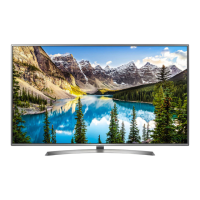
This document describes the LG LED TV (models UJ65**, UJ67**, UJ69**), focusing on its setup, safety, and control features.
Function Description
The LG LED TV is a smart television designed for home entertainment, offering various input options for external devices, digital and analog TV reception, and smart functionalities. It utilizes an LCD screen with LED backlights. The TV supports high-definition content and offers features like energy saving modes, picture adjustments, and external control capabilities.
Important Technical Specifications
- Models: UJ65**, UJ67**, UJ69** (specific models like 70UJ657T-TA, 70UJ675V-TA, 70UJ675Y-TA, 75UJ657T-TA, 75UJ675V-TA, 75UJ675Y-TA, 75UJ699T-TA are listed with dimensions and weight).
- Power Requirement: AC 100-240 V~ 50/60 Hz.
- Wireless Module (LGSBWAC72) Specifications:
- Wireless LAN (IEEE 802.11a/b/g/n/ac):
- Frequency Range: 2400 to 2483.5 MHz (Output power: 14 dBm), 5150 to 5725 MHz (Output power: 16.5 dBm), 5725 to 5850 MHz (Not for EU) (Output power: 11.5 dBm).
- "IEEE 802.11ac" is not available in all countries.
- Bluetooth:
- Frequency Range: 2400 to 2483.5 MHz (Output power: 8.5 dBm).
- CI Module Size (W x H x D): 100.0 mm x 55.0 mm x 5.0 mm (Only Satellite models).
- Operating Temperature: 0 °C to 40 °C.
- Operating Humidity: Less than 80%.
- Storage Temperature: -20 °C to 60 °C.
- Storage Humidity: Less than 85%.
- Television System:
- Digital TV (Depending on country): DVB-T/T2¹, DVB-T/T2/C/S/S2².
- Analogue TV (Depending on country): PAL B/B, PAL B/G, PAL D/K, PAL-I, SECAM B/G, SECAM D/K, NTSC-M.
- Programme Coverage:
- Digital TV: VHF, UHF, C-Band², Ku-Band².
- Analogue TV: VHF, UHF, CATV.
- Maximum number of storable programmes: DVB-T/T2 & Analogue TV: 3,000; DVB-S/S2: 6,000.
- External Antenna Impedance: 75 Ω.
- Supported DTV Audio: MPEG, Dolby Digital, Dolby Digital Plus, HE-AAC.
- Supported HDMI Audio format: Dolby Digital / Dolby Digital Plus (32 kHz, 44.1 kHz, 48 kHz), DTS (44.1 kHz, 48 kHz), PCM (32 kHz, 44.1 kHz, 96 kHz, 192 kHz).
- VESA Wall Mount Compatibility:
- 300 x 300 mm (M6 screws, 4 screws) for 49/55UJ69**, 55SJ85**, 49/55SJ80**, 49/55UJ75**, 49/55UJ67**, 49/55UJ66**, 49/55UJ65**, 49/55UJ63**, 60/65SJ85**, 65SJ80**, 60/65UJ75**, 65UJ69**, 65UJ67**, 60/65UJ66**, 60/65UJ65**, 60/65UJ63**.
- 600 x 400 mm (M8 screws, 4 screws) for 75/86SJ95**, 75UJ69**, 70/75UJ67**, 70/75UJ65**.
- 200 x 200 mm (M6 screws, 4 screws) for 43UJ75**, 43UJ69**, 43UJ67**, 43UJ66**, 43UJ65**, 43UJ63**.
- 300 x 200 mm (M6 screws, 4 screws) for 55/65SJ95**.
Usage Features
- Initial Setup: Upon first power-on, the TV initializes, which may take a few minutes. The OSD (On Screen Display) may vary slightly from the manual.
- Button Control: The TV can be operated using a single button (depending on model) for power on/off, volume, program control, and menu access.
- Remote Control: The TV comes with a remote control. Batteries (1.5 V AAA) need to be inserted correctly. For Magic Remote models, pairing with the TV is required by pointing it at the TV and pressing the Wheel (OK) button. Deregistration is done by pressing BACK and HOME simultaneously for five seconds.
- Mounting:
- Table Mounting: Place the TV upright on a table, ensuring at least 10 cm clearance from the wall for ventilation. Connect the power cord to a wall outlet.
- Wall Mounting: An optional VESA standard wall mount bracket can be attached to the rear of the TV. It is recommended to use LG's wall mount bracket for ease of cable management. Professional installation is advised.
- Connections:
- Antenna/Cable In: Connects to a wall antenna socket with a 75 Ω RF cable.
- HDMI In: For connecting HD receivers, DVD players, gaming devices, etc. HDMI cables and USB devices should have bezels less than 10 mm thick and 18 mm width. High-Speed HDMI™ Cables (3m or less) are recommended.
- HDMI In/ARC: Supports Audio Return Channel.
- USB In: For USB storage devices. An extension cable supporting USB 2.0 may be needed if the USB device doesn't fit.
- LAN: For wired network connection, a CAT 7 cable is recommended.
- Audio Out/H/P Out: For connecting headphones or external audio systems.
- Satellite In: (Only satellite models) Connects to a satellite dish.
- Optical Digital Audio Out: For connecting digital audio systems.
- PCMCIA Card Slot: For CI modules to view encrypted (pay) services in digital TV mode.
- Component In: For connecting devices using component video and audio cables.
- AV In: For connecting devices using composite video and audio cables.
- External Control Device Setup: The TV can be controlled externally via USB to Serial converter (RS-232C input jack) or RS-232C cable (phone jack type). Key codes are provided for various functions like power, volume, aspect ratio, screen mute, contrast, brightness, OSD select, remote control lock, color temperature, ISM method (Plasma TV only), equalizer, energy saving, and tune commands.
- 3D Functionality: (Only 3D models) Supports changing 3D modes, including 3D On/Off, 3D to 2D, 2D to 3D, and various 3D pattern options (Top and Bottom, Side by Side, Check Board, Frame Sequential, Column interleaving, Row interleaving). 3D effect depth can also be adjusted.
- Auto Configure: (Depending on model) Adjusts picture position and minimizes image shaking automatically in RGB (PC) mode.
- Energy Saving: Reduces power consumption, adjustable in the PICTURE menu.
- FreeviewPlus: (Australia region only) Provides access to content and services from Freeview networks, including EPG, Catch Up TV, recommendations, and reminders. Requires an internet connection and uses HbbTV technology.
- Dolby Audio™, dtsHD, HDMI, Dolby Vision™: Supported audio and video technologies, with Dolby Vision™ specifically for UJ75**, SJ80**, SJ85**, SJ95** models.
Maintenance Features
- Safety Instructions:
- Read "Safety and Reference" manual.
- Do not expose the product to rain or moisture.
- Avoid direct sunlight, high humidity, heat sources, steam, oil, or dust.
- Do not place heavy objects on power cables.
- Ensure power cable plug is fully inserted into the wall socket.
- Do not touch the power plug with wet hands.
- Do not disassemble, repair, or modify the product. Contact service center for issues.
- Unplug the TV if not used for a long period to prevent fire hazards from accumulated dust.
- Keep anti-moisture packing material and vinyl packing out of reach of children.
- Prevent children from climbing or clinging onto the TV.
- Dispose of used batteries carefully.
- Do not insert metal objects into power cable ends or product vents.
- Avoid placing inflammable substances near the product.
- Do not spray water or inflammable substances (thinner, benzene) on the product.
- Avoid impacts, shocks, or dropping objects onto the screen.
- Do not touch the product or antenna during a thunder or lightning storm.
- Ventilate rooms when gas leaks.
- Ensure proper ventilation (more than 10 cm distance from walls) and avoid installing in enclosed spaces like bookshelves or cupboards.
- Do not block air vents with tablecloths or curtains.
- When mounting on a wall, ensure cabling is neatly installed and isolated to prevent electric shock/fire.
- Use certified HDMI cables and extension cables for USB 2.0 if needed.
- Use ferrite core on power cord to reduce electromagnetic interference.
- Cleaning: Unplug the power cord first. Wipe with a soft, dry cloth. Do not use excessive force, spray water directly on the screen, or use glass cleaner, car/industrial shiner, abrasives, wax, benzene, or alcohol, as these can damage the product.
- Troubleshooting:
- If the remote control doesn't work, check batteries, obstacles, and the remote control sensor.
- If no image/sound, check power connection, wall outlet, and if the TV is turned on.
- If the TV turns off suddenly, check power control settings, Sleep Timer, Timer Power Off, or Auto Power Off settings. The TV will turn off after 15 minutes of inactivity if no signal is present.
- If "No signal" or "Invalid Format" is displayed in PC mode, turn the TV off/on, reconnect HDMI cable, and restart the PC with the TV on.
- "Cracking" noise is normal due to plastic thermal contraction.
- "Electrical circuit humming/panel buzzing" is normal low-level noise from high-speed switching circuits.
- Tiny black/colored dots (1 ppm) on the panel are normal for advanced products and not a malfunction.
- Variations in brightness/color depending on viewing position are characteristic of the panel.
- Avoid displaying still images for prolonged periods to prevent "image sticking."
- Open Source Software: Source code under GPL, LGPL, MPL, and other open source licenses is available at http://opensource.lge.com, or on CD-ROM upon email request for a charge.

 Need help?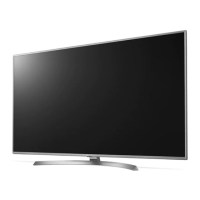

 To Next Page
 General