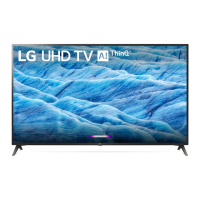
This document is an owner's manual for an LG LED TV, providing essential information for safe operation, setup, usage, and troubleshooting.
Function Description
The LG LED TV is a display device that utilizes an LCD screen with LED backlights. It is designed for home entertainment, offering various functionalities including receiving broadcast television, connecting to external devices, and potentially smart TV features (though not explicitly detailed in the provided excerpts, the mention of "apps" and "Home Dashboard" suggests smart capabilities). The TV can be operated using a physical button on the unit or a remote control, including a Magic Remote Control for enhanced interaction.
Important Technical Specifications
Broadcasting Specifications:
- Digital TV: DVB-T/T2, DVB-T2/C/S/S2 (support varies by model and region).
- Analogue TV: PAL B/B, PAL B/G, PAL D/K, PAL-I, SECAM B/G, SECAM D/K, NTSC-M.
- Programme Coverage: VHF, UHF, C-Band, Ku-Band, CATV.
- Maximum Number of Storable Programmes: DVB-T/T2 & Analogue TV: 3,000; DVB-S/S2: 6,000.
- External Antenna Impedance: 75 Ω.
- CI Module Dimensions (W x H x D): 100.0 mm x 55.0 mm x 5.0 mm.
Wireless Module Specifications (LGSBWAC95, LGSBWAC02, LGSBWAC03):
- Wireless LAN (IEEE 802.11a/b/g/n/ac):
- Frequency Range: 2,400 to 2,483.5 MHz, 5,150 to 5,725 MHz, 5,725 to 5,850 MHz.
- Output Power (Max.): Varies by module, e.g., 17-19 dBm for 2.4 GHz, 18-19.5 dBm for 5.15-5.725 GHz, 10.5-13.5 dBm for 5.725-5.850 MHz.
- Bluetooth:
- Frequency Range: 2,400 to 2,483.5 MHz.
- Output Power (Max.): Varies by module, e.g., 8.5-9 dBm.
- For optimal user consideration, the device should be installed and operated with a minimum distance of 20 cm between the device and the body.
Environmental Conditions:
- Operating Temperature: 0 °C to 40 °C.
- Operating Humidity: Less than 80%.
- Storage Temperature: -20 °C to 60 °C.
- Storage Humidity: Less than 85%.
VESA Wall Mount Dimensions (A x B) and Screws:
- 43/50UP77, 43/50UP78, 43/50UP80*, 43/50UP81*:** 200 x 200 mm, M6 screws (2 screws), WB21LMB.
- 55/60/65UP77, 55/65UP78, 55/60/65UP80*, 55/65UP81*:** 300 x 300 mm, M6 screws (2 screws), WB21LMB.
- 43/50UP75, 43/50UP77, 43/50UP78*, 43/50UP80*, 43/50UP81*:** 200 x 200 mm, M6 screws (4 screws), LSW240B/MSW240.
- 55UP75, 55UP77, 55UP78*, 55UP80*, 55UP81*:** 300 x 300 mm, M6 screws (4 screws), OLW480B/MSW240.
- 65UP75, 60/65UP77, 65UP78*, 60/65UP80*, 65UP81*:** 300 x 300 mm, M6 screws (4 screws), OLW480B.
- 70/75UP77, 70/75UP78, 70/75UP80*, 70/75UP75*:** 400 x 400 mm, M6 screws (4 screws), LSW440B.
- 82/86UP80:* 600 x 400 mm, M8 screws (4 screws), LSW640B.
HDMI Deep Colour Support (4K @ 50/60 Hz):
- On: Supports 4:4:4, 4:2:2, 4:2:0.
- <3,4 port Only> 4K @ 100/120 Hz: Supports 4:4:4, 4:2:2, 4:2:0 (for 82/86UP80* models).
- Off: Supports 4:2:0.
- Recommended to use Ultra High Speed HDMI®/™ cable (3 m or less).
Usage Features
Basic Operation:
- Power On/Off: Press the power button on the TV or remote. Holding the button turns off the TV and stops recordings.
- Menu Control: Access and adjust menus using the TV's physical button or the remote.
- Volume Control: Adjust volume with the physical button or remote.
- Channel/Programme Navigation: Scroll through saved programmes using the physical button or remote.
- Input Source Selection: Change input sources via the physical button or remote.
Remote Control (Magic Remote Control - MR21GA):
- Pairing: Insert batteries (1.5 V AA or AAA), point at the TV, and press the Wheel (OK) button.
- Deregistering: Press Back and Home buttons simultaneously for five seconds. Alternatively, press and hold Home and Q. Settings for more than 5 seconds.
- Buttons:
- Number buttons: Enter numbers, access Quick Help.
- Dash (-): Inserts a dash between numbers (e.g., 2-1).
- GUIDE/QUICK ACCESS: Accesses programme list/guide, or Edit Quick Access for direct app/Live TV access.
- AD/SAP: Enables audio descriptions.
- Mute: Mutes sound, accesses Accessibility menu.
- Voice Recognition: For recommended content and voice commands (requires network connection).
- Up/Down/Left/Right: Navigates menus. Pointer disappears when pressed during pointer use, shake remote to reappear.
- Wheel (OK): Selects menu items, changes channels, accesses Magic Explorer (for content search/interaction).
- Back: Returns to previous level, clears on-screen displays.
- Q. Settings: Accesses Quick Settings and All Settings menus.
- Red button: Runs record function.
- Streaming Service buttons: Connects to video streaming services.
- Home Dashboard: Accesses the Home Dashboard.
- User Guide: Accesses the embedded user guide.
- FAV: Accesses favorite programmes list.
- Control buttons: Controls media content.
Connections:
- HDMI: Connects external devices. Supports various audio formats (True HD, Dolby Digital/Plus, PCM). HDMI Deep Colour setting can be adjusted for clearer picture (support varies by port and model).
- USB: Connects USB devices. Some USB Hubs may not work; connect directly to the TV's USB port if issues arise. USB cables/memory sticks should have specific dimensions (bezel ≤ 10 mm, width ≤ 18 mm, wire diameter ≤ 8 mm).
- CI Module: For encrypted (pay) digital TV services. Ensure correct insertion to avoid damage.
- Antenna/Cable: Connects to a wall antenna socket (75 Ω RF cable). Signal splitter can be used for multiple TVs. Signal amplifier may be needed for poor image quality.
- Satellite Dish: Connects to a satellite socket (75 Ω RF cable).
- Wired LAN: Recommended to use a CAT 7 cable for optimal connection.
Maintenance Features
Cleaning:
- Power Off and Unplug: Always unplug the power cord before cleaning.
- Soft/Dry Cloth: Wipe gently with a soft, dry cloth.
- Avoid Liquids: Do not spray water or other liquids directly on the TV.
- Avoid Chemicals: Do not use glass cleaner, air fresheners, insecticides, lubricants, wax, abrasive cleaners, thinner, benzene, or alcohol, as these can damage the product or panel.
- Screen Protection: Do not press strongly on the panel with hands or sharp objects. Be careful not to allow liquids or foreign objects into the gaps of the panel.
Battery Handling (Remote Control):
- Storage: Store batteries in a safe location out of reach of children.
- Disposal: Dispose of batteries properly according to local regulations.
- Safety: Do not short circuit, disassemble, overheat, or dispose of batteries in fire. Avoid excessive heat (sunshine, fire).
- Replacement: Replace batteries when the "Magic Remote battery is low" message appears. Match the correct polarities (+ and -) when inserting new 1.5 V AA or AAA batteries.
- Mixing Batteries: Do not mix new and old batteries, as this can cause overheating and leakage.
General Safety and Product Care:
- Ventilation: Install the TV in a properly ventilated space, avoiding confined areas, carpets, or cushions. Do not block or cover ventilation openings.
- Power Cord: Protect the power cord from physical abuse. Do not move the TV while plugged in. Grasp the plug, not the cord, when unplugging. Do not use damaged or loosely fitting cords.
- Stability: When mounting on a table, ensure the TV is stable and secured to prevent overturning. Use recommended cabinets/stands. Anchor tall furniture and the TV to a suitable support. Educate children about climbing hazards.
- Moving: Turn off, unplug, and remove all cables. Use at least two people for larger TVs. Hold the top and bottom frame, keeping the screen facing away from you. Avoid jolts, excessive vibration, and applying pressure to the screen or frame.
- Foreign Objects: Do not insert metallic or inflammable objects into the product. If a foreign object enters, unplug and contact customer service.
- Moisture: Do not expose the product to rain, moisture, dripping, or splashing. Do not place liquid-filled objects on or over the apparatus.
- Lightning Storms: Do not touch the apparatus or antenna during a lightning storm.
- High Voltage Equipment: Do not use high voltage electrical equipment (e.g., bug zappers) near the TV.
- Unauthorized Modification: Do not attempt to modify the product without authorization from LG Electronics.
- Attachments/Accessories: Use only authorized attachments/accessories.
- AC Adapter/Power Cord: Never disassemble. Handle carefully to avoid dropping.
- Wet Hands: Do not touch the TV with wet hands. Ensure power plug is dry and clean.
- Image Sticking: Avoid displaying still images for prolonged periods to prevent image sticking.
Troubleshooting:
- Remote Control Issues: Check sensor, obstacles, battery installation.
- No Image/Sound: Check if TV is on, power cord connection, wall outlet.
- Sudden Turn Off: Check power control settings, auto-off function, signal presence.
- No Signal (PC HDMI): Turn TV off/on, reconnect HDMI cable, restart PC.
- Abnormal Display: Small flicker on startup is normal. Tiny black/colored dots (1 ppm) are not a malfunction. Brightness/color may vary by viewing position.
- Generated Sound: "Cracking" noise from thermal contraction is normal. Electrical circuit humming/panel buzzing is normal low-level noise.

 Need help?

 To Next Page
 General