EasyManua.ls Logo

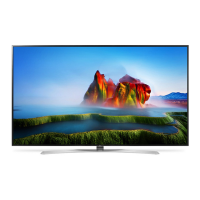
LG 86SJ9570 - User Manual

LG 86SJ9570
43 pages
Print Icon
To Next Page IconTo Next Page
Loading...
OWNER’S MANUAL
Safety and Reference
LED TV*
* LG LED TVs are LCD TVs with LED backlighting.
Please read this manual carefully before operating your TV and
retain it for future reference.
55SJ8000
55SJ800A
55SJ8500
60SJ8000
60SJ800A
60SJ8500
65SJ8000
65SJ800A
65SJ8500
65SJ850A
65SJ9500
75SJ8570
75SJ857A
86SJ9570
P/No : MFL69707613 (1703-REV01)
*MFL69707613*
www.lg.com
Copyright © 2017 LG Electronics Inc. All Rights Reserved.

Other manuals for LG 86SJ9570

Questions and Answers

  • E
    Emily DiazAug 9, 2025
    What to do if my LG 86SJ9570 has sound but no picture?
    • B
      Brianna HayesAug 9, 2025
      If your LG LED TV has normal audio but no video, first, check that all cables between the boards are properly inserted. Then, verify if the backlight is on. Further troubleshooting includes checking the power board voltage (20V, 13.2V, etc.) and the 20V output of the power board. If issues persist, consider repairing the power board or its parts, replacing the inverter, or replacing the T-con/Main Board or module.
  • M
    Mathew BradleyAug 23, 2025
    How to fix LG 86SJ9570 with no video but normal audio?
    • V
      Victoria HicksAug 25, 2025
      To troubleshoot an LG LED TV with no video but normal audio, start by ensuring all cables between the boards are correctly inserted. Next, check if the backlight is functioning. You should also check the power board voltage (20V, 13.2V, etc.). If these steps don't resolve the issue, you may need to repair the power board or its parts, replace the inverter, or replace the T-con/Main Board or module.

LG 86SJ9570 Specifications

General IconGeneral
BrandLG
Model86SJ9570
CategoryLED TV
LanguageEnglish

Related product manuals