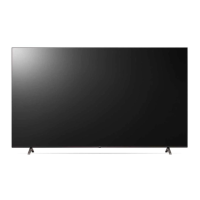
This document serves as the owner's manual for an LG LED TV, providing essential information for its safe operation, installation, and maintenance. The manual emphasizes safety precautions, proper handling, and troubleshooting tips to ensure a long lifespan for the product.
Function Description
The LG LED TV is a display device that utilizes an LCD screen with LED backlights to produce images. It is designed for home entertainment, offering various connectivity options for external devices such as Blu-ray players, HD receivers, DVD players, VCRs, audio systems, USB storage devices, PCs, and gaming consoles. The TV supports both digital and analogue broadcasting specifications, allowing users to access a wide range of television channels. Certain models also support Ultra HD broadcasting, though direct reception of Ultra HD broadcasts may depend on regional support. The TV can be operated using a remote control or a button located on the device itself, providing basic functions like power on/off and menu navigation.
Usage Features
Before Operation:
Users are advised to read the manual thoroughly and keep it for future reference. Additional information, including installation, troubleshooting, and specifications, can be found on the LG website or within the embedded USER GUIDE on the TV itself.
Separate Purchase Items:
The manual notes that certain items, such as a Magic Remote Control and cables for antennas and external devices, may need to be purchased separately. Compatibility with the Magic Remote depends on the TV model's Bluetooth specification.
Installation:
- Lifting and Moving: When moving the TV, it is recommended to keep it in its original packaging. Before lifting, all cables and the power cord should be disconnected. The screen should face away from the user to prevent damage. The TV should be held firmly by the top and bottom frame, avoiding the transparent part, speaker, or speaker grill. For larger TVs, at least two people are required. The TV should always be kept upright, avoiding jolts or excessive vibration. Excessive pressure on the frame chassis should be avoided to prevent screen damage.
- Mounting on the Table: To mount the TV on a table, lift and tilt it into an upright position, ensuring a minimum of 10 cm space from the wall for proper ventilation. The power cord is then connected to a wall outlet. It is crucial not to apply foreign substances (oils, lubricants) to screw parts during assembly, as this can damage the product. Only approved items should be used to ensure safety and product lifespan. If using a stand, precautions must be taken to prevent the TV from overturning, and all provided screws must be fully tightened without excessive force.
- Securing to the Wall: Eye-bolts or TV brackets should be inserted and tightened on the back of the TV. Wall brackets are then mounted to the wall, aligning with the eye-bolts on the TV. A sturdy rope is used to connect the eye-bolts and wall brackets tightly, keeping the rope horizontal. A strong and large enough platform or cabinet is recommended to support the TV securely. Brackets, bolts, and ropes are not provided and can be obtained from a local dealer.
- Mounting to the Wall (Optional Wall Mount Bracket): An optional wall mount bracket can be attached to the rear of the TV and installed on a solid wall perpendicular to the floor. For other building materials, qualified personnel should be contacted. LG recommends using its own wall mount bracket for ease of cable connection. If not using an LG bracket, ensure the chosen bracket allows sufficient space for external device connectivity. The stand should be removed before wall mounting. When mounting, ensure the TV is not installed by hanging power and signal cables, and avoid locations exposed to oil or oil mist. Covering stand holes with tape is recommended to prevent dust and insects.
Connectivity:
- Antenna/Cable: The TV connects to a wall antenna socket with a 75 Ω RF cable. A signal splitter can be used for multiple TVs. If image quality is poor, a signal amplifier may be needed, or the antenna may need realignment. An antenna cable and converter are not supplied.
- Satellite Dish: The TV connects to a satellite dish via a satellite socket with a 75 Ω satellite RF cable.
- HDMI: When connecting HDMI devices, both the TV and external devices should be turned off and unplugged. Supported HDMI audio formats include True HD, Dolby Digital/Plus, PCM, and DTS/HD. Using a certified cable with an HDMI logo is recommended to avoid screen display issues or connection errors. For optimal picture quality with HDMI Deep Colour, ensure the connected device supports it, or adjust the TV's setting accordingly.
- USB: Some USB Hubs may not work, so direct connection to the TV's USB port is recommended. For optimal connection, HDMI cables and USB devices should have bezels less than 10 mm thick and 18 mm width. An extension cable for USB 2.0 may be needed if the USB cable or memory stick does not fit directly.
- IR Blaster: This feature allows control of set-top boxes, Blu-ray/DVD players, soundbars, and gaming consoles using the IR Blaster. The IR Blaster cable connects to the TV's IR Blaster port, and universal control settings are used. The IR Blaster should be secured with the provided 3M tape.
- External Devices: Various external devices can be connected. In PC mode, noise may occur with certain resolutions, vertical patterns, contrast, or brightness; adjusting PC output settings may resolve this. Ultra HD content from a PC may experience intermittent disruption depending on PC performance. For wired LAN connections, a CAT 7 cable is recommended for high-speed Internet transmission.
Turning on the TV:
The TV can be turned on and operated using the button on the device. Pressing it once powers on the TV, pressing and holding it powers off the TV, and pressing it when the TV is on accesses and adjusts the menu. Holding it down during menu control allows menu selection. The first power-on after shipping may take a few minutes for initialization. The On-Screen Display (OSD) may vary slightly from the manual. The device should be easily accessible to a power outlet.
Troubleshooting:
- Remote Control Issues: Check the remote control sensor, ensure no obstacles are present, verify battery functionality and installation.
- No Image/Sound: Confirm the TV is on, the power cord is connected to a wall outlet, and test the outlet with other products.
- Sudden Turn-Off: Check power control settings, power supply interruptions, and if the auto-off function is activated (e.g., after 15 minutes of no remote control input).
- No Signal (PC via HDMI): Turn the TV off/on, reconnect the HDMI cable, and restart the PC.
- Abnormal Display: Small flickers when turning on a cold TV are normal. Tiny black, red, blue, or green dots (1 ppm) on the panel are not malfunctions. Brightness and color variations based on viewing position are characteristic of the panel. Avoid touching the screen for long periods to prevent temporary distortion. Avoid displaying still images for extended periods to prevent image sticking.
- Generated Sound: "Cracking" noises are normal due to plastic thermal contraction from temperature and humidity. Electrical circuit humming/panel buzzing is a low-level noise from high-speed switching circuits and is normal.
Maintenance Features
Cleaning:
- Always unplug the power cord before cleaning.
- Wipe gently with a soft/dry cloth.
- Do not spray water or other liquids directly on the TV.
- Avoid using chemicals such as glass cleaner, air freshener, insecticide, lubricants, wax (car, industrial), abrasive, thinner, benzene, or alcohol, as these can damage the product and/or its panel, potentially leading to electric shock or product damage.
- Ensure to wring out any excess water or cleaner from the cloth.
- Spray just enough water or cleaner onto a dry cloth to wipe the screen.
- When cleaning, be careful not to allow any liquid or foreign objects to enter the gap between the upper, left, or right side of the panel and the guide panel.

 Need help?
 General

 To Next Page