EasyManua.ls Logo

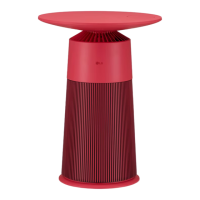
LG AeroFurniture - User Manual

LG AeroFurniture
84 pages
Print Icon
To Next Page IconTo Next Page
Loading...
MFL71825221
Rev.01_030323
www.lg.com
Copyright © 2023 LG Electronics Inc. All Rights Reserved.
EN ENGLISH
OWNER’S MANUAL
AIR
PURIFIER
For safe and easy use of the product please the manual before use.
Please keep the warranty also included in a safe location.
This appliance is an indoor home appliance for use only at home.
Do not use this appliance for commercial, experimental or industrial purposes.
Model : AeroFurniture

Table of Contents

Questions and Answers

Summary

Things to Check Before Reporting a Malfunction

Diagnosing Failures

Functions to diagnose the cause of product failure.

Troubleshooting Guide

Checks to perform before contacting the service center.

Safety Instructions

Product Usage Safety Guidelines

Guidelines to prevent risks and damage from unsafe operation.

Safety Symbols and Meanings

Explains symbols indicating risk and their meanings.

Warning and Caution Categories

Differentiates instructions for serious injury/death and minor injury/damage.

Power Cord and Plug Safety

Proper usage and precautions for the power plug and cord.

Installation Safety Precautions

Precautions and prohibitions for installing the air purifier.

Safe Product Operation

Safety guidelines and prohibitions during product operation.

UVnano Function Safety

Specific safety guidelines for the UVnano function.

Safe Product Disposal

Safe practices for disposing of the air purifier and its packaging.

Using LG ThinQ App

ThinQ App Overview and Setup

Introduction to managing LG appliances via the ThinQ app and installation steps.

ThinQ App Prerequisites and Functionality

Requirements for using the app, like Wi-Fi setup.

Product Feature Upgrades

How to upgrade product functions via the ThinQ app.

Open Source Software Information

Information on open source software used in the product.

Wireless Module Specifications

Technical details of the product's Wi-Fi and Bluetooth modules.

Product Overview and Components

Product Appearance and Part Identification

Detailed description of the air purifier's external parts and their functions.

Table and Control Panel Details

Identification and function of the table and its control panel.

Air Purifier Filters Description

Descriptions of the different filters (Deodorizing, Aero V, Ultra Fine).

Included Product Accessories

Lists the accessories that come with the product.

Product Setup and Preparation

Assembling the Air Purifier

Step-by-step instructions for assembling the air purifier.

Filter Preparation for Use

Removing protective vinyl and tape from the air filter.

Installation Site and Moving Guidelines

Choosing location and safe methods for moving the product.

Replacing Table Components

Procedures for replacing the table and table top.

Using the Air Purifier

Control Panel Overview and Functions

Explanation of the status and control panels and their operations.

Basic Air Purifier Operation

Key operational steps like standby and speed adjustment.

Using Additional Features

How to use features like Mood Light and UVnano.

Smart Device Wireless Charging

Instructions for charging smart devices using the product's wireless charger.

Understanding Air Quality Display

How to interpret the air quality indicator colors and levels.

Product Maintenance and Cleaning

Cleaning the Product Exterior

How to clean the outer surfaces of the air purifier.

Cleaning the PM1.0 Sensor

Procedure for cleaning the dust sensor lens.

Filter Care and Replacement

Guidance on filter cleaning frequency and replacement intervals.

Status Panel Filter Alerts

Understanding filter replacement notifications on the status panel.

Cleaning and Replacing Air Filters

Steps for cleaning and replacing the air filters.

Resetting Filter Replacement Alert

How to reset the filter replacement notification.

Product Storage Guidelines

Instructions for storing the product when not in use.

Troubleshooting and Malfunction Diagnosis

Diagnosing Failures with LG ThinQ App

Using the ThinQ app to diagnose product issues.

Diagnosing Failures via Audible Signal

Using sound signals for diagnosis when app diagnosis fails.

Troubleshooting Common Operational Issues

Solutions for common problems like no power or low fan speed.

Status Panel and Odor Troubleshooting

Addressing issues with indicator lights and unusual odors.

LG ThinQ Connectivity Troubleshooting

Troubleshooting Wi-Fi connection problems between the product and smartphone.

Product Specifications

Specifications Guide and Dimensions

Technical details and dimensions of the air purifier.

Product Warranty Information

Warranty Registration and Purchase Details

Information on filling out the warranty card and registration.

Warranty Period by Product Type

Table detailing warranty periods for various LG appliances.

Warranty Terms and Conditions

Legal terms and conditions governing the product warranty.

LG Service Centre Contact Information

Contact information for LG's customer service and repair centers.

LG AeroFurniture Specifications

General IconGeneral
BrandLG
ModelAeroFurniture
CategoryAir Cleaner
LanguageEnglish

Related product manuals