Getting Started 9
Getting Started
1
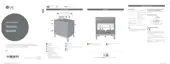
a Display window
b 1 (Standby)
Turns the power on or off.
c F (Function)
Selects the function and input source.
Input source / Function Display
USB USB
Portable input PORTABLE
Bluetooth BT
Radio FM
d p/o (Volume)
Adjusts speaker volume.
e C/ V (Skip/Search)
- Skips backward or forward.
- Searches for a section within a le.
- Selects the radio stations.
N (Play/Pause)
- Starts or pauses playback.
- Turns on or off the Bluetooth connection lock.
(Page 21)
- Stores programme of Radio. (Page 24)
- Deletes the saved stations. (Page 24)
f
(Mood light)
Adjusts mood light.
g USB Port
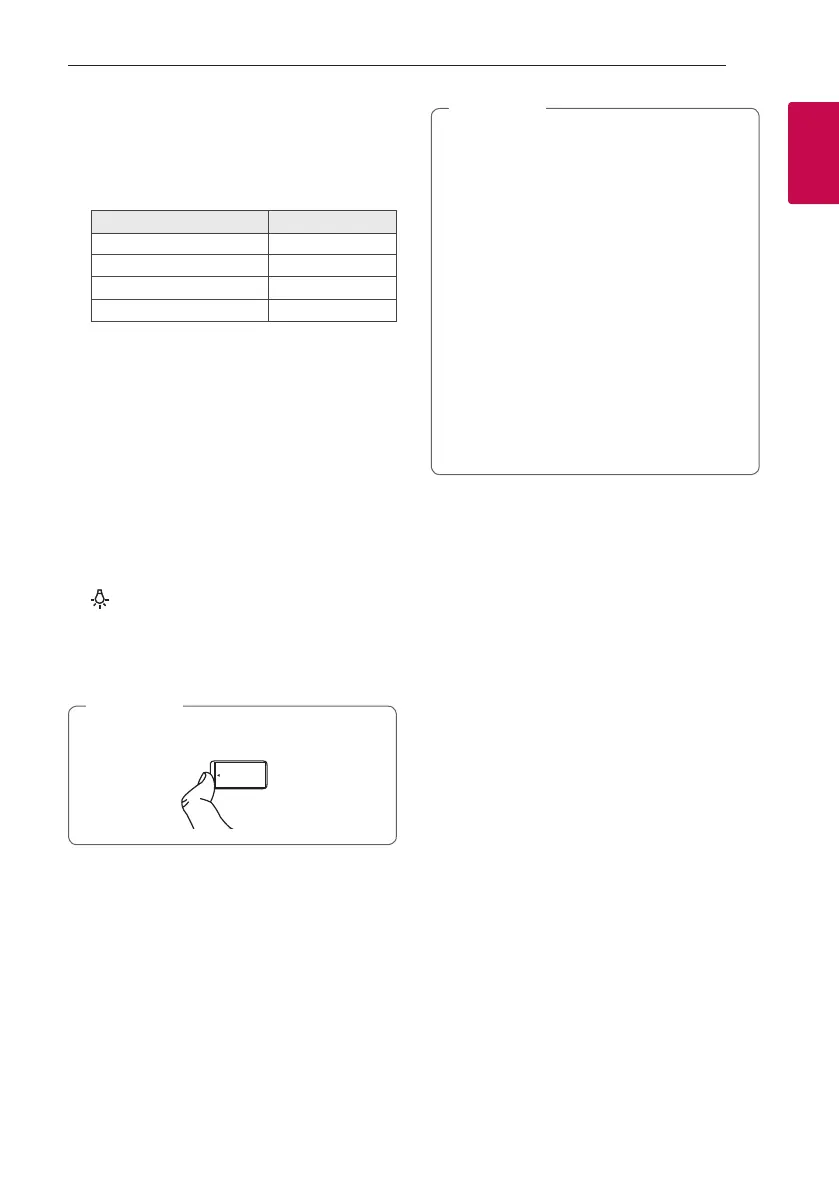
You can play sound les by connecting the USB
device.
Open USB cover by using your nger to connect
USB.
,
Note
h Remote sensor
i Speaker
j Woofer
Precautions in using the touch buttons
y Use the touch buttons with clean and dry
hands.
- In a humid environment, wipe out any
moisture on the touch buttons before
using.
y Do not apply too much pressure on the touch
buttons.
- If you apply too much pressure, it can
damage the sensor of the touch buttons.
y Do not touch the button too quickly.
- Touch the button that you want to work in
order to operate the function correctly.
y Be careful not to have any conductive
material such as metallic object on the touch
buttons. It can cause malfunctions.
,
Note


 To Next Page