8. Electrical Wiring
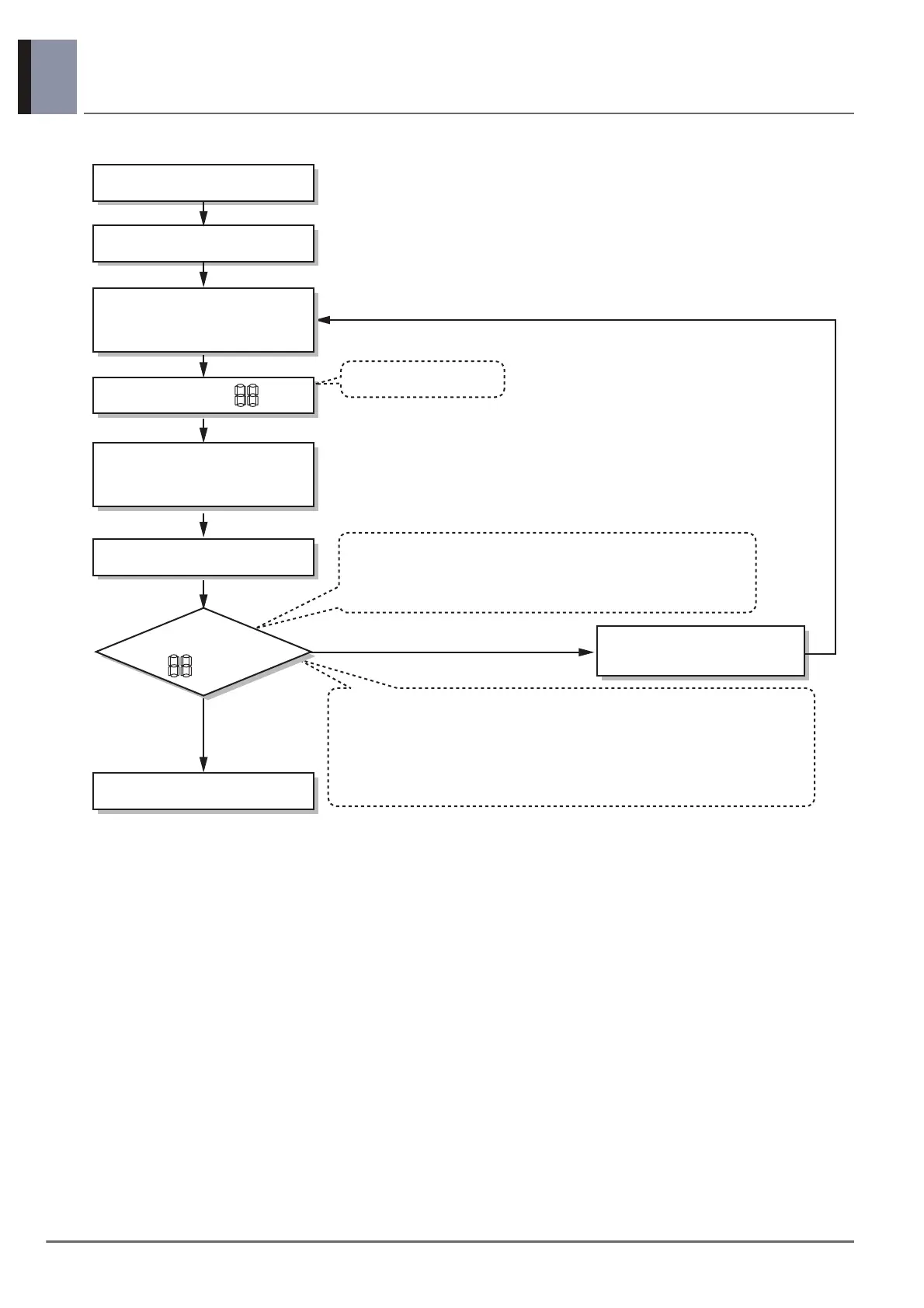
• When auto addressing has completed, number of indoor unit
connected to outdoor unit will be displayed on 7 segment LED
for 30 seconds
Indoor address number is displayed on wired remote control or indoor unit
display window. It is not an error message, will disappeared when on/off
button is pressed on remote control
ex) Display of 01, 02, ..., 15 means connection of 15 indoor units and auto
addressing is completed normally.
Auto addressing start
Waiting 3 minutes
Power On
Press RED Button for 5 sec.
(SW01C)
7-segment LED = 88
Waiting about 2~7 minutes
7-segment LED
OK
YES
NO Check the connections
of Communication line
= 88
Don’t press RED Button
(SW01C)




 To Next Page