14
1.Switching between upper and lower case letters depends
upon the duration of the key press.
2.Pressing a number key in the editing mode will result in a
(upper case) character appearing on the display. To key in
lower case letters, simply press the key with the desired
character and hold it down until the letter appears in lower
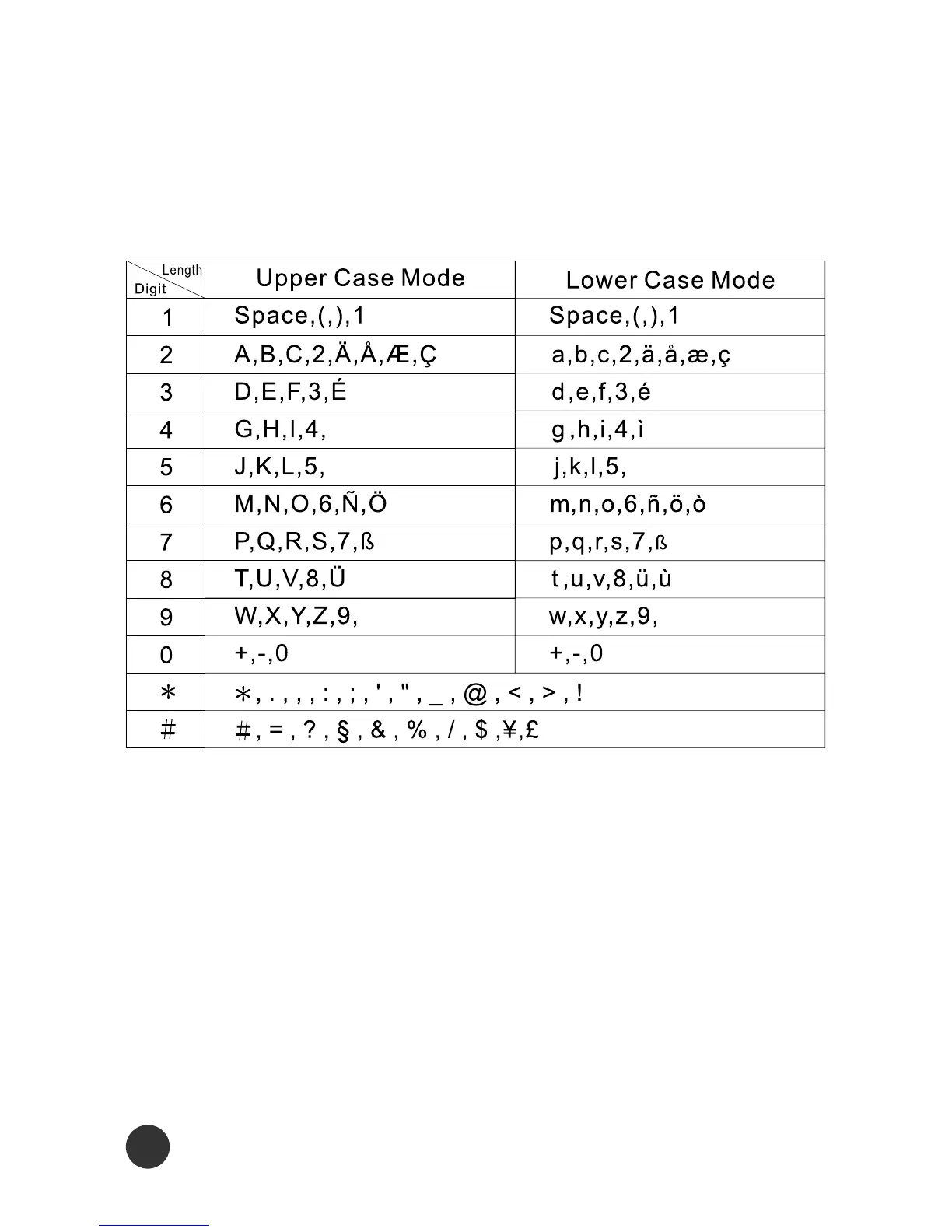
Alphanumeric Mapping
The alphabetical and numerical keypad mapping system is
presented in the following table:



 To Next Page