36 Operation
Operation
4
Playing content contained in
the internal hard disk drive
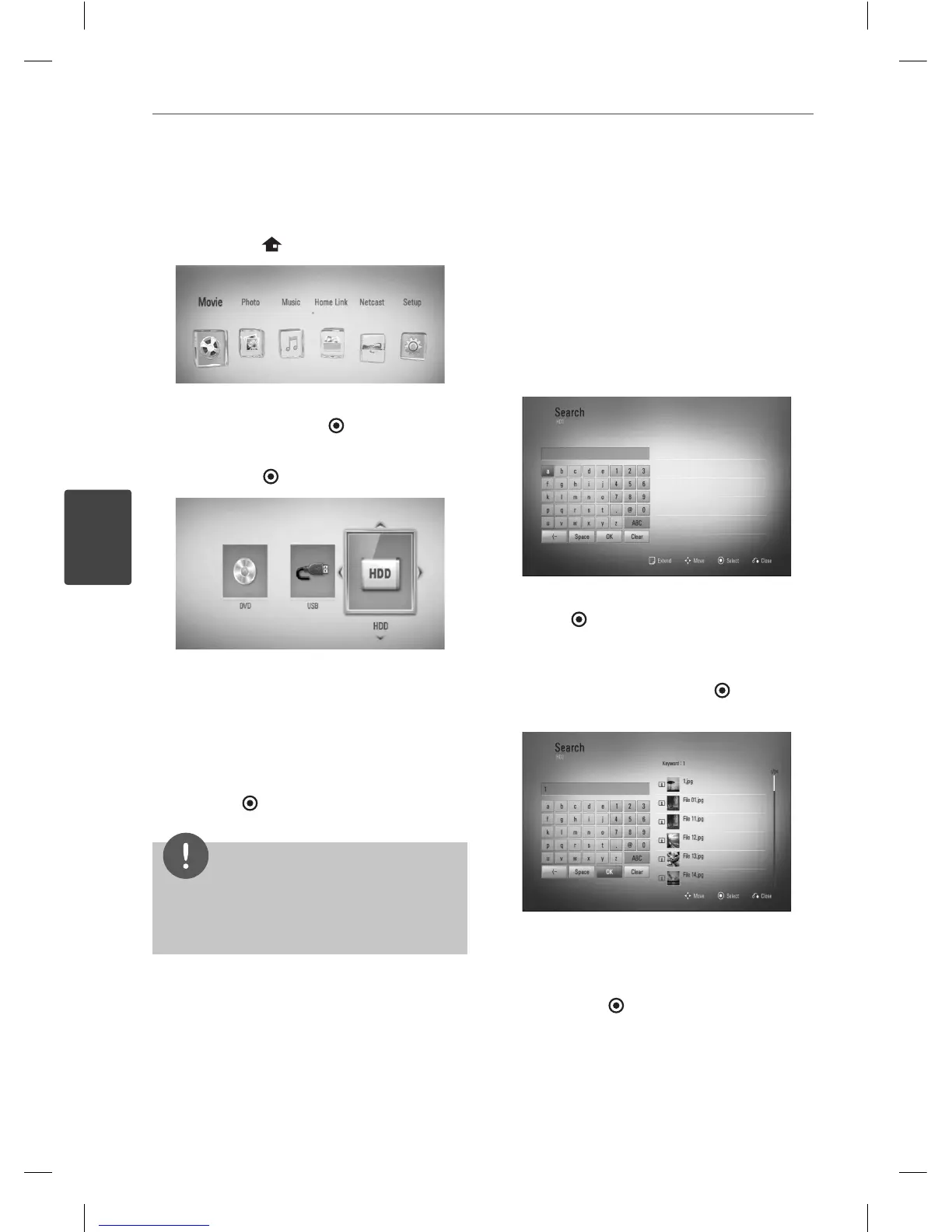
1. Press HOME ( ).
2. Select [Movie], [Photo] or [Music] using
I
/
i
, and press ENTER ( ).
3. Select the [HDD] option using
I
/
i
, and
press ENTER (
).
This step is needed only when a disc or a
USB device is connected on this unit.
While navigating [Movie], [Photo] or [Music]
menu, press green(G) colored button to
change the device. (DISC, USB or HDD)
4. Select a le using
U
/
u
/
I
/
i
, and press PLAY
or ENTER (
) to play the le.
NOTE
The le requirements are described on page 10.
You can use various playback functions. Refer to
pages 34-42.
•
•
Searching content in the hard
disk drive by entering fi le name
If you are having di culties nding content
inthe hard disk drive, you can search for the
content by entering keyword with the virtual
keyboard
1. On the [Movie], [Photo], [Music] or Home
menu, press SEARCH to display the virtual
keyboard.
2. Use
U
/
u
/
I
/
i
to select letters then press
ENTER (
) to con rm your selection on the
virtual keyboard.
3. When you nish entering the keyword,
select [OK] and press ENTER (
) to display
search result.
4. Press
I
/
i
repeatedly until the search result
is selected, and use
U
/
u
to select a desired
content.
5. Press ENTER (
) to play the content.
BD592-N-BCANLLK-ENG.indd 36BD592-N-BCANLLK-ENG.indd 36 2010.2.25 4:28:20 PM2010.2.25 4:28:20 PM



 To Next Page