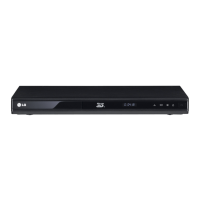
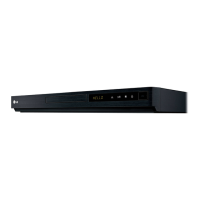
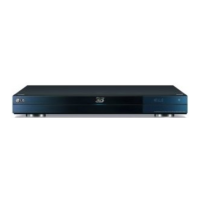
This document is the owner's manual for the LG BD650 Network 3D Blu-ray Disc™ Player.
Function Description:
The LG BD650 is a Network 3D Blu-ray Disc™ Player designed to play various disc formats, including Blu-ray Disc (BD-ROM, BD-R/RE), DVD (DVD-ROM, DVD-R/RW, DVD+R/RW), and Audio CD (CD-R/RW). It supports 3D Blu-ray playback and network features like DLNA and BD-Live™. The player can also play multimedia files (video, audio, photos) from discs, USB devices, and network servers. It offers advanced playback features, system settings for display, language, audio, lock, network, and other options, as well as troubleshooting and appendix information.
Important Technical Specifications:
- Power Requirements: Refer to the main label on the rear panel.
- Power Consumption: 22 W
- Dimensions (W x H x D): Approx. 430 x 49 x 199 mm (16.9 x 1.9 x 7.8 inches)
- Net Weight (Approx.): 1.8 kg (4 lbs)
- Operating Temperature: 5 °C to 35 °C (41 °F to 95 °F)
- Operating Humidity: 5 % to 90 %
- Outputs:
- VIDEO OUT: 1.0 V (p-p), 75 Ω, sync negative, RCA jack x 1
- HDMI OUT (video/audio): 19 pin (Type A, HDMI™ Connector)
- 2CH AUDIO OUT: 2.0 Vrms (1 kHz, 0 dB), 600 Ω, RCA jack (L, R) x 1
- DIGITAL AUDIO OUT (OPTICAL): 3 V (p-p), Optical jack x 1
- System:
- Laser: Semiconductor laser
- Wavelength: 405 nm / 650 nm
- Signal System: Standard NTSC color TV system
- Frequency Response: 20 Hz to 20 kHz (48 kHz, 96 kHz, 192 kHz sampling)
- Signal-to-noise Ratio: More than 100 dB (ANALOG OUT connectors only)
- Harmonic Distortion: Less than 0.008%
- Dynamic Range: More than 95 dB
- LAN port: Ethernet jack x 1, 10BASE-T / 100BASE-TX
- Bus Power Supply (USB): DC 5 V 500 mA x 2
- Supported File Formats (Video): "avi", "mpg", "mpeg", "mkv", "mp4", "asf", "wmv", "m4v" (DRM free) with codecs like XVID, MPEG1 SS, H.264/MPEG-4 AVC, MPEG2 TS, MPEG2 PS, VC-1 SM (WMV3). Audio formats include Dolby Digital, DTS, MP3, WMA, AAC, AC3. Subtitle formats include SubRip (.srt / .txt), SAMI (.smi), Substation Alpha (.ssa/.txt), MicroDVD (.sub/.txt), VobSub (.sub), SubViewer 1.0 (.sub), SubViewer 2.0 (.sub/.txt), TMPlayer (.txt), DVD Subtitle System (.txt).
- Supported File Formats (Audio): "mp3", "wma", "wav", "m4a" (DRM free) with sampling frequencies within 32 - 48 kHz (WMA), within 16 - 48 kHz (MP3). Bitrates supported are within 20 - 320 kbps (WMA) and within 32 - 320 kbps (MP3).
- Supported File Formats (Photo): "jpg", "jpeg", "png" with recommended sizes less than 4,000 x 3,000 x 24 bit/pixel and less than 3,000 x 3,000 x 32 bit/pixel. Progressive and lossless compression photo images are not supported.
- AVCHD: Supports AVCHD format discs, which are high definition digital video camera formats using MPEG-4 AVC/H.264.
- DLNA: DLNA Certified digital media player (v1.5) for sharing movie, photo, and music content from DLNA-compatible digital media servers.
- Regional Code: Plays BD-ROM or DVD discs labeled with the same regional code as the unit or "ALL".
Usage Features:
- Connectivity: HDMI, Digital Audio (Optical), 2-Channel Audio (Left/Right), LAN port for wired network, USB port for media playback and wireless network adapter.
- HDMI Connection: Supports various resolutions (Auto, 1080p, 1080i, 720p, 480p, 480i) and HDMI Color Settings (YCbCr, RGB).
- SIMPLINK: Allows control of LG TVs with SIMPLINK via HDMI.
- Network Connection: Wired and wireless network setup for BD-Live™, streaming services (Netflix, VUDU, LG Apps), and DLNA content playback.
- USB Device Connection: Playback of video, audio, and photo files from USB devices. Supports USB 1.1 and USB 2.0.
- General Playback: Play discs (BD, DVD, CD) and files from discs/USB/network servers.
- Blu-ray 3D Playback: Supports playback of Blu-ray 3D discs when connected to a 3D capable TV via HDMI.
- BD-Live™: Accesses online bonus content via network connection. Requires a USB device for storage.
- Basic Operations: Stop, pause, frame-by-frame, scan forward/backward, slow down, skip next/previous chapter/track/file.
- Disc Menu: Accesses disc menus for BD, DVD, AVCHD.
- Resume Playback: Resumes playback from the last stopped point (except for BD-ROM discs with BD-J).
- Advanced Playback: Repeat playback (disc, chapter, title, track, all, A-B), repeating a specific portion, enlarge playback image, marker search, search menu.
- Content List View: Changes the display of content lists (Movie, Music, Photo).
- Content Information: Displays information about the currently playing content.
- Subtitle Selection: Selects subtitle files for movies.
- Last Scene Memory: Memorizes the last scene viewed for discs.
- Wallpaper: Applies a photo to the wallpaper of the Home Menu.
- Photo Options: Slide show, music select for slide show, rotate, zoom, effect, speed.
- On-Screen Display: Displays content information (title, chapter, time, audio, subtitle, angle, TV aspect ratio, picture mode).
- Playing from Selected Time: Jumps to a specific time in the content.
- Audio Selection: Selects different audio tracks.
- Angle Selection: Selects different camera angles (if available on disc).
- TV Aspect Ratio: Changes the TV aspect ratio (4:3 Letter Box, 4:3 Pan Scan, 16:9 Original, 16:9 Full).
- Picture Mode: Changes picture mode (Vivid, Standard, Movie, User setting). User settings include Brightness, Color, Sharpness, Noise Reduction.
- Subtitle Code Page: Changes subtitle code page.
- Audio CD Recording: Records audio CDs to a USB storage device in MP3 format (128kbps, 192kbps, 320kbps).
- Premium/LG Apps: Accesses online content services and LG applications.
- LG Remote: Controls the player using an iPhone or Android phone via home network.
- WOL (Wake On LAN): Turns on the player using a WOL embedded utility on a personal computer or smartphone.
- Network Software Update: Updates player software via network connection.
Maintenance Features:
- Handling the Unit:
- Retain original shipping carton and packing materials for maximum protection during shipment.
- Clean exterior surfaces with a soft, dry cloth.
- Do not use volatile liquids (insecticide spray, benzene, thinner) or rubber/plastic products.
- Wiping with strong pressure may damage the surface.
- Cleaning the Unit:
- Clean the player with a soft, dry cloth. For extremely dirty surfaces, use a soft cloth lightly moistened with a mild detergent solution.
- Maintaining the Unit:
- The optical pick-up lens and disc drive parts are high-tech, precision devices. If they are dirty or worn, picture quality could be diminished. Contact an authorized service center for maintenance.
- Notes on Discs:
- Handling Discs: Do not touch the playback side of the disc. Hold by the edges. Do not stick paper or tape on the disc.
- Storing Discs: Store discs in their cases. Do not expose to direct sunlight or heat sources.
- Cleaning Discs: Clean dirty discs with a soft, clean cloth from the center to the edge. Do not use strong solvents (alcohol, benzene, thinner) or anti-static sprays.

 Need help?
 General

 To Next Page