
 To Next Page

C
carol26Aug 12, 2025
How to fix LG BH4120S when the power does not turn on?
- MMarissa WalkerAug 12, 2025
If your LG Home Theater System power isn't turning on, make sure the power cord is securely plugged into the wall outlet.

How to fix LG BH4120S when the power does not turn on?
If your LG Home Theater System power isn't turning on, make sure the power cord is securely plugged into the wall outlet.
How to reset LG Home Theater System when it won't turn on or off?
To reset your LG Home Theater System when the power won't turn on or off, unplug the power cord, wait at least five seconds, and then plug it back in.
Why is my LG BH4120S Home Theater System remote control not working?
If the remote control for your LG Home Theater System isn't working properly, consider these potential causes: the remote might not be pointed at the unit's remote sensor, it could be too far away, there might be an obstacle blocking the signal, or the batteries could be exhausted.
What to do if there is no picture on LG BH4120S Home Theater System?
If your LG Home Theater System has no picture, ensure that you've selected the correct video input mode on your TV, so the picture from the unit appears on the screen. Also, verify that the video connection is securely connected. Additionally, check that the [HDMI Color Setting] in the [Setup] menu is correctly set to match your video connection. Finally, ensure that the resolution you have set on the player is supported by your TV.
What to do if LG BH4120S does not start playback?
If your LG Home Theater System isn't starting playback, ensure you've inserted a playable disc, checking its type, color system, and regional code. Also, make sure the disc is inserted with the playback side down, and that the disc is clean. Finally, cancel the Rating function or adjust the rating level.
Why does picture noise appear on my LG Home Theater System?
Picture noise may appear on your LG Home Theater System if you're playing a disc recorded in a color system different from your TV. Also, ensure that the resolution you have set on the player is supported by your TV.
Why can't LG BH4120S play movie, photo, or music files?
Your LG Home Theater System might not play movie, photo, or music files if the files aren't recorded in a format the unit supports or if the unit doesn't support the movie file's codec.
Why the angle cannot be changed on LG Home Theater System?
The angle cannot be changed on your LG Home Theater System if multi-angles are not recorded on the DVD Video being played.
Comprehensive warnings on electric shock, fire, moisture, ventilation, laser radiation, and power cord safety.
Steps for safely removing batteries and proper disposal to prevent environmental contamination.
Information on correct disposal of electrical/electronic products per European directives.
Guidelines for disposing of batteries and accumulators per European directives.
LG Electronics declaration of compliance with EU directives and standards.
Information on content protection systems (AACS, BD-ROM Mark, BD+), copy protection, and copyright laws.
Explains how the player's color system output interacts with different TV color systems (PAL/NTSC).
Details about various disc types (BD, DVD, Audio CD) and their compatibility, along with symbols.
Details on disc compatibility, playback issues, symbol meanings, and advanced compatibility.
Lists supported file extensions, codecs, audio formats, and subtitles for movie files.
Lists supported file extensions, sampling frequencies, and bitrates for music files.
Lists supported file extensions and recommended sizes for photo files.
Notes on file name limits, folder limits, loading times, and specific format limitations.
Explanation of AVCHD format, its use in camcorders, and compression.
Requirements for HD playback, including display type and disc content.
Explanation of the unit's regional code and compatible disc types.
Instructions to select the appropriate system mode (PAL, NTSC, AUTO) for your TV.
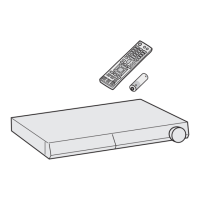
Instructions on how to install the battery in the remote control.
Detailed explanation of the functions of various buttons on the remote control.
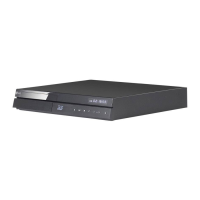
Identifies and describes the components and operation buttons on the front panel.
Identifies and describes the input/output connectors on the rear panel.
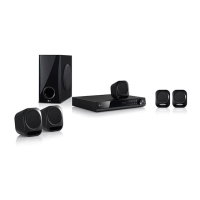
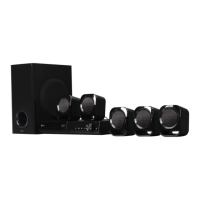
Illustrates and describes optimal placement of speakers for surround sound.
Safety warnings regarding speaker ducts, child safety, magnetic parts, and subwoofer vinyl.
Instructions on how to attach speaker cables to the player's terminals.
Details on connecting the player to a TV using an HDMI cable, including port identification.
Tips for troubleshooting HDMI connections, resolutions, and HDCP requirements.
Instructions on connecting the player to a TV using a video cable (RCA).
Step-by-step guide on how to change the output resolution via the [Setup] menu.
Instructions for connecting the supplied antenna for FM radio reception.
How to connect external audio sources via the AUX input.
Instructions on connecting portable audio players via the PORT. IN jack.
Steps for connecting a USB device and playing movie, music, and photo files.
Important notes on USB device compatibility, formatting, file limits, and unsupported devices.
Guide for the initial setup wizard, including language and speaker settings.
Details on configuring the TV Aspect Ratio settings within the [DISPLAY] menu.
Detailed explanation of available HDMI output resolutions and their specifications.
Information on setting the display mode for 1080p output, including 24 Hz and 50 Hz.
How to select the HDMI color output type (YCbCr or RGB).
How to enable or disable the guide bubbles on the Home Menu.
How to select display language and preferred language for disc menus, audio, and subtitles.
Configuration options for digital audio output formats via HDMI.
Guide to configuring speaker volume and distance for optimal sound.
Explanation of the HD AV Sync feature for compensating audio-video delay.
How to use DRC to adjust audio dynamics for movie playback.
Instructions on creating, changing, and recovering the security password for parental controls.
Settings for DVD and Blu-ray disc ratings and parental control.
How to enter the area code for DVD disc rating standards.
Information about DivX video format, certification, and registration for VOD.
How to configure the auto power-off feature to save energy.
Options for resetting the player to factory settings or clearing Blu-ray storage.
How to view the current software version of the player.
Explanation of various sound effect modes like Natural Plus, Natural, Bypass, Bass Blast, Loudness.
Step-by-step guide to adjust equalizer settings for specific frequencies.
Overview of the Home menu and navigation through categories.
Steps for inserting a disc and starting playback, including automatic playback.
How to play movie, music, and photo files from discs or USB devices.
Common playback controls like stop, pause, frame-by-frame, scan, slow motion, and skipping.
Controls for photo slide shows, including starting, stopping, pausing, and skipping photos.
How to display and navigate the disc menu.
How to access and navigate pop-up menus on some Blu-ray discs.
Explanation of the resume playback function and how it remembers the last played point.
How the unit memorizes and recalls the last viewed scene from a disc.
Details on various repeat modes (A-B, Chapter, Title, All) for different media types.
How to set and repeat a specific segment of a video or audio track.
How to display detailed information about movie files.
Methods to change how files are displayed in the content list.
Instructions on how to select a subtitle file with a different name than the movie file.
Various options available during photo viewing, such as slide show, music, rotation.
How to select and play background music files while viewing photos.
How to show and adjust playback information like title, chapter, time, audio, subtitle, angle, aspect ratio.
How to jump to a specific time within a video for playback.
How to select different audio languages or tracks for playback.
How to select the desired subtitle language for playback.
How to change camera angles for scenes recorded with multiple angles.
How to adjust the TV aspect ratio setting during playback.
How to select different picture modes (e.g., Standard, Vivid, Cinema).
How to adjust individual picture settings like contrast, brightness, color, and sharpness.
How to change the subtitle code page for correct subtitle display.
Steps for recording tracks from an Audio CD to a USB storage device.
Instructions on how to tune into FM radio stations using the player.
How to store up to 50 FM radio stations for quick access.
Managing saved stations, improving reception, and viewing RDS information.
Common issues and their solutions related to power, playback, disc compatibility, and remote control.
Troubleshooting steps for common picture issues like "no picture" or "picture noise".
Troubleshooting steps for sound issues like "no sound" or "distorted sound".
Information on obtaining software updates and contacting customer support.
Information on obtaining source code under open source licenses.
How to use the remote control to operate basic TV functions like power, input, volume.
Instructions to program the remote control for different TV manufacturers using codes.
A comprehensive list of countries and their corresponding area codes for DVD rating purposes.
A list of languages and their associated codes for initial settings like Disc Audio, Subtitle, and Disc Menu.
Lists trademarks and logos associated with various technologies like Blu-ray, DVD, HDMI, Dolby, DTS, AVCHD, DivX.
Information about Cinavia technology used to limit unauthorized copies of commercial films and soundtracks.
A table detailing audio output specifications for different sources and HDMI settings.
General specs including power, dimensions, weight, operating temperature, and humidity.
Details of all input and output ports, including video, audio, and USB.
FM tuning range specifications.
Specifications for power output of the amplifier for different speaker channels.
Technical specs related to laser, wavelength, signal system, frequency response, and USB power supply.
Specs for front, rear, center speakers, and subwoofer, including type, impedance, power, and dimensions.
Instructions on safely handling, packing, and cleaning the unit's exterior.
Best practices for handling, storing, and cleaning discs to ensure optimal playback.
 General
| Disc loading type | Slot |
|---|---|
| Disc types supported | BD, BD-R, BD-RE, BD-ROM, CD, DVD, DVD+R, DVD-R, DVD-RW |
| Playback disc formats | Blu-Ray video, CD audio |
| Number of optical discs | 1 discs |
| Optical disc player type | Blu-Ray player |
| Display | FLD |
| Built-in HDD | No |
| ID3 Tag display | Yes |
| TV tuner integrated | - |
| Apple docking compatibility | Not supported |
| Video formats supported | 3GP, AVCHD, DIVX, FLV, M4V, MKV, MPEG2, MPEG4, VC-1, WMV |
| Analog signal format system | NTSC, PAL |
| Audio decoders | Dolby Digital, Dolby Digital Plus, Dolby TrueHD, DTS, DTS-HD, DTS-HD Master Audio |
| RMS rated power | 330 W |
| Audio output channels | 5.1 channels |
| Audio formats supported | AAC, FLAC, LPCM, MP1, MP2, MP3, WMA |
| Supported radio bands | FM |
| Preset stations quantity | 50 |
| Satellite speaker type | 2-way |
| Number of satellite speakers | 4 |
| Satellite speakers RMS power | 45 W |
| Subwoofer type | Passive subwoofer |
| Product color | Black |
| HDMI in | 1 |
| USB version | 2.0 |
| Number of HDMI outputs | 0 |
 Weight and Dimensions
| Main unit weight | 2500 g |
|---|---|
| Main unit dimensions (WxDxH) | 360 x 316 x 60.5 mm |
| Subwoofer dimensions (WxDxH) | 156 x 320 x 325 mm |
| Front speaker dimensions (WxDxH) | 92.5 x 79 x 115 mm |