EasyManua.ls Logo

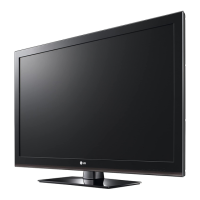
LG CS41 Series - User Manual

LG CS41 Series
54 pages
Print Icon
To Next Page IconTo Next Page
Loading...
OWNER’S MANUAL
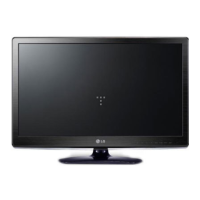
LCD TV / LED LCD TV
Please read this manual carefully before operating
your set and retain it for future reference.
P/NO : MFL67452105 (1211-REV04)
Printed in Korea
www.lg.com
CS41**
LS310*
LS311*
LS315*
LS33**
LS30**

Questions and Answers

  • C
    Carolyn MorrisAug 18, 2025
    Why is my LG CS41 remote not working?
    • S
      saraduffyAug 18, 2025
      If you cannot control your LG LCD TV with the remote, first check the remote control sensor on the TV and try again. Also, make sure there are no obstacles between the remote and the TV. Finally, verify that the batteries are working and properly installed ( to , to ).
  • V
    Valerie MooreAug 20, 2025
    What to do if my LG CS41 has no sound but picture is displaying?
    • S
      Shirley HuangAug 21, 2025
      If your LG LCD TV displays images but produces no sound, try pressing the + or - button to adjust the volume. Also, check if the sound is muted by pressing the MUTE button. You may also want to scroll to other channels because there might be a problem with the broadcast. Ensure that the audio cables are connected properly.
  • J
    Jeanette EstradaAug 23, 2025
    What to do if my LG CS41 says no signal?
    • M
      Meghan JonesAug 23, 2025
      If your LG LCD TV displays a “No Signal” message, verify that the signal cable is properly connected between the TV and other devices. Also, check the selected input source by pressing the INPUT button on your remote.
  • L
    Leah SpenceAug 26, 2025
    Why does my LG CS41 turn off suddenly?
    • N
      Natasha HollowayAug 26, 2025
      If your LG LCD TV turns off suddenly, examine the power control settings to ensure the power supply isn't interrupted. Also, check if the Auto sleep feature is activated in the Time settings. If the TV is on but receives no signal, it will turn off automatically after 15 minutes of inactivity.
  • C
    Courtney HarrisonAug 27, 2025
    How to fix poor color quality on LG CS41?
    • E
      Eric ChenAug 27, 2025
      If the image on your LG LCD TV displays in black and white or the color quality is poor, adjust the color setting in the PICTURE menu. Also, maintain sufficient distance between the TV and other electronic devices. You may also want to try other channels, as there may be a problem with the broadcast.
  • C
    Christopher LiuAug 29, 2025
    What to do if my LG LCD TV has no image and sound?
    • D
      Dr. Andrew HooverAug 30, 2025
      If your LG LCD TV shows no image and produces no sound, first check if the TV is turned on. Next, ensure the power cord is connected to a wall outlet. Finally, check the wall outlet by connecting other products to see if there is a problem with the outlet itself.
  • M
    Mathew HartmanSep 1, 2025
    Why does my LG CS41 screen appear extremely dark?
    • D
      Donald OdonnellSep 1, 2025
      If the power is on but the screen on your LG LCD TV appears extremely dark, adjust the brightness and contrast in the PICTURE menu.
  • A
    angel02Sep 3, 2025
    Why does my LG LCD TV have horizontal noises or characters blur?
    • C
      Chad RodriguezSep 3, 2025
      If horizontal noises appear or characters blur on your LG LCD TV, adjust the Phase setting in the PICTURE menu.
  • W
    William RobertsSep 5, 2025
    How to fix reception on LG CS41 LCD TV?
    • H
      Heather WilsonSep 6, 2025
      If the reception on some channels is poor on your LG LCD TV, try scrolling to other channels, as there may be a problem with the broadcast. Also, the station signal may be weak, so try aiming the antenna in the proper direction. Check for local interference from electrical appliances or power tools.
  • F
    floresconnorSep 8, 2025
    How to fix display offset on LG LCD TV?
    • J
      Jason PowellSep 8, 2025
      If the display offset is wrong on your LG LCD TV, adjust the position setting in the PICTURE menu. Also, check if the video card resolution and frequency are supported by the TV. If the frequency is out of range, set to the recommended resolution using the display settings on the external device.

Summary

LICENSES

OPEN SOURCE SOFTWARE NOTICE

Information regarding open source licenses and source code availability.

SAFETY INSTRUCTIONS

INSTALLATION PROCEDURE

ASSEMBLING AND PREPARING

Unpacking

Checking the contents of the product box and ensuring all accessories are included.

Parts and buttons

Identifies and describes the buttons on the remote control and TV.

Lifting and moving the TV

Guidelines for safely lifting and transporting the television set.

Setting up the TV

Step-by-step instructions for assembling and setting up the TV stand.

Adjusting the angle of the TV to suit view

How to adjust the TV screen angle for optimal viewing position.

Mounting on a table

Instructions for placing the TV on a table securely and safely.

Securing the TV to a wall

Steps for securely mounting the television to a wall.

Mounting on a wall

Details on attaching an optional wall mount bracket to the TV and wall.

Tidying cables

Methods for organizing and managing the TV's cables.

Not using the Desk-Type Stand

Instructions for when the desk-type stand is not in use, especially when wall mounting.

MAKING CONNECTIONS

Antenna connection

How to connect the TV to a wall antenna socket using an RF cable.

Adapter connection

Guide for connecting the DC adapter and power cord to the TV.

HDMI connection

Connecting external devices via HDMI for digital audio and video signals.

Component connection

Connecting external devices using analog component video and audio cables.

Composite connection

Connecting external devices using analog composite video and audio cables.

USB connection

Connecting USB storage devices for multimedia features.

Audio System connection

Connecting an external audio system instead of the built-in speaker.

REMOTE CONTROL

Remote Control Buttons Overview

Explanation of the functions of various buttons on the remote control.

WATCHING TV

Turning the TV on for the first time

Initial setup process including language and basic settings.

Managing Programmes

Instructions for managing TV programmes, including auto tuning.

Manually setting up programme

Step-by-step guide to manually tuning and arranging TV channels.

Using additional options

Exploring extra features like adjusting aspect ratio and image size.

Using the input list

Selecting and switching between different input sources for connected devices.

ENTERTAINMENT

Connecting USB storage devices

Guide for connecting USB flash drives and memory card readers to the TV.

Browsing files

Accessing and viewing photos and music files from USB storage.

Listening to music

Playing music files from USB storage devices.

CUSTOMIZING TV SETTING

Accessing Main Menus

Navigating the TV's main menu structure to access settings.

SETUP Settings

Configuring programme-related settings like auto tuning and manual tuning.

PICTURE Settings

Adjusting image quality, size, and effects for optimal viewing.

AUDIO Settings

Customizing sound modes, treble, bass, and volume settings.

TIME Settings

Setting the clock, timers for automatic on/off, and sleep timer.

TELETEXT

Switch On;Off

Instructions on how to turn the Teletext feature on and off.

Simple Text Page Selection

How to select Teletext pages using the Simple Text mode.

Special Teletext Function

Explains special functions within Teletext like Index, Hold, Reveal, Update.

MAINTENANCE

Cleaning your TV

Guidelines for cleaning the TV screen, frame, cabinet, and power cord.

TROUBLESHOOTING

Audio Troubleshooting

Solutions for common audio problems like no sound or speaker issues.

Video Troubleshooting

Solutions for common video issues like poor colour or image distortion.

SPECIFICATIONS

LG CS41 Series Specifications

General IconGeneral
BrandLG
ModelCS41 Series
CategoryLCD TV
LanguageEnglish

Related product manuals