55
QuickRemote
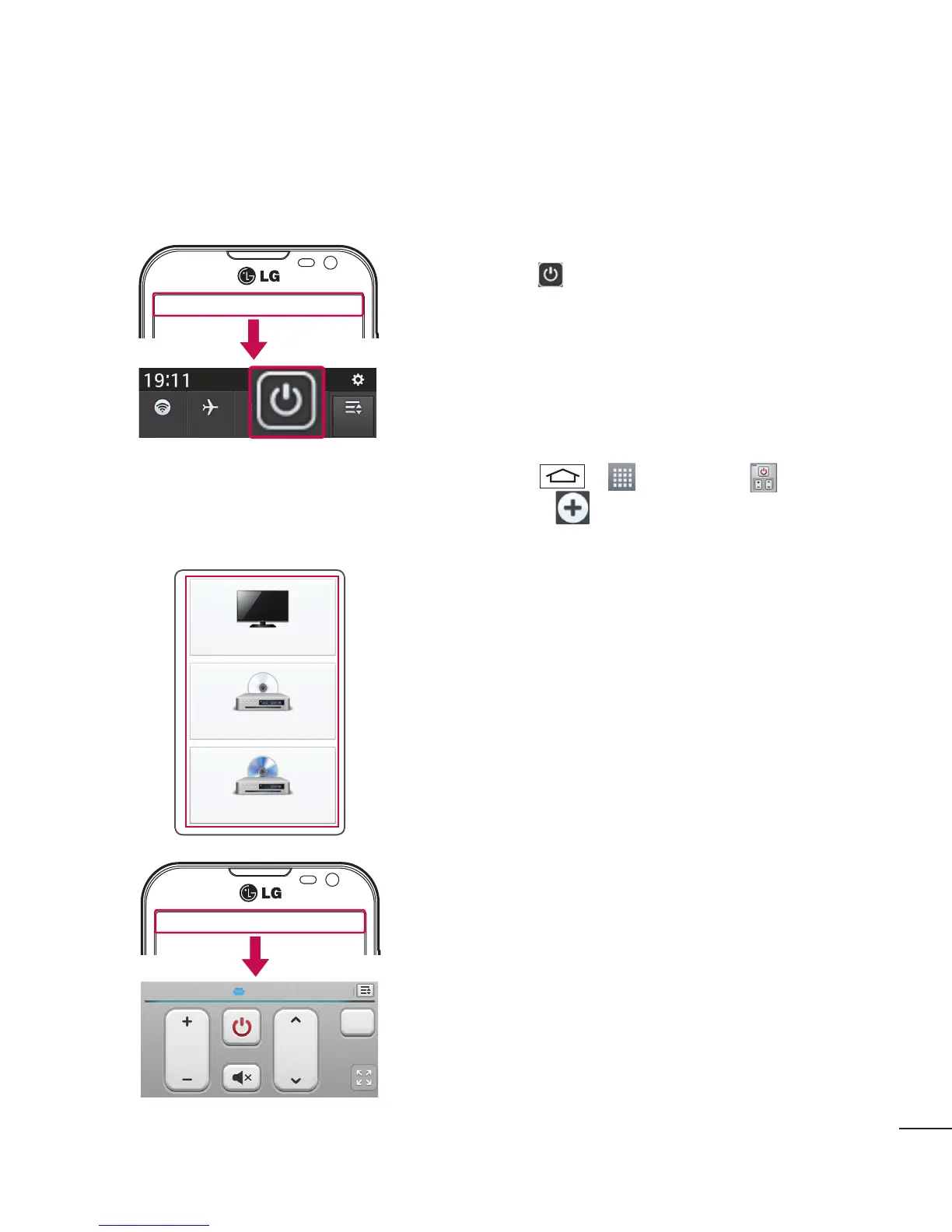
QuickRemote turns your phone into a Universal Remote for your home TV and DVD/Blue-ray.
1 Touch and slide the status bar downwards and
tap > ADD REMOTE.
OR
Tap
> > Apps tab > QuickRemote
> tap .
2 Select the type and brand of device, then follow the
on-screen instructions to configure the device(s).
3 Touch and slide the status bar downwards and use
QuickRemote functions.


 To Next Page