Need help?
Do you have a question about the LG DL X390 Series and is the answer not in the manual?
Essential reading of all safety warnings and precautions before appliance operation.
Identifies potential hazards that could lead to serious injury, death, or property damage.
Outlines precautions to mitigate risks of minor injury, product malfunction, or property damage.
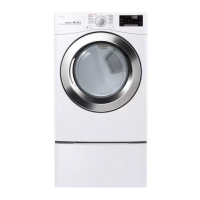
Illustrates the external components and design of the dryer, including front and rear views.
Provides detailed technical data, dimensions, and performance characteristics of various models.
Lists and describes included and optional accessories for the dryer.
Initial overview and preparatory steps required before commencing the dryer installation.
Guidelines for selecting an optimal and safe installation site, considering environment and utilities.
Specifies required spacing and ventilation clearances for safe dryer operation and servicing.
Requirements for ventilation in closets to prevent heat and moisture buildup.
Specifies required clearances for installing the dryer within a cabinet.
Step-by-step instructions to ensure the dryer is stable and level for optimal performance.
Detailed procedure for changing the dryer door swing direction to suit installation needs.
Instructions for properly connecting and installing the exhaust vent kit for various configurations.
Guidance on securely stacking the dryer on top of a compatible washing machine.
Essential guidelines for proper dryer exhaust venting to ensure safety and efficiency.
Information on recommended ductwork types, lengths, and installation practices.
Specific electrical and gas supply requirements for connecting gas dryer models.
Electrical requirements and connection procedures for electric dryer models.
Guide for connecting the water supply hose for dryers equipped with steam functions.
Steps to confirm proper installation and test the dryer's functionality post-setup.
Procedure to evaluate the dryer's exhaust system for restrictions and airflow efficiency.
List and explanation of error codes to help diagnose and resolve appliance issues.
Critical pre-operation checks and safety precautions before first use.
Instructions on cleaning the lint filter to maintain drying efficiency and prevent hazards.
Guidelines for proper loading techniques to ensure effective drying and garment care.
How to choose and set the appropriate drying cycle, temperature, and options.
Explanation of customizable cycle modifiers and additional features for enhanced drying.
Procedure for activating and deactivating the control lock to prevent accidental changes.
Guide to connecting and utilizing the LG ThinQ mobile application for remote control and monitoring.
Instructions for using the Smart Diagnosis feature to troubleshoot appliance problems.
Procedures for routine cleaning of the dryer's exterior, interior, and surrounding areas.
Detailed instructions for effective cleaning of the lint filter after each load.
Guidelines for checking and cleaning the dryer's exhaust ductwork for optimal performance.
Answers to frequently asked questions regarding common dryer issues and their solutions.
Steps to diagnose common problems and perform basic troubleshooting before seeking professional help.
Interpretation of error codes displayed by the appliance to identify and resolve faults.
Troubleshooting tips for various operational problems, including drying performance and heating.
Guidance on resolving problems related to connecting the smart dryer to a Wi-Fi network.
Details the warranty period, scope of coverage, and conditions for service.
Outlines the process for arbitration and dispute resolution with LG.
Lists specific conditions, damages, and usage types excluded from warranty coverage.
 General
| Type | Electric |
|---|---|
| Capacity | 7.4 cu. ft. |
| Wrinkle Care Option | Yes |
| Moisture Sensor | Yes |
| Color | White |
| Dryer Venting | Vented |
| Control Type | Button |
| Width | 27 inches |


 To Next Page