EasyManua.ls Logo

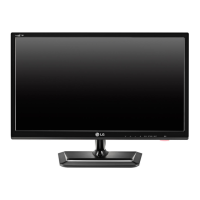
LG DM2352D-PZN - User Manual

LG DM2352D-PZN
36 pages
Print Icon
To Next Page IconTo Next Page
Loading...
North/Latin America http://aic.lgservice.com
Europe/Africa http://eic.lgservice.com
Asia/Oceania http://biz.lgservice.com
Internal Use Only
Printed in KoreaP/NO :
CHASSIS :
MODEL :
CAUTION
BEFORE SERVICING THE CHASSIS,
READ THE SAFETY PRECAUTIONS IN THIS MANUAL.
SERVICE MANUAL
MFL67234613 (1205-REV00)
DM2352D DM2352D-PZN
DM2352D-PRN
LD02M
CINEMA 3D TV

Questions and Answers

  • L
    Linda DelacruzAug 21, 2025
    Why does my LG TV turn off by itself?
    • C
      Cameron WilliamsAug 21, 2025
      If your LG TV turns off suddenly, it may be due to a few reasons. Check the power control settings to ensure the power supply isn't interrupted. Also, verify if the Auto sleep feature is enabled in the Time settings. Finally, if the TV doesn't receive a signal for 15 minutes, it will automatically turn off.
  • R
    robertsmithAug 23, 2025
    What to do if my LG DM2352D-PZN has no image and no sound?
    • L
      Lance HarrisAug 23, 2025
      If your LG LCD TV isn't displaying an image or producing sound, first ensure the TV is turned on. Next, check if the power cord is securely connected to a wall outlet. To verify the outlet is functioning correctly, try connecting other devices to it.
  • V
    Vernon DavisAug 26, 2025
    How to fix an LG DM2352D-PZN remote that is not working?
    • S
      sean60Aug 26, 2025
      If you cannot control your LG LCD TV with the remote, check the remote control sensor on the TV and try again. Ensure there are no obstacles blocking the path between the remote and the TV. Also, verify that the batteries in the remote are working and properly installed, paying attention to the correct polarity (+ to -, + to -).
  • A
    Ashley GarciaAug 28, 2025
    What to do if my LG TV has no image and sound?
    • C
      Cody KellyAug 28, 2025
      If your LG TV is showing no image and producing no sound, first check if the TV is turned on. Then, verify that the power cord is properly connected to a working wall outlet. You can test the outlet by plugging in other devices to see if they work.
  • G
    George MartinezAug 30, 2025
    What to do if 3D images look overlapped on my LG TV?
    • R
      Russell CarlsonAug 30, 2025
      If you see an overlapped image when switching from 2D to 3D on your LG TV, disable the 3D imaging mode using the 3D button on the remote. Alternatively, changing the channel will automatically disable the 3D imaging mode.
  • K
    Kelly BrownSep 1, 2025
    Why does my LG DM2352D-PZN LCD TV turn off suddenly?
    • M
      Michelle ParkerSep 1, 2025
      If your LG LCD TV suddenly turns off, it might be due to an interrupted power supply. Check the power control settings. Also, ensure the Auto sleep feature isn't activated in the Time settings. If the TV is on but not receiving a signal, it will automatically turn off after 15 minutes of inactivity.
  • J
    John BushSep 3, 2025
    What to do if the 3D image on my LG LCD TV looks overlapped?
    • B
      Breanna HendersonSep 3, 2025
      When switching from a 2D to a 3D image on your LG LCD TV and the image appears overlapped, disable the 3D imaging mode by pressing the 3D button on your remote control. Alternatively, changing the channel will automatically disable the 3D imaging mode.
  • D
    Donald BruceSep 5, 2025
    Why is my LG DM2352D-PZN LCD TV screen split when I change the channel?
    • R
      robertsalishaSep 5, 2025
      If the screen on your LG LCD TV is divided into left/right or top/bottom when you change the channel, it means the channel supports 3D imaging. Press the 3D button on the remote control to select the appropriate 3D imaging type displayed on the screen.
  • K
    kpowersSep 7, 2025
    Why do my eyes hurt when watching 3D on my LG DM2352D-PZN LCD TV?
    • J
      Joseph GillespieSep 8, 2025
      If you experience sore eyes or blurry vision while watching 3D images on your LG LCD TV, try selecting either the Left/Right or Right/Left option in the 3D settings to see which provides a more comfortable viewing experience.
  • T
    Thomas LewisSep 9, 2025
    What to do if the screen is divided on my LG TV when I change the channel?
    • J
      jennifer39Sep 9, 2025
      If the screen on your LG TV is divided into left/right or top/bottom when you change the channel, it means that the channel supports the 3D imaging mode. You can select the 3D imaging type displayed on the screen by pressing the 3D button on the remote control.

LG DM2352D-PZN Specifications

General IconGeneral
Screen Size23 inches
Display TypeLCD
Aspect Ratio16:9
Brightness250 cd/m²
Response Time5ms
USB Ports1
BacklightLED
Input PortsHDMI, USB, Component, Composite, PC Input
Built-in SpeakersYes
Resolution1920 x 1080 pixels
Viewing Angle170° (H) / 160° (V)
Standby Power Consumption0.3W

Related product manuals