EasyManua.ls Logo

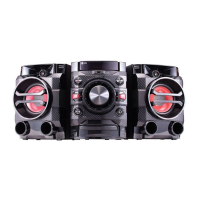
LG DM5430 - User Manual

LG DM5430
36 pages
Print Icon
To Next Page IconTo Next Page
Loading...
OWNER’S MANUAL
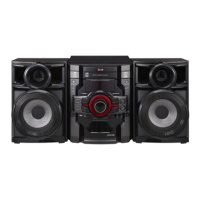
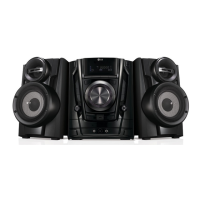
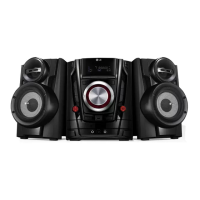
DVD MINI HI-FI SYSTEM
Please read this manual carefully before operating
your set and retain it for future reference.
DM5430 (DM5430, DMS5430V)
DM5330 (DM5330, DMS5330V)
DM5230 (DM5230, DMS5230V)
ENGLISH

Table of Contents

Questions and Answers

  • A
    adrienneduarteAug 7, 2025
    What to do if my LG DM5430 has no power?
    • D
      Deborah OliverAug 7, 2025
      If your LG Stereo System isn't powering on, the most common reason is that the power cord isn't properly plugged in. Ensure the power cord is securely connected to both the stereo system and the power outlet.
  • J
    Jason StewartAug 11, 2025
    Why does my LG Stereo System have little or no sound?
    • J
      Jessica HarrisAug 12, 2025
      If you're experiencing little to no sound from your LG Stereo System, there could be a few reasons: 1. The equipment connected via the audio cable might not be set to receive the DVD signal output. Select the correct input mode of the unit. 2. The speaker cables might not be securely connected to the speakers or the unit. Connect the speaker cables into the connection terminals correctly. 3. The volume might be set to minimum. Use the volume controller to adjust the volume.
  • F
    Frank SmithAug 15, 2025
    Why is my LG DM5430 remote control not working?
    • D
      David ChangAug 15, 2025
      If the remote control for your LG Stereo System isn't working correctly, here are a few things to check: - Make sure you're pointing the remote directly at the remote sensor on the unit. - Ensure you are within a range of about 23 ft (7 m) of the unit. - Remove any obstacles that might be blocking the signal between the remote and the unit. - Try replacing the battery in the remote control with a new one.
  • R
    ryan15Aug 20, 2025
    What to do if my LG DM5430 Stereo System has no picture?
    • C
      Christopher KellyAug 20, 2025
      If you're not getting a picture on your LG Stereo System, it might be due to the TV not being set to the correct input, or the video cables might not be connected properly. First, select the appropriate video input mode on your TV so that the picture from the unit appears on the screen. Second, ensure the video cables are securely connected to both the TV and the unit.
  • E
    Elizabeth RandolphAug 25, 2025
    What to do if my LG DM5430 DVD/CD will not play?
    • D
      Daniel MullenAug 25, 2025
      If your LG Stereo System won't play a DVD or CD, consider these possibilities: - You might have inserted an unplayable disc. Ensure you insert a playable disc, checking the disc type, colour system and regional code. - You might have forgotten to insert a disc. Insert a disc. - The disc might be upside down. Place the disc with the label or printed side facing upwards. - There might be a parental lock enabled. Enter your password or change the rating level.
  • D
    dawn06Aug 28, 2025
    Why is my LG Stereo System making a humming noise while playing a DVD or CD?
    • M
      Mark YangAug 28, 2025
      If you hear a humming noise from your LG Stereo System while playing a DVD or CD, it could be due to a dirty disc or the unit being too close to the TV. Try cleaning the disc using a soft cloth with outward strokes. Also, move the unit and any other audio components further away from your TV.
  • D
    David HarrisSep 1, 2025
    How to tune radio stations properly on my LG DM5430?
    • J
      Joshua LewisSep 2, 2025
      If you're having trouble tuning into radio stations on your LG Stereo System, the issue might be with the antenna's position or the signal strength. Try adjusting the antenna's position. If the signal strength of the radio station is too weak, tune to the station manually.

LG DM5430 Specifications

General IconGeneral
BrandLG
ModelDM5430
CategoryStereo System
TypeMini Hi-Fi System
BluetoothYes
USB PlaybackYes
FM RadioYes
USB Direct RecordingYes
Audio Playback FormatsMP3, WMA
Disc FormatsCD, CD-R, CD-RW
RadioFM
Playable MediaCD, USB
Speaker Type2-Way

Related product manuals