EasyManua.ls Logo

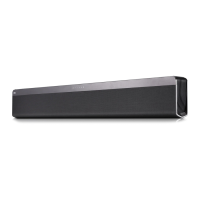
LG DSH6 - User Manual

LG DSH6
4 pages
Print Icon
To Next Page IconTo Next Page
Loading...
SIMPLE MANUAL
Wireless
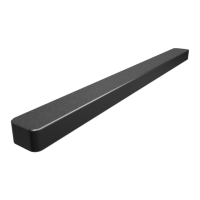
Sound Bar
To view the instructions of advanced features,
visit http://www.lg.com and then download Owner’s Manual.
Some of the content in this manual may differ from your unit.
MODEL
DSH6
Copyright © 2017 LG Electronics. All Rights Reserved
www.lg.com
*MFL70239902*
ENGLISH
Front Panel
··································Standby / On
·······························Selects Function
·························Adjusts Volume
Subwoofer Connection1
The buttons are located on the rear.
Rear Panel
OPTICAL IN · · · · · · · · · · · Connect to an Optical device
PORTABLE IN ········ Connect to a Portable device
USB port ················· Connect to a USB device
HDMI IN ········· Connect to HDMI out on a device
HDMI OUT (TV ARC) ·············· Connect to a TV
Place the wireless subwoofer near the speaker and
follow steps below.
a Connect the power cord of wireless subwoofer
to the outlet.
b Turn on the main unit. :
The sound bar and wireless subwoofer will be
automatically connected. The subwoofer's
green LED turns on.
Subwoofer Connection Manually
a Reset the Subwoofer
If the green LED on the subwoofer blinks quickly,
skip this step and go to b
• Press and hold pairing button for 5 seconds.
• The LED lights up alternately in red and green.
• Plug out the power cord. After the LED turns
off completely, plug in the power cord again.
When the reset is completed, the subwoofer's green
LED blinks quickly.
b Reset the sound bar
• Adjust volume to minimum. "MIN" appears on
display window.
• Press and hold (Mute) button on the
remote control for 3 seconds.
"SUB - WF RESET" appears on display
window.
• Turn the sound bar’s power off and on while
the subwoofer’s green LED blinks.
When the connection is completed, you can see the
green LED on the subwoofer.
Keep the sound bar and the subwoofer away
from the device (ex. wireless router, microwave
oven, etc.) over 1m to prevent wireless
interference.
>1m
8: Turns down the volume at night.
AV SYNC: Synchronizes the audio and video.
AUTO VOL: Adjusts the volume level appropriately.
AUTO POWER: Automatically turns on by an input source.
Replacement of battery
Remote control
a Connect the sound bar to the TV using
Optical cable.
b Set up [External Speaker (Optical)] on
your TV setting menu.
TV
TV
TV Connection 2
Optical Connection
HDMI(ARC) Connection
a Connect the sound bar to the TV using
HDMI cable.
b Set up [External Speaker (HDMI ARC)] on
your TV setting menu.
Connect with the Sound Bar and TV using
Optical ( ) or HDMI ARC ( ).
Additional Device Connection
a Connect to the external device as follows.
TV
OR
(Set-top Box,
Player etc.)
b Set the input source by pressing F on the remote
control or unit repeatedly.
OR
HDMI connection is unavailable if your TV does
not support HDMI ARC.
Specication
Power
consumption
Refer to the main label.
Networked standby : 0.5 W
(If all network ports are activated.)
AC adapter
y
Model :
DA-38A25
y
Manufacturer : Asian Power
Devices Inc.
y
Input :
100 - 240 V ~ 50 - 60 Hz
1.2 A
y
Output : 25 V
0
1.52 A
Dimensions
(W x H x D)
Approx.
945 mm x 53 mm x 85 mm
Without foot
Net Weight Approx. 2.6 kg
Bus Power
Supply (USB)
5 V 0 500 mA
Amplier
(Total RMS
Output power)
320 W RMS
Designandspecicationsaresubjecttochangewithout
notice.
How to disconnect the wireless network
connection or the wireless device
Set up the AUTO POWER ON/OFF function to off and
turn off the unit.
Declaration of Conformity
Hereby, LG Electronics declares that the radio equipment type
Wireless Sound Bar is in compliance with Directive 2014/53/
EU. The full text of the EU declaration of conformity is
available at the following internet address:
http://www.lg.com/global/support/cedoc/cedoc#
For consideration of the user, this device should be
installed and operated with a minimum distance of 20 cm
between the device and the body.
Frequency range Output power (Max.)
2402 to 2480 MHz 10 dBm
5730 to 5821 MHz 13 dBm
Additional Information
Question and Answer IconNeed help?

Do you have a question about the LG DSH6 and is the answer not in the manual?

Overview

This document is a simple manual for an LG Wireless Sound Bar, model DSH6. It provides instructions for basic setup, connection, and operation of the device, with a note to visit the LG website for advanced features and the full Owner's Manual.

The sound bar is designed to enhance audio output for televisions and other devices, offering a wireless subwoofer for improved bass response and a clutter-free setup. It features multiple input options to ensure compatibility with various audio sources.

Function Description

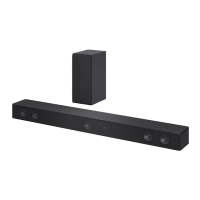
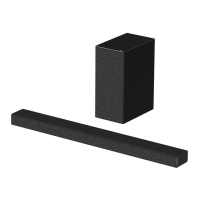
The LG Wireless Sound Bar DSH6 serves as an external audio system, primarily for televisions, to deliver a more immersive sound experience than typical built-in TV speakers. It consists of a main sound bar unit and a wireless subwoofer. The sound bar processes audio signals and outputs them through its integrated speakers, while the wireless subwoofer handles low-frequency sounds, providing deeper bass.

The device supports several input methods:

  • Optical In: Allows connection to a TV or other optical audio source using an optical cable. This is a common digital audio connection that transmits high-quality sound.
  • HDMI In/Out (TV ARC): Provides HDMI connectivity, specifically supporting Audio Return Channel (ARC). HDMI ARC allows audio to be sent from the TV to the sound bar through a single HDMI cable, simplifying wiring and enabling control of the sound bar with the TV remote in some cases. The HDMI In port can connect to other devices like set-top boxes or players, while the HDMI Out (TV ARC) connects to the TV.
  • Portable In: An analog input for connecting portable audio devices using a 3.5mm audio cable.
  • USB Port: Allows playback of audio files from a USB storage device.

The wireless subwoofer connects automatically to the main sound bar unit, eliminating the need for audio cables between the two components. This wireless connection simplifies placement and reduces cable clutter.

Usage Features

The sound bar offers straightforward operation with controls located on the rear of the main unit and a dedicated remote control.

On-Device Controls:

  • Power (Standby / On): Toggles the device between on and standby modes.
  • Function Select: Cycles through the available input sources (Optical, HDMI, Portable, USB).
  • Volume Adjust: Increases or decreases the audio output level.

Remote Control Features:

The remote control provides comprehensive command over the sound bar's functions:

  • Power: Turns the unit on or off.
  • Volume Up/Down: Adjusts the overall volume.
  • Mute: Silences the audio output.
  • Function Select: Switches between input sources.
  • Sound Effect: Allows selection of different audio presets or modes to optimize sound for various content types (e.g., movie, music, voice).
  • Play/Pause, Skip Forward/Backward: Controls media playback when using the USB input.
  • Folder Navigation: For browsing folders on a USB device.
  • Repeat: Sets playback repetition modes for USB content.
  • AV SYNC: Synchronizes audio and video, useful for correcting lip-sync issues that may occur with some TV setups.
  • AUTO VOL (Auto Volume): Automatically adjusts the volume level to prevent sudden changes, such as during commercials, ensuring a consistent listening experience.
  • AUTO POWER (Auto Power On): Automatically turns the sound bar on when an input source is detected, providing convenience.
  • Night Mode (*): A specific feature to turn down the volume at night, likely reducing bass or overall loudness to avoid disturbing others.

Subwoofer Connection:

The wireless subwoofer connects automatically to the sound bar upon powering on both units. A green LED on the subwoofer indicates a successful connection. In case of connection issues, a manual pairing process is available:

  1. Reset Subwoofer: Press and hold the pairing button on the subwoofer for 5 seconds until its LED alternates red and green. Then, unplug and replug the power cord. The green LED will blink quickly, indicating it's ready to pair.
  2. Reset Sound Bar: Adjust the sound bar volume to minimum ("MIN" displayed). Press and hold the Mute button on the remote for 3 seconds until "SUB - WF RESET" appears. Then, power cycle the sound bar. Once the subwoofer's green LED turns solid, the connection is established.

TV Connection:

The manual details two primary ways to connect the sound bar to a TV:

  1. Optical Connection: Connect an optical cable from the TV's optical out port to the sound bar's optical in port. The TV's audio output settings must then be configured to "External Speaker (Optical)."
  2. HDMI(ARC) Connection: Connect an HDMI cable from the TV's HDMI OUT (ARC) port to the sound bar's HDMI IN (ARC) port. The TV's audio output settings must be configured to "External Speaker (HDMI ARC)." It's important to note that HDMI ARC functionality requires the TV to support it.

Additional Device Connection:

Other devices like set-top boxes or media players can be connected to the sound bar's HDMI IN or Optical IN ports. The input source on the sound bar can then be selected using the 'F' button on the remote or the unit itself.

Maintenance Features

While the manual doesn't explicitly detail extensive maintenance procedures, it provides information relevant to the ongoing care and functionality of the device:

Battery Replacement:

The remote control requires batteries, and the manual illustrates the process of replacing them. This involves opening the battery compartment, removing old batteries, and inserting new AAA (R03) batteries, ensuring correct polarity. This is a standard maintenance task for remote controls.

Wireless Interference Prevention:

A crucial note advises keeping the sound bar and subwoofer at least 1 meter away from other wireless devices such as wireless routers or microwave ovens. This helps prevent wireless interference, which could disrupt the connection between the sound bar and the subwoofer, ensuring stable audio playback.

Disconnecting Wireless Network Connection/Device:

To disconnect the wireless network connection or the wireless device, the user is instructed to set the AUTO POWER ON/OFF function to "off" and then turn off the unit. This implies that the wireless connection is managed through the auto power feature.

General Care:

Although not explicitly stated as maintenance, the design and specifications are subject to change without notice, which is a standard disclaimer. The device is also intended to be installed and operated with a minimum distance of 20 cm between the device and the body, which is a safety and operational guideline rather than a maintenance task.

In summary, the LG Wireless Sound Bar DSH6 is designed for ease of use and enhanced audio, with clear instructions for setup and operation, and basic guidance for maintaining its wireless connectivity and remote control functionality.

LG DSH6 Specifications

General IconGeneral
TypeSoundbar
Speaker Type2.1 Channel
Total Power Output300W
Total power300W
SubwooferYes
Wireless SubwooferYes
Audio formatsDolby Digital, DTS
ConnectivityBluetooth, HDMI, Optical, USB
BluetoothYes
HDMI InputYes
Optical InputYes
USB PortYes
Wall MountableYes
Channels2.1 ch

Related product manuals