EasyManua.ls Logo

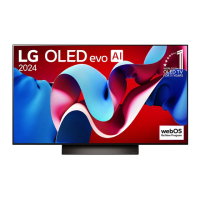
LG evo C4 Series - User Manual

LG evo C4 Series
29 pages
Print Icon
To Next Page IconTo Next Page
Loading...
ENGLISH_index
Safety and Reference
OWNER’S MANUAL
Please read this manual carefully
before operating your set and retain
it for future reference.
Printed in Korea
www.lg.com
Copyright © 2024 LG Electronics Inc.
All Rights Reserved.
The model and serial number of the product are
located on the back and on one side of the product.
Record them below in case you ever need service.
Model
Serial No.
OLED42C4AUA
OLED42C4PUA
OLED48B4AUA
OLED48B4PUA
OLED48C4AUA
OLED48C4PUA
OLED55B4AUA
OLED55B4PUA
OLED55C4AUA
OLED55C4PUA
OLED55G4SUB
OLED65B4AUA
OLED65B4PUA
OLED65C4AUA
OLED65C4PUA
OLED65G4SUB
OLED77B4AUA
OLED77B4PUA
OLED77C4AUA
OLED77C4PUA
OLED77G4WUA
OLED83C4AUA
OLED83C4PUA
OLED83G4WUA
OLED97G4WUA
(Only OLED42/48/55/65/77/83C4*,
OLED48/55/65/77B4*)
(For USA)
This product qualifies for ENERGY
STAR in the factory default setting.
Changing the factory default settings
or enabling other features may
increase power consumption that could exceed
the limits necessary to quality for ENERGY STAR.
Refer to ENERGY STAR.gov for more information
on the ENERGY STAR program.
*MFL720617592312REV00*
Supplier`s Declaration of
Conformity
Trade Name LG
Responsible
Party
LG Electronics USA,
Inc.
Address 111 Sylvan Avenue,
North Building,
Englewood Cliffs,
NJ07632
E-mail lg.environmental@
lge.com
LG Customer Information Center
For inquires or comments, visit www.
lg.com or call;
1-800-243-0000
USA, Consumer
User
1-888-865-3026
USA, Commercial
User
1-888-542-2623 CANADA
Register your product Online!
www.lg.com
Question and Answer IconNeed help?

Do you have a question about the LG evo C4 Series and is the answer not in the manual?

Summary

Safety and Reference

Important Safety Instruction

Warning! Safety instructions

Installation

Mounting on the Table

Instructions for placing the TV on a table safely.

Mounting to the Wall

Precautions for Safety

Starting TV

Turning on the TV

How to operate the TV functions using the power button.

Connections

Antenna, Cable, and HDMI

How to connect antenna, cable, or HDMI for TV reception.

RS-232 C Setup

Instructions for setting up RS-232C external control.

Specifications

Power and Broadcasting Specifications

Details about power supply, consumption, and broadcasting support.

Product Information

Troubleshooting

Precautions for Protecting the OLED TV Screen

Running [Pixel Cleaning] to Protect the OLED TV Screen

Instructions on how to use the pixel cleaning feature to prevent image retention.

Recommendations for Minimizing Image Retention

Tips to reduce the risk of image retention on the OLED screen.

WARNING! (STABILITY HAZARD)

EXTERNAL CONTROL DEVICE SETUP

KEY CODES

USB to Serial(RS-232 C) Converter

RS-232 C(Serial) Cable Connection

RS-232 C Configurations and Set ID

Communication Parameters

Command Reference List

Transmission;Receiving Protocol

Power Control Command

Aspect Ratio Adjustment Command

Screen Mute Command

Volume Mute Command

Volume Control Command

Contrast Adjustment Command

Brightness Adjustment Command

Color;Colour Adjustment Command

Tint Adjustment Command

Sharpness Adjustment Command

Color Temperature Command

Energy Saving Command

Tune Command

Channel Add;Delete;Skip Command

IR Remote Key Command

Backlight;Panel Light Command

Input Select Command

3 D Mode Command

Extended 3 D Option Command

Auto Configure Command

Overview

This document serves as the owner's manual for the LG OLED TV, providing essential information for safe operation, setup, and maintenance. It also includes details for external control device setup, allowing for advanced integration with other systems.

Function Description

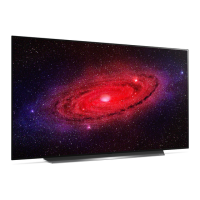
The LG OLED TV is a high-definition television designed to deliver a superior viewing experience. It utilizes OLED technology, where each pixel emits its own light, resulting in perfect black colors and clear images without blurring. The TV supports various input sources, including antenna/cable, HDMI, and USB, allowing users to connect a wide range of external devices such as Blu-ray players, game consoles, and audio systems.

The TV features an intuitive interface for easy navigation and control. It can be operated using a remote control or via a button located on the TV itself. For advanced control, the TV supports external control devices through RS-232C communication, enabling integration with home automation or A/V control systems. This allows for remote power on/off, volume control, channel tuning, input selection, and various picture and sound adjustments.

The TV also incorporates an "Always Ready" mode, which, depending on the model, can turn the TV on by recognizing motion through its built-in sensors. This feature enhances convenience by allowing the TV to activate automatically when a user enters the room.

Usage Features

The LG OLED TV offers a range of features to enhance the user experience:

  • Picture and Sound Customization: Users can adjust various picture settings such as contrast, brightness, color, tint, and sharpness through the PICTURE menu. Sound settings, including treble, bass, and balance, can be adjusted via the AUDIO menu. The TV also includes an "Energy Saving" feature to reduce power consumption, with options for minimum, medium, maximum, auto, or screen off modes.
  • Channel Tuning and Input Selection: The TV supports both analog and digital antenna/cable inputs, allowing users to tune to a wide array of channels. It also provides multiple HDMI and component inputs for connecting external devices. The "Tune Command" feature enables precise channel selection, including physical, major, and minor channel numbers for digital broadcasts.
  • 3D Functionality (on applicable models): For models supporting 3D, the TV allows users to switch between 3D on/off, 3D to 2D, and 2D to 3D modes. It also offers various 3D options like picture correction, depth adjustment, viewpoint, color correction, sound zooming, and different 3D modes (e.g., Top and Bottom, Side by Side, Frame Sequential).
  • OSD Control: The On-Screen Display (OSD) can be toggled on or off, providing flexibility for users who prefer a clean screen without menu overlays during external control.
  • Remote Control Lock: A feature to lock the front panel controls on the monitor and the remote control, preventing unintended changes. This is particularly useful in commercial settings or households with children.
  • Auto Configure: For RGB (PC) mode, the "Auto Configure" function automatically adjusts picture position and minimizes image shaking, optimizing the display for computer input.
  • Open Source Software: LG provides access to the source code for components used in the TV under various open source licenses, demonstrating a commitment to transparency and community engagement.

Maintenance Features

The manual emphasizes several maintenance and safety features to ensure the longevity and safe operation of the LG OLED TV:

  • Important Safety Instructions: Detailed guidelines are provided to prevent fire, electric shock, and injury. These include instructions on proper ventilation, protecting the power cord, using specified attachments, and safe handling during movement. It also advises against placing the TV in environments with direct sunlight, high humidity, or near heat sources.
  • Screen Protection (OLED TVs): Due to the nature of OLED technology, the TV includes features to minimize image retention. It recommends using "Auto Power Save" mode, adjusting "OLED Pixel Brightness" to a lower level, and setting "Adjust Logo Brightness" to "High" when watching for extended periods. The "Pixel Cleaning" feature automatically or manually checks the screen status and prevents image retention. Users are advised to avoid displaying fixed images for long durations and to use zoom functions to remove black bars.
  • Cleaning Instructions: The manual provides specific instructions for cleaning the TV, advising users to unplug the power cord and wipe gently with a soft/dry cloth. It warns against spraying water or other liquids directly on the TV and against using harsh chemicals that could damage the product or panel.
  • Troubleshooting Guide: A comprehensive troubleshooting section addresses common issues such as remote control problems, no image/sound, sudden power off, and abnormal display. It offers solutions like checking connections, replacing batteries, and verifying settings.
  • Stability Hazard Warning: Emphasizes the importance of using recommended cabinets, stands, or mounting methods to prevent the TV from falling, especially when children are present. It advises against placing the TV on unstable surfaces or tall furniture without proper anchoring.
  • LG Take-back & Recycling Policy: LG Electronics offers a recycling service for e-waste, demonstrating its commitment to environmental protection and resource conservation. This policy ensures that products are disposed of responsibly.

LG evo C4 Series Specifications

General IconGeneral
Display TypeOLED
HDR SupportDolby Vision, HDR10, HLG
Refresh Rate120 Hz
Smart TV PlatformwebOS
Audio Output40W
HDMI Ports4
USB Ports3
Wi-FiYes
BluetoothYes
Processorα9 Gen7 AI Processor 4K
HDMIHDMI 2.1
AI UpscalingYes
VRRYes
Voice AssistantsGoogle Assistant, Amazon Alexa
Sound Output40W
Speaker Configuration2.2 Channel
Dimensions (Without Stand)Varies by screen size
Weight (Without Stand)Varies by screen size
Resolution3840 x 2160 (4K)
Screen Size55", 65", 77"

Related product manuals