42
2
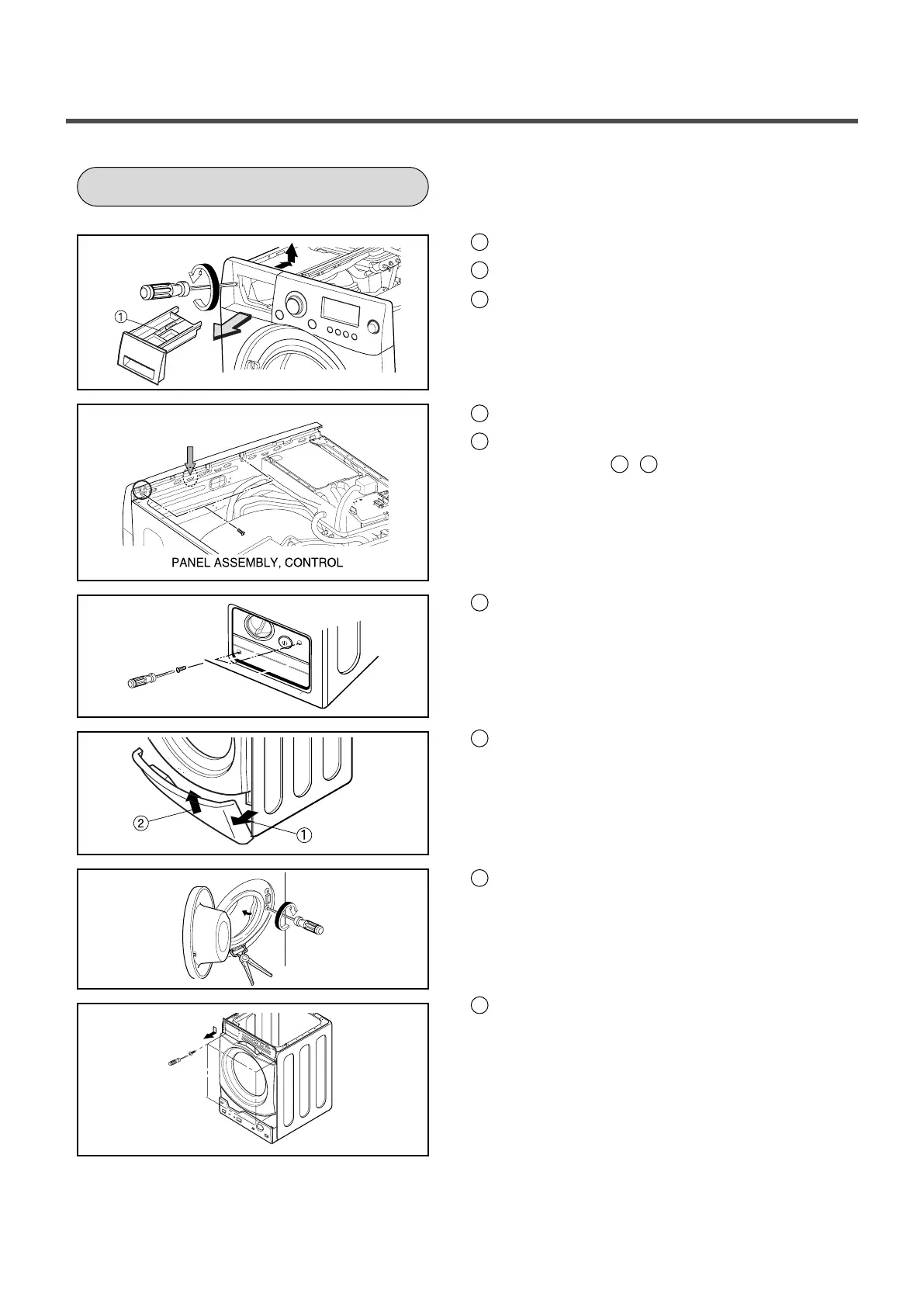
Push out PANEL ASSEMBLY, CONTROL after
Push the hook( , ) below.
1
The plate assembly(Top) is disassembled.
2
Pull out the drawer and unscrew 2 screws.
1
Two screws is unscrewed.
3
Unscrew the screws from the lower cover.
2
The cabinet cover clamp is removed by
special jig for service and the gasket is
released.
3
Two screws are unscrewed.
4
Unscrew all the screws on the upper and
lower sides of the CABINET COVER.
1
2
3
Lift the side the Control Panel Assembly and
pull it out
CABINET COVER


 To Next Page