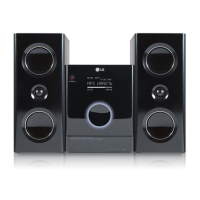
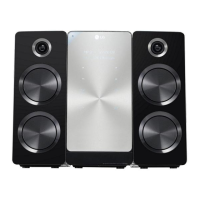
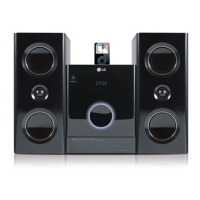
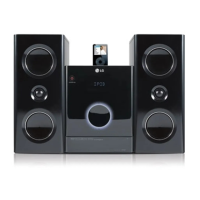
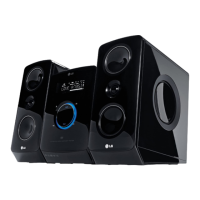
This document describes the LG FB163 / FBS163V DVD Micro Hi-Fi System, a compact audio and video player with a range of features for entertainment.
Function Description
The LG FB163 / FBS163V is a versatile micro hi-fi system designed for playing various media formats and offering several audio enhancements. Its primary function is to play DVDs, including DVD-VIDEO, DVD-R, DVD-RW, DVD+R, and DVD+RW discs, allowing users to watch movies and video content. It also supports audio playback from Audio CDs, MP3, and WMA files, as well as viewing JPEG photo files. The system includes an FM/AM tuner for radio listening and a portable input for connecting external audio devices. A notable feature is the USB Direct Recording function, which allows users to record music from an Audio CD directly to a connected USB storage device. For karaoke enthusiasts, the system offers microphone inputs (MIC1/MIC2) and a Vocal Fader function to reduce singer vocals from music, making it suitable for sing-alongs. The optional iPod docking station allows for direct playback and control of iPod devices.
Usage Features
The system offers a user-friendly interface with both touch buttons on the main unit and a comprehensive remote control. The touch buttons on the main unit are designed for easy operation, with precautions provided for their use, such as using clean, dry hands and avoiding excessive force. The remote control provides full access to all functions, including power, mute, function selection (DVD/CD, USB, OSD iPod, iPod, TV-Audio, Portable, FM-AM), sleep timer, dimmer, return, equalizer effects, VSM (Virtual Sound Matrix), numerical input, echo and microphone volume adjustments, setup menu, disc menu, display options, title selection, navigation, play/pause, stop, record, scan, skip, program/memo, volume control, repeat, clear, subtitle selection, vocal fader, and RDS (Radio Data System) functions.
For DVD playback, users can start, stop, pause, and skip chapters/tracks. The system supports frame-by-frame playback and allows for repeated playback of chapters, tracks, or titles. It also offers 1.5x speed playback for DVDs, CDs, WMA, and MP3s, and slow-motion playback for DVDs. The last scene memory feature recalls the last viewed scene of a DVD, even after removing the disc or turning off the unit. DivX movie files are supported, with options to change subtitle character sets for correct display.
Audio playback includes creating custom programs for CDs, MP3s, and WMAs, allowing users to arrange music in their desired order. The system displays ID3 tag information for MP3 files. For radio listening, it offers automatic station scanning, the ability to save up to 50 preset stations, and features like RDS for displaying station information (PTY, RT, CT, PS).
The USB Direct Recording feature allows for one-track, all-track, or program list recording from Audio CDs to a USB device. The system provides on-screen feedback during recording, showing the percentage rate.
The optional iPod mode allows users to listen to music from their iPod connected to the docking station, with control available via the remote. The OSD iPod mode enables charging the iPod while listening to music and provides an on-screen display for navigating iPod menus like playlists, artists, and albums.
Other usage features include a Power Save Mode, which can be activated by holding the standby/on button for three seconds, turning off the display for economic power consumption. The system also has a screen saver that activates after five minutes in stop mode. Initial setup options include language selection for the OSD and setting the area code for DVD playback. Display settings allow users to choose TV aspect ratios (4:3 or 16:9) and display modes (Letterbox or Panscan). Audio settings include Dynamic Range Control (DRC) for clearer sound at lower volumes and Vocal mode for mixing karaoke channels into stereo. Lock settings allow for password protection and rating control for content.
Maintenance Features
The manual provides essential safety precautions for the device, including warnings against electric shock, fire hazards, and exposure to rain or moisture. It advises against blocking ventilation openings and recommends proper installation in confined spaces. Users are cautioned about the laser system and instructed not to open the enclosure or stare into the laser beam.
Regarding the power cord, users are advised to use a dedicated circuit, avoid overloading wall outlets, and regularly inspect the cord for damage. Any damaged cord should be replaced by an authorized service center. The manual also emphasizes protecting the power cord from physical abuse.
For speaker connection, clear instructions are provided to match wire colors to terminals, ensuring correct setup. The remote control battery installation instructions guide users on how to insert batteries correctly and caution against mixing old and new or different types of batteries.
Troubleshooting tips are included to address common issues such as no power, no sound from the radio, poor radio reception, disc playback problems (unplayable disc, upside-down disc, dirty disc), no picture on TV, and remote control malfunction (not pointed correctly, exhausted batteries). For iPod-related issues, users are advised to check the connection and, if necessary, reset the iPod or refer to Apple support.
The manual also outlines compatibility limitations for various media formats, including DVD±R/RW, CD-R/RW, MP3, WMA, JPEG, and DivX files, which can help users understand potential playback issues and maintain optimal performance by using compatible media. For USB devices, specific requirements and limitations are listed, such as supported file systems (FAT16/32 only) and maximum file/folder counts, to ensure proper functionality.



 To Next Page
 General