Making adjustments to the image size, position and operating parameters of
the monitor are quick and easy with the On Screen Display Control system. A
quick example is given below to familiarize you with the use of the controls.
Following section is an outline of the available adjustments and selections you
can make using the OSD.
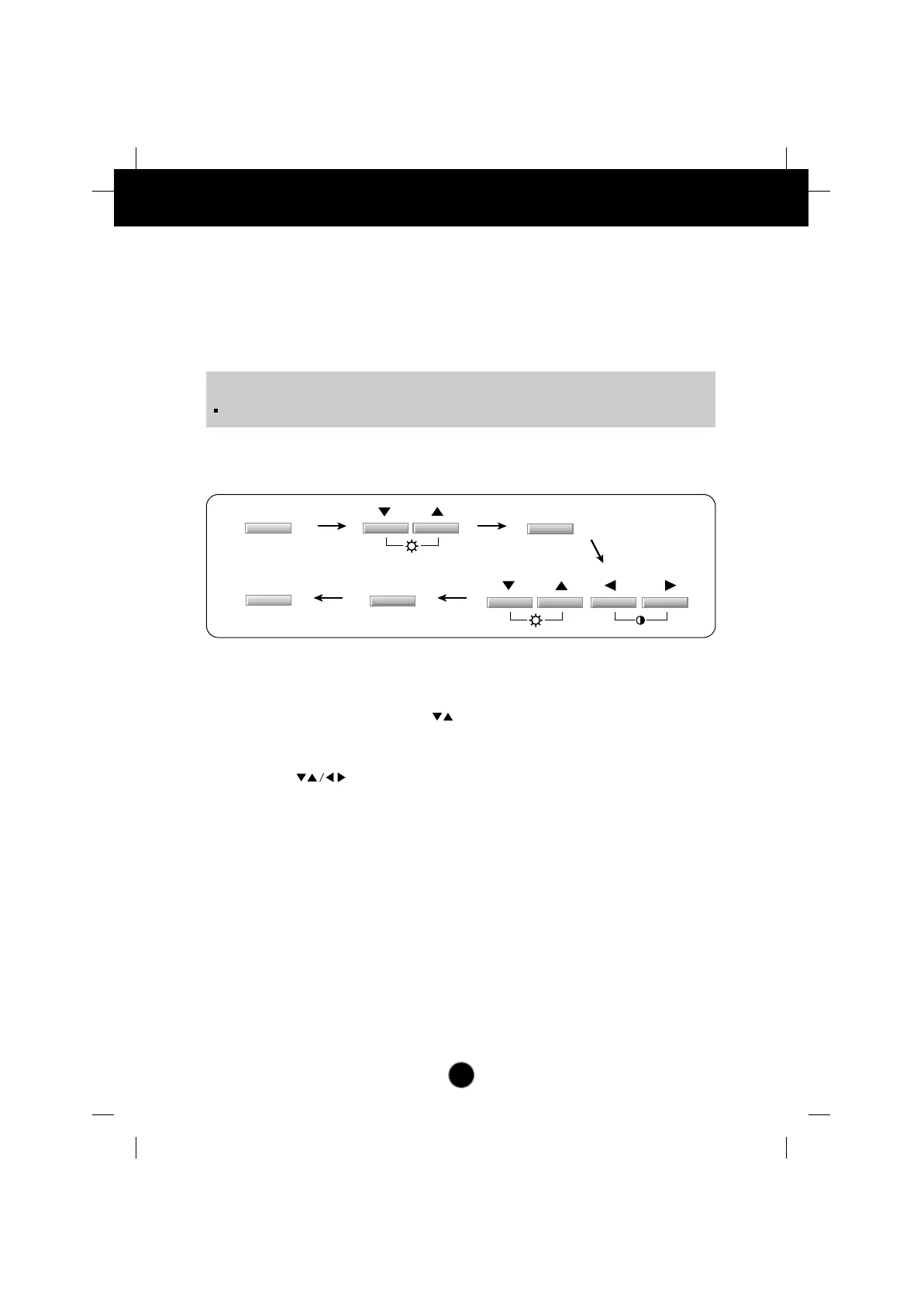
To make adjustments in the On Screen Display, follow these steps:
Press the OSD Button, then the main menu of the OSD appears.
To access a control, use the Buttons. When the icon you want
becomes highlighted, press the AUTO/SET Button.
Use the Buttons to adjust the item to the desired level.
Accept the changes by pressing the AUTO/SET Button.
Exit the OSD by Pressing the OSD Button.
A5
On Screen Display (OSD) Control Adjustment
NOTE
Allow the monitor to stabilize for at least 30 minutes before making image adjustment.


 To Next Page
 Loading...