EasyManua.ls Logo

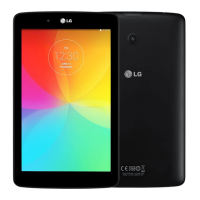
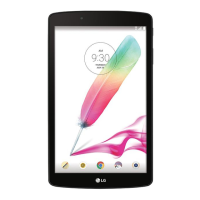
LG G Pad 7.0 V400 - User Manual

LG G Pad 7.0 V400
234 pages
Go to English
Print Icon
To Next Page IconTo Next Page
Loading...
MFL69145301 (1.0)
Benutzerhandbuch
User Guide
www.lg.com
LG-V400
DEUTSCH
ENGLISH

Table of Contents

Questions and Answers

  • J
    Jordan MccormickAug 8, 2025
    What to do if my LG Tablet shows a charging error?
    • C
      Chris Simpson IIAug 8, 2025
      If your LG Tablet displays a charging error, several factors could be at play. First, ensure the battery isn't completely drained by charging it. Also, verify that the tablet is charging within a normal temperature range. Check the charger and its connection to the tablet for any contact issues. Try plugging the charger into a different socket to rule out voltage problems. If the issue persists, the charger may be defective and need replacement. Finally, ensure you are using only original LG accessories, as an incompatible charger can cause charging errors.
  • E
    Elizabeth SteinAug 23, 2025
    Why is my LG G Pad 7.0 V400 not charging?
    • H
      Heather McintyreAug 23, 2025
      If your LG Tablet is not charging, there are several potential reasons: * The battery may simply need to be charged. * The temperature could be too hot or cold; ensure you are charging at a normal temperature. * There might be a contact problem; check the charger and its connection to the tablet. * The socket may not provide voltage; try a different socket. * The charger itself could be defective; consider replacing it. * You might be using the wrong charger; always use original LG accessories.

Summary

Guidelines for safe and efficient use

Road safety

Provides safety guidelines for using the tablet while driving.

Important notice

Using a Screen Lock

Explains how to set up and use screen lock features.

Using the Hard Reset (Factory Reset)

Steps to perform a factory reset on the tablet.

Locking and unlocking the screen

Your Home screen

Connecting to Networks and Devices

Email

Entertainment

Camera

Information about using the device's camera.

The Web

Internet

Browsing the internet using the browser app.

Chrome

Using Chrome for web browsing and search.

Settings

Wi-Fi

Connecting to Wi-Fi networks.

Bluetooth

Managing Bluetooth connections and settings.

Lock screen

Customizing lock screen notifications and behavior.

SYSTEM

LG Backup

Tablet software update

LG G Pad 7.0 V400 Specifications

General IconGeneral
ProcessorQuad-core 1.2 GHz Cortex-A7
GPUAdreno 305
RAM1 GB
Internal Storage8 GB
Expandable StoragemicroSD, up to 64 GB
Rear Camera3.15 MP
Front Camera1.3 MP
Battery4000 mAh
Weight293 g (10.34 oz)
SIMNo
WLANWi-Fi 802.11 a/b/g/n, dual-band, Wi-Fi Direct, hotspot
Bluetooth4.0, A2DP
GPSYes, with A-GPS
USBmicroUSB 2.0
SensorsAccelerometer
LoudspeakerYes
3.5mm jackYes
Infrared portNo
Display7.0 inches
ChipsetQualcomm Snapdragon 400
Operating SystemAndroid 4.4.2 (KitKat)
Dimensions189.3 x 113.8 x 10.1 mm
ColorsBlack, White

Related product manuals