Need help?
Do you have a question about the LG GCC-4120B and is the answer not in the manual?
Lists the key features and capabilities of the CD-RW/DVD-ROM drive.
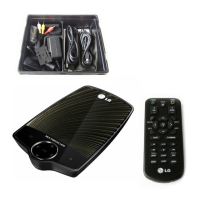
Details the components included in the product package for setup.
Outlines crucial precautions for handling the drive and discs to prevent damage or data loss.
Specifies the required computer hardware and operating system for the drive.
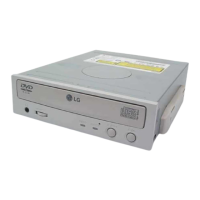
Identifies and describes the controls and indicators on the front and rear panels of the drive.
Provides step-by-step instructions for physically installing the drive into a computer.
Guides on connecting power, IDE interface, and audio cables to the drive.
Explains how to configure the Master/Slave or Cable Select jumper settings for the drive.
Illustrates a typical master drive configuration for IDE interface connections.
Illustrates a typical slave drive configuration for IDE interface connections.
Instructions for reassembling the computer case after drive installation.
Guidance for users of Windows 95/98/2000, noting native driver support.
Guidance for users of Windows NT Workstation, noting native driver support.
Instructions on handling and using CD-ROM, CD-R, DVD, and CD-RW discs with the drive.
Details the manual procedure for ejecting a disc in emergency situations.
A checklist of common issues and solutions to resolve before contacting support.

 To Next Page
 General