EasyManua.ls Logo

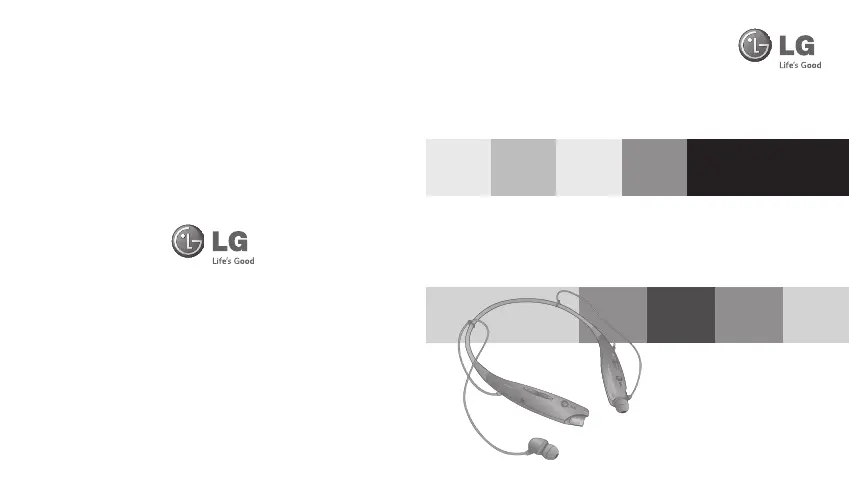
LG HBS-730 - User Manual

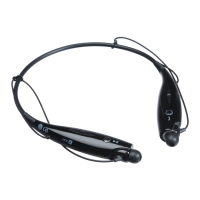
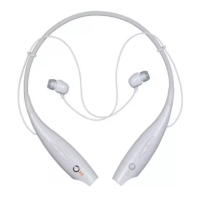
LG HBS-730
54 pages
Print Icon
To Next Page IconTo Next Page
Loading...
Rev 1.0 RU
LG Electronics
BLUETOOTH
®
Stereo Headset
HBS-730 User Manual
English
Рyccкий
Қазақша
Українська
www.lg.com

Questions and Answers

  • K
    Kristin JenkinsJul 27, 2025
    What to do if my LG Headphone HBS-730 is unable to pair with the Bluetooth device?
    • R
      Ryan DavisJul 27, 2025
      If you're having trouble pairing your LG HBS-730 Headphone with a Bluetooth device, make sure the headset is in pairing mode. To do this, with the power off, press the CALL button and move the power switch to the ‘ON’ side.
  • M
    Mary ThompsonAug 4, 2025
    What to do if my LG HBS-730 Headsets won't pair?
    • R
      Ryan WhiteAug 4, 2025
      If your LG Bluetooth Headset HBS-730 won't pair with your Bluetooth device, ensure that the headset is powered on and in pairing mode. To turn the headset on, slide the power switch to the ‘ON’ position. If it's still not pairing, with the power off, press the CALL button and move the Power switch to the ‘ON’ side at the same time for 1 second to manually place the headset in pairing mode.
  • N
    Nicole ZimmermanAug 14, 2025
    How to fix LG Headphone HBS-730 that does not turn on?
    • D
      Dana MartinezAug 14, 2025
      If your LG HBS-730 Headphone does not turn on, there are a few things you can check: * First, ensure that the battery is fully charged by charging it. * Also, make sure that the headset is actually powered on by sliding the power switch to the 'ON' position.

Summary

Description of Parts

Included in the Package

Lists the items included with the LG HBS-730 headset, such as earbuds, charging cable, and manuals.

Specification

Details technical specifications of the LG HBS-730 headset, including Bluetooth version, battery, and dimensions.

How to Use

Pairing

Instructions for pairing the LG HBS-730 headset with a Bluetooth-enabled device using easy or manual methods.

Multi-connection

Information on connecting the LG HBS-730 headset to two devices simultaneously for advanced multipoint functionality.

Controls

Explains how to operate the LG HBS-730 headset, including power, volume, charging, and battery status checks.

Audio Streaming

Details on controlling music playback, including play, pause, stop, track skipping, and fast forward/rewind functions.

Features and Technology

Overview of advanced features like EQ settings, aptX technology for clear audio, and SMS reading capabilities.

Status and Support

LED Indication

Guide to understanding the LED status lights on the LG HBS-730 headset for different operations and charging states.

Troubleshooting

Common issues and solutions for the LG HBS-730 headset, such as power, communication, pairing, and sound problems.

Safety and Compliance

Precautions

Important safety guidelines for using the LG HBS-730 headset, covering handling, environment, and potential hazards.

Declarations

FCC and CE compliance statements and notices for the LG HBS-730 Bluetooth headset.

Additional Information

Radio Frequency Exposure

Information regarding the headset's compliance with RF exposure guidelines and operating frequencies.

Battery Information and Recycling

Details on battery care, temperature limits, and proper disposal procedures for the LG HBS-730 headset.

Warranty Conditions

Terms and conditions for the LG HBS-730 product warranty, including validity and coverage limitations.

LG HBS-730 Specifications

General IconGeneral
Bluetooth Version3.0
Talk TimeUp to 15 hours
Music Play TimeUp to 10 hours
Standby TimeUp to 500 hours
Charging TimeLess than 2 hours
ProfileA2DP, AVRCP, HFP, HSP
Driver Size10mm
Frequency Response20Hz - 20kHz
Water ResistanceNo
TypeNeckband
Weight32 grams

Related product manuals