EasyManua.ls Logo

LG HBS-FN5W - User Manual

LG HBS-FN5W
46 pages
Print Icon
To Next Page IconTo Next Page
Loading...
ENGLISH
ESPAÑOL
Please read the Important Safety Information for the proper
use of this product. After reading, store this User Manual in
an easily accessible place for all users.
NOTE:
Please read all information carefully prior to using the
headset in order to enjoy the best
performance and prevent
damage to the product.
Rev 2.0 US
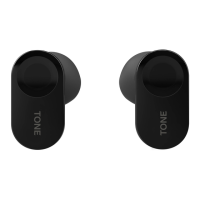
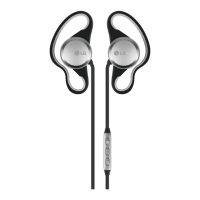
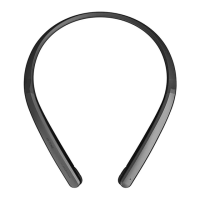
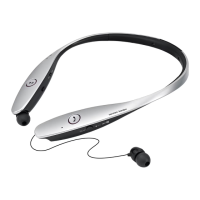
HBS-FN6 / HBS-FN5W /
HBS-FN4
www.lg.com
Copyright © 2020 LG Electronics Inc. All rights reserved.
USER MANUAL
Bluetooth® LG Stereo Headset

Questions and Answers

  • H
    harveymariahSep 4, 2025
    How to reset LG Headsets to factory settings?
    • T
      tina98Sep 4, 2025
      If you've replaced your earbuds or are experiencing operational issues, put the earbuds in the charging case. With the case open, press and hold the pairing button for 10 seconds or more. The factory reset is in progress when the status indicator on the charging case flashes red. Reconnect your device after the factory reset is complete.
  • X
    xlambertSep 18, 2025
    What to do if I replaced my LG HBS-FN5W earbuds or there is a problem with the operation?
    • R
      Roger EscobarSep 18, 2025
      If you replaced the earbuds or encounter operational issues, place the earbuds in the charging case. With the case open, press and hold the pairing button for at least 10 seconds. The factory reset will initiate, indicated by a flashing red status indicator on the charging case. After the factory reset is complete, reconnect your device.
  • B
    brandon53Sep 16, 2025
    What to do if I can't register my LG Headsets to my phone?
    • M
      Michael PerezSep 16, 2025
      If you're having trouble registering your LG Headsets earbuds to your mobile phone, ensure that the earbuds are turned on. Also, verify if the charging case is in search mode. If not, press the pairing button on the charging case to activate search mode.
  • M
    Maurice HarmonSep 14, 2025
    What to do if I replaced the earbuds or there is a problem with the operation of my LG HBS-FN5W Headsets?
    • E
      Erin ColemanSep 14, 2025
      If you replaced the earbuds or are experiencing operational issues with your LG Headsets, place the earbuds in the charging case. With the case open, press and hold the pairing button for at least 10 seconds. The factory reset will begin, and the status indicator on the charging case will flash red. After the factory reset is complete, reconnect your device.
  • D
    Dr. Allen Stone DVMSep 12, 2025
    Why can't I make calls with my LG HBS-FN5W earbuds?
    • A
      Andrea FritzSep 13, 2025
      If you cannot make calls with your LG Headsets earbuds, it might be because your mobile phone doesn't support headset and hands-free functions. In this case, you won't be able to use the calling features. Also, check the battery level and charge it.
  • B
    Bradley LunaSep 12, 2025
    Why I am unable to make a call with LG HBS-FN5W earbuds?
    • J
      Jimmy HarrisSep 12, 2025
      If you cannot make calls with your LG Headsets earbuds, it might be because your mobile phone does not support headset and hands-free functions. Also, check the battery level and charge it.
  • T
    Thomas RodriguezSep 9, 2025
    Why am I unable to make a call with my LG Headphone earbuds?
    • T
      Tyler SmithSep 9, 2025
      You might be unable to make calls with your LG Headphone earbuds if your mobile phone does not support headset and hands-free functions. Check the battery level and charge it.
  • W
    Wendy LucasSep 7, 2025
    How to fix LG Headsets when the power does not turn on?
    • M
      Meagan PriceSep 7, 2025
      If your LG Headsets do not turn on, check the battery level and charge them.
  • Z
    zedwardsSep 5, 2025
    What to do if my LG HBS-FN5W Headsets power does not turn on?
    • J
      Joshua BrownSep 5, 2025
      Check the battery level of your LG Headsets and charge them if necessary.
  • M
    Michael LambertAug 20, 2025
    What to do if my LG Headphone power does not turn on?
    • D
      david27Aug 21, 2025
      If your LG Headphone does not turn on, check the battery level and charge it.

LG HBS-FN5W Specifications

General IconGeneral
BrandLG
ModelHBS-FN5W
CategoryHeadsets
LanguageEnglish

Related product manuals