To Next Page
K
kylecarrollSep 18, 2025
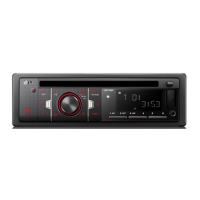
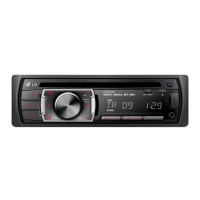
How to adjust the brightness of the LG HT762PZ-D0 Car Receiver front panel display?
- SSarah RossSep 18, 2025
To brighten the front panel display on your LG Car Receiver, press DIMMER on the remote control.

How to adjust the brightness of the LG HT762PZ-D0 Car Receiver front panel display?
To brighten the front panel display on your LG Car Receiver, press DIMMER on the remote control.
Why is there no picture on my LG Car Receiver?
If there is no picture from your LG Car Receiver, it could be due to several reasons: * The TV is not set to receive the DVD signal output. Select the appropriate video input mode on the TV. * The video cable is not connected securely. Ensure the video cable is securely connected into the jacks. * The connected TV power is turned off. Turn on the TV.
What to do if the audio CD indicator doesn't work on my LG Receiver?
If the power is on, but the DVD/CD Receiver audio CD indicator does not work on your LG Receiver, insert a disc.
Why is my LG Receiver remote control not working?
If the remote control for your LG Receiver isn't working properly, ensure you're pointing it directly at the receiver's remote sensor. Try using the remote within 23 ft (7 m) of the receiver, and make sure there are no obstacles blocking the signal. If it still doesn't work, replace the batteries with new ones.
What to do if my LG Receiver has no sound?
If you're experiencing no sound or very low sound from your LG Receiver, first, make sure the connected equipment is set to receive the DVD audio signal output. Then, check that the audio cables are securely connected. Ensure that the equipment connected with the audio cable is turned on. If the issue persists, the audio connecting cable may be damaged and need replacement.
How to fix LG Home Theater System when radio stations can’t be tuned in properly?
If your LG Home Theater System is not tuning into radio stations properly, check the antenna connection and its position. If the signal strength is weak, try tuning to the station manually. Also, ensure that you're pointing the remote directly at the unit from a distance within 23 feet (7 meters), with no obstacles in the way.
Why is my LG Home Theater System making a humming noise when playing a DVD or CD?
If you hear a humming noise while playing a DVD or CD on your LG Home Theater System, the disc may be dirty; clean it with a soft cloth, using outward strokes. Alternatively, the DVD receiver might be too close to the TV, causing feedback. Try moving the DVD receiver and other audio components further away from the TV.
What to do if there is no picture from my LG Receiver?
If there's no picture on your TV when using the LG Receiver, first, ensure your TV is set to the correct video input mode to receive the DVD signal. Next, check that the video cable is securely connected to both the receiver and the TV. Finally, verify that your TV is powered on.
What to do if the LG HT762PZ-D0 audio CD indicator does not work?
If the power is on but the audio CD indicator isn't working on your LG Car Receiver, it might be because no disc is inserted. Try inserting a disc.
How to fix if nothing is displayed on the front panel of my LG Receiver?
Press DIMMER on the remote control of your LG Receiver.
 General
| Brand | LG |
|---|---|
| Model | HT762PZ-D0 |
| Category | Car Receiver |
| Language | English |