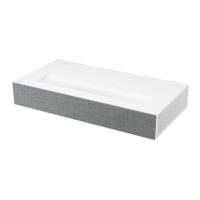
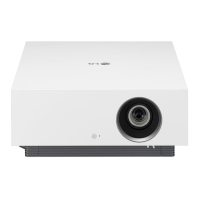
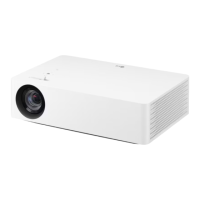
This document provides a comprehensive guide for the LG CineBeam Laser 4K DLP Projector (Model HU80KA), covering its functions, technical specifications, usage, and maintenance.
Function Description:
The LG CineBeam Laser 4K DLP Projector is a high-precision device designed to project images and videos in 4K UHD resolution. It supports various input sources including HDMI, USB, and network connections, allowing users to enjoy content from HD receivers, DVDs, PCs, laptops, smartphones, tablets, and other external devices. The projector also features built-in TV broadcasting capabilities (ATSC / NTSC-M / 64 & 256 QAM) and smart projector functionalities powered by LG webOS 3.5, including access to LG Content Store, web browser, and various apps. It offers advanced audio features like LG Sound Sync (Optical/Bluetooth) and digital sound output options. The projector is designed for flexible installation, supporting stand-type, table-type, and ceiling-type projections.
Important Technical Specifications:
- Model: HU80KA (HU80KA-NA)
- Resolution (Pixel): 3840 (Horizontal) × 2160 (Vertical) (4K UHD resolution with 8.3 million discrete pixels projected by XPR video processing).
- Aspect Ratio: 16:9 (Horizontal:Vertical)
- Projection Distance (Screen Size): 1147 mm ~ 4345 mm (45.1 inches ~ 171.0 inches) for 1016 mm ~ 3810 mm (40 inches ~ 150 inches) screen sizes.
- Ratio of Upward Projection: 100 %
- Power: AC 100 - 240 V, 50/60Hz
- Power Consumption: 250 W
- Audio Output: 7 W + 7 W
- Television System: ATSC / NTSC-M / 64 & 256 QAM
- Program Coverage: VHF 02 to 13, UHF 14 to 69, CATV 01 to 135, DTV 02 to 69, CADTV 01 to 135
- External Antenna Impedance: 75 Ω
- Dimensions:
- Height: 470 mm (18.5 inches) (without foot), 474 mm (18.6 inches) (with foot)
- Width: 165 mm (6.4 inches)
- Depth: 165 mm (6.4 inches)
- Weight: 6.7 kg (14.7 lbs)
- USB Device:
- USB1 (USB 3.0): 5 V, 1.5 A (Max.)
- USB2 (USB 2.0): 5 V, 0.5 A (Max.)
- Environment Condition:
- Temperature: Operation 0 °C to 40 °C (32 °F to 104 °F), Storage -20 °C to 60 °C (-4 °F to 140 °F)
- Relative Humidity: Operation 0 % to 80 %, Storage 0 % to 85 %
- Laser: Class 1 laser device (IEC 60825-1 compliant), Built-in class 4 laser module with Wavelength: 448 nm - 462 nm, Light output: approx. 4.5 W x 12.
Usage Features:
- Magic Remote Control: The projector is primarily operated using the Magic Remote Control, which supports pointer, wheel (OK) button for selection, and various dedicated buttons for power, volume, channels, home, recent history, back, exit, picture mode, subtitles, input, quick settings, search, and colored buttons for special functions. Batteries (two AA) are required for the remote.
- On-Projector Buttons: Basic functions like power on/off, volume control, and channel control can also be performed using buttons on the projector itself.
- Installation Flexibility: Supports stand-type (front projection, ceiling projection), table-type (front projection), and ceiling-type installations. The mirror angle can be adjusted for screen height, and an adjustable leg allows for angle adjustments.
- Projection Distance: The manual provides detailed tables for projection distance based on screen size (16:9 aspect ratio) for both 1.0x and 1.2x zoom settings.
- Focus and Zoom: Features a focus ring and zoom ring to adjust image clarity and size.
- Smart Projector Features (webOS 3.5):
- Home Tutorial: Access the Home screen for frequently used apps and features.
- Live TV: Connect to an antenna or cable for TV broadcasting, with auto-tuning and channel management.
- Network Setting: Configure wired (Ethernet) or wireless (Wi-Fi) network connections.
- Screen Remote: Control external devices connected to the projector using an on-screen remote.
- Universal Control: Control set-top boxes, Blu-ray players, or home theaters with the Magic Remote.
- SIMPLINK (HDMI-CEC): Control HDMI-connected multimedia devices.
- LG TV Plus App: Control projector functions using a smartphone or tablet.
- Magic Mobile Connection: Share content from smart devices.
- Keyboard and Mouse Support: Connect USB wired/wireless keyboards and mice.
- Gamepad Support: Connect gamepads for gaming.
- LG Content Store: Download and use various apps, TV shows, and movies.
- My Starter: View personalized information like time, weather, and schedules.
- Web Browser: Browse the internet with features like bookmarks and site filtering.
- Notifications: View real-time notifications from apps and services.
- File Viewer: View document files (XLS, XLSX, DOC, DOCX, PPT, PPTX, TXT, PDF, HWP) from connected USB devices.
- Photo & Video Player: View photos and videos with features like slide show, 360-degree viewing, and subtitle settings.
- Music Player: Listen to music with background music option, repeat playback, and random playback.
- Screen Share: Mirror PC or mobile device screens wirelessly (Miracast, Intel WiDi) or via HDMI.
- Zooming in Projector Display: Enlarge parts of the screen during broadcasts or video playback.
- Zoom Recording: Record zoomed-in video content from USB storage devices.
- Picture Settings: Adjust picture modes (Vivid, Standard, Cinema, Sports, Game, HDR Effect, Technicolor Expert, Expert (Bright Room/Dark Room)), contrast, brightness, sharpness, color, tint, color temperature, and advanced controls (Dynamic Contrast, Dynamic Color, Preferred Color, Color Gamut, Super Resolution, Gamma, Edge Enhancer, Color Filter, White Balance, Color Management System).
- Aspect Ratio: Adjust screen aspect ratio (16:9, Original, 4:3, Vertical Zoom, All-Direction Zoom) and Just Scan feature.
- Energy Saving: Reduce power consumption with Minimum/Medium/Maximum modes.
- Sound Settings: Adjust sound modes (Standard, Cinema, Clear Voice III, Sports, Music, Game), balance, Virtual Surround Plus/ULTRA Surround, Equalizer, Auto Volume, and AV Sync Adjustment.
- Channels Settings: Auto Tuning and Manual Tuning for channels, Channel Manager for editing, locking, and skipping channels, Channel Advisor for recommendations, and Multi Audio settings.
- Safety Settings: Set passwords for TV Lock (program locks, movie locks, downloadable rating, channel locks, application locks, input locks) and reset password.
- Accessibility: Pointer options, menu transparency, closed caption settings (Analog Mode, Digital Mode, Digital Mode Options), Audio Guidance (speed, volume, pitch), Projector Power Sound, and High Contrast.
- Software Update: Check for and install the latest software versions automatically or manually.
Maintenance Features:
- Cleaning the Lens: Use a compressed air duster, cotton swab, or soft cloth. Do not use sharp objects, cleansers, automotive/industrial shiners, abrasives, wax, benzene, alcohol, or water.
- Cleaning the Projector Case: Unplug the power cord and wipe with a dry, lint-free, nonabrasive cloth. Avoid alcohol, benzene, thinners, or other chemicals.
- Internal Cleaning: Contact the service center once a year to clean internal parts to prevent dust accumulation, which can lead to fire or damage.
- Power Cord Care: Ensure the power cord is not damaged, bent excessively, or exposed to heat sources. Always remove the plug by grasping it, not the cord.
- Battery Replacement: Replace remote control batteries with new, identical ones (1.5 V, AA type) when the low battery message appears.
- Safety Precautions: Adhere to all safety warnings and cautions regarding indoor installation, power handling, and general usage to prevent injury, electric shock, fire, or product damage.
- Troubleshooting: The manual provides a troubleshooting guide for common issues related to abnormal operation, screen problems, sound problems, PC connection problems, photo & video movie playback problems, network connection problems, LG account problems, and internet browser problems.

 Need help?

 To Next Page
 General