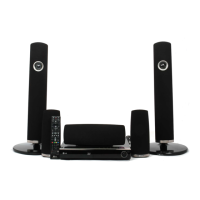
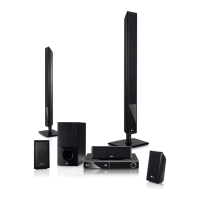
Need help?
Do you have a question about the LG HX806SV and is the answer not in the manual?
Information and warnings regarding the laser system to prevent hazardous exposure.
Guidelines for safe usage and maintenance of the power cord to prevent hazards.
Explains remote control buttons and how to install the battery.
Identifies and explains the functions of controls on the player's front panel.
Identifies and explains the connectors and ports on the player's rear panel.
Steps for connecting speakers and guidance on optimal placement.
Instructions for HDMI connection and important troubleshooting tips.
Instructions for video connection and using the SIMPLINK feature.
Steps to configure network settings and notes for resolving connection issues.
How to connect and play media files from a connected USB device.
Guide to changing player settings via the [Setup] menu.
Explains sound effect modes and how to adjust equalizer settings.
Introduction to playback using the HOME menu and steps for playing discs.
How to play media files from discs or USB devices.
Requirements and steps for playing 3D discs and using BD-Live features.
Instructions for playing media files from a DLNA server via the home network.
Explains repeat playback options and how to repeat specific segments.
How to set, recall, and delete playback markers and use the search menu.
Common problems and solutions related to power, playback, and remote control.
Solutions for issues with BD-Live, streaming, network display, and picture quality.
Information about player software updates via network and how to perform them.
 General
| Brand | LG |
|---|---|
| Model | HX806SV |
| Category | Home Theater System |
| Type | 5.1 Channel |
| Channels | 5.1 |
| Number of Channels | 5.1 |
| Total Power Output | 1000W |
| Total Output Power | 1000W |
| Bluetooth | Yes |
| USB Playback | Yes |
| USB Port | Yes |
| HDMI Inputs | 1 |
| HDMI Input | Yes |
| Optical Input | Yes |
| FM Radio | Yes |
| Subwoofer | Yes |
| 3D Support | Yes |
| Smart TV | No |
| Speaker Configuration | 5.1 |
| Connectivity | Bluetooth, USB, Optical, HDMI |
| Audio Formats Supported | Dolby Digital, DTS |

 To Next Page