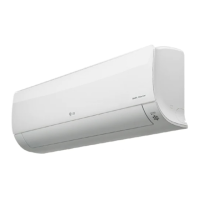
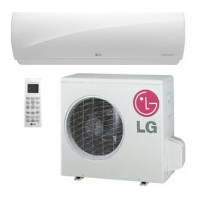
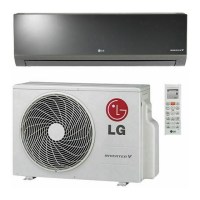
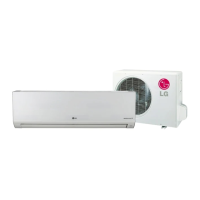
This document is an owner's manual for an LG wall-mounted air conditioner, providing instructions for operation, maintenance, and troubleshooting.
Function Description
The LG air conditioner is designed to provide cooling, heating (for heat pump models), dehumidification, and air circulation. It features various operation modes to ensure comfort and efficiency.
Operation Modes:
- Cooling Mode: Allows users to set the desired indoor temperature between 18°C and 30°C for cooling.
- Heating Mode: (For heat pump models only) Allows users to set the desired indoor temperature between 16°C and 30°C for heating.
- Auto Changeover Operation: Automatically switches between heating and cooling to maintain the set temperature within a ±2°C range. The controller adjusts the operation mode based on the sensed room temperature.
- Healthy Dehumidification Operation: Automatically sets the room temperature and airflow volume to optimal conditions for dehumidification. The fan speed is adjusted according to an optimization algorithm to maintain a healthy and comfortable environment, especially in humid seasons. The setting temperature is not displayed in this mode, and users cannot control it.
- Air Circulation Operation: Circulates air without cooling or heating. Users can select the fan speed in this mode.
- Energy-Saving Cooling Mode: Operates efficiently by adapting to changes in time and temperature, automatically adjusting the desired temperature to save energy during cooling.
- Jet Cool/Heat Operation:
- Jet Cool: Quickly cools the room by operating in cooling mode with super high fan speed and an 18°C setting temperature for 30 minutes.
- Jet Heat: (Available in some models) Quickly warms the room by operating with super high fan speed and a 30°C setting temperature for 30 minutes.
- This function cannot be activated during Air Circulation or Auto Changeover operations. For cooling-only models, Jet Cool cannot be activated during heating.
Air Purification Features:
- PLASMA Purification Operation: Utilizes a Plasma filter technology to remove microscopic contaminants from the intake air. It generates a plasma of high-charge electrons to kill and destroy contaminants, providing clean and hygienic air. This operation can be used in any mode and fan speed, and can also be activated when the unit is stopped.
- Auto Clean Operation: Removes moisture left in the indoor unit after cooling or healthy dehumidification operations, helping to clean the unit internally. When activated, the indoor fan continues to run for about 30 minutes after the unit is turned off, without cooling or dehumidification.
Usage Features
The air conditioner is controlled primarily via a wireless remote control, offering a wide range of settings and functions.
Remote Control Functions:
- ON/OFF Button: Turns the unit on or off.
- Plasma Button: Starts or stops the plasma purification function.
- Sleep Mode Auto Button: Sets the sleep mode operation.
- Temperature Adjustment Buttons (∧∨): Adjusts the room temperature when cooling and heating.
- Indoor Fan Speed Button: Adjusts the fan speed in six steps: low, medium-low, medium, medium-high, high, and natural wind. The natural wind mode simulates a natural breeze by automatically changing fan speed.
- Operation Mode Selection Button: Selects between cooling, auto changeover, dehumidifying, heating, and air circulation.
- Jet Cooling/Heating Button: Warms up or cools down the indoor temperature quickly.
- Air Flow Direction Buttons (Vertical and Horizontal): Adjusts the vertical and horizontal airflow direction. Manual adjustment of vanes is not recommended as it can damage the mechanism.
- Temperature Display Button: Displays the room temperature.
- Timer Button: Sets the current time and the start/end time for timed operations.
- Navigation and Functions Button (∧∨<>): Adjusts the time and sets special functions like Auto Clean and energy saving.
- Set/Clear Button: Sets or cancels functions.
- Reset Button: Resets the remote control settings.
- Display Lamp On/Off Function: Allows users to turn the display lamp on the front grille of the indoor unit on or off.
Timer Setting:
- Users can set "On" or "Off" timers for the unit.
- The time can be adjusted in a.m./p.m., hour, and minute increments.
- Timer settings can be canceled individually or all at once.
Sleep Mode Operation:
- Allows users to set a time for the unit to stop automatically, programmable in one-hour increments from 1 to 7 hours.
- In cooling or healthy dehumidification mode, the indoor fan operates at super low speed, and the setting temperature automatically rises by 1°C twice over 30 minutes (maximum 2°C) for comfortable sleep.
Forced Operation:
- If the remote control is unavailable, the unit can be operated by pressing the ON/OFF button on the indoor unit.
- During forced operation, the unit starts in cooling mode at high fan speed, regardless of room temperature, and resets after 18 minutes.
- Holding the ON/OFF button for 3-5 seconds initiates a test operation with a single beep.
Auto Restart Function:
- This feature restores the previous operating conditions after a power failure, allowing the air conditioner to resume operation with the same settings once power is regained.
- It is enabled by default but can be disabled or re-enabled by pressing the ON/OFF button for 6 seconds (indicated by beeps and lamp blinks).
Maintenance Features
Regular maintenance is crucial for optimal performance and to prevent breakdowns.
Filter Cleaning:
- Air Filter: Clean every 2 weeks or more often if necessary.
- Turn off power and unplug the cord.
- Open the front cover by lifting both sides.
- Hold the knob of the air filter, lift it, and remove it.
- Clean with a vacuum cleaner or warm water; use detergent for stubborn dirt.
- Dry in direct sunlight for 2 hours.
- Anti-allergy Filter / Triple Filter: Clean every 3 months.
- Turn off power and unplug the cord.
- Open the front cover and remove the air filter.
- Pull out the anti-allergy and triple filters.
- Clean with a vacuum cleaner or warm water; use detergent for stubborn dirt.
- Dry in the shade.
- Plasma Filter: (If applicable) Clean every 3 months.
- Turn off power and unplug the cord.
- Open the front cover and remove the air filter.
- Remove the plasma filter.
- Clean with a vacuum cleaner to remove dirt; use lukewarm water for stubborn dirt.
- Dry in the shade.
General Cleaning:
- Indoor Unit Surface: Clean regularly with a soft, dry cloth. Avoid bleach or abrasives.
- Outdoor Unit: Regularly use steam to clean the heat exchanger coils and panel vents (consult a technician).
Safety Precautions for Maintenance:
- Always turn off the power and unplug the power cord before performing any maintenance to prevent electric shock.
- Do not use water hotter than 40°C when cleaning filters, as it may cause deformation or discoloration.
- Avoid using volatile substances, as they can damage the product surface.
- Ensure filters are securely inserted after cleaning.
- Clean outdoor unit heat exchanger coils regularly to maintain operational efficiency and prevent increased energy costs.
Troubleshooting:
The manual includes a troubleshooting section with common issues, symptoms, and corrective actions, such as:
- Abnormal operating conditions (burning smell, strange noise, frequent circuit breaker trips, water leaks).
- Unit not starting (power connection, remote control battery issues).
- Unit stopping during operation (timer function, auto restart function).
- Lack of cooling or heating (incorrect mode, inappropriate temperature setting, blocked airflow, heating sources).
- Operating noise or vibration (clicking, creaking, water flow sounds, which are often normal).
- Indoor unit emitting odors (musty or cigarette smell, requiring filter or heat exchanger cleaning).
- Self-diagnosis function: If an error occurs, the indoor unit lamp will blink in 2-second intervals, indicating a need to contact a service center.


 To Next Page
 General