Basic Functions 39
• Hide apps: Select which apps you want to hide from the Home
screen.
• Loop Home screen: Enable to allow continuous Home screen
scrolling (loop back to the first screen after the last screen).
• When Google feed is enabled, this option is not available.
• Search: Use Google to search for contacts, messages, music,
and more by swiping down on the Home screen.
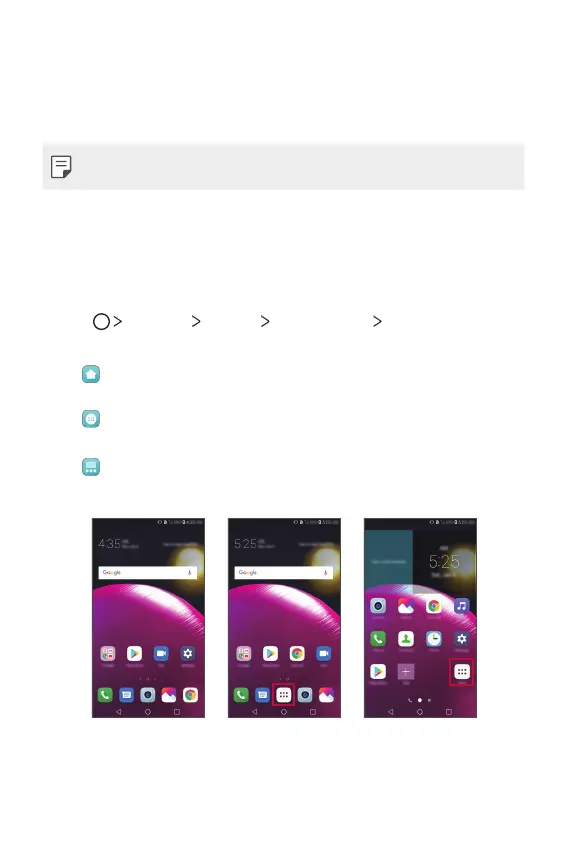
Select home
You can select one of 3 modes.
1
Tap Settings Display Home screen Select Home.
2
Choose the mode you want to use.
•
Home (default): Provides the standard layout showing all
apps.
•
Home & app drawer: Provides a separate layout for the
Home screen and apps list.
•
EasyHome: Provides a simplified experience for the first-
time smartphone user.
Home (default) EasyHomeHome & app drawer



 To Next Page