LG KC780 | User Guide
10
SET UP
Installing the SIM and battery
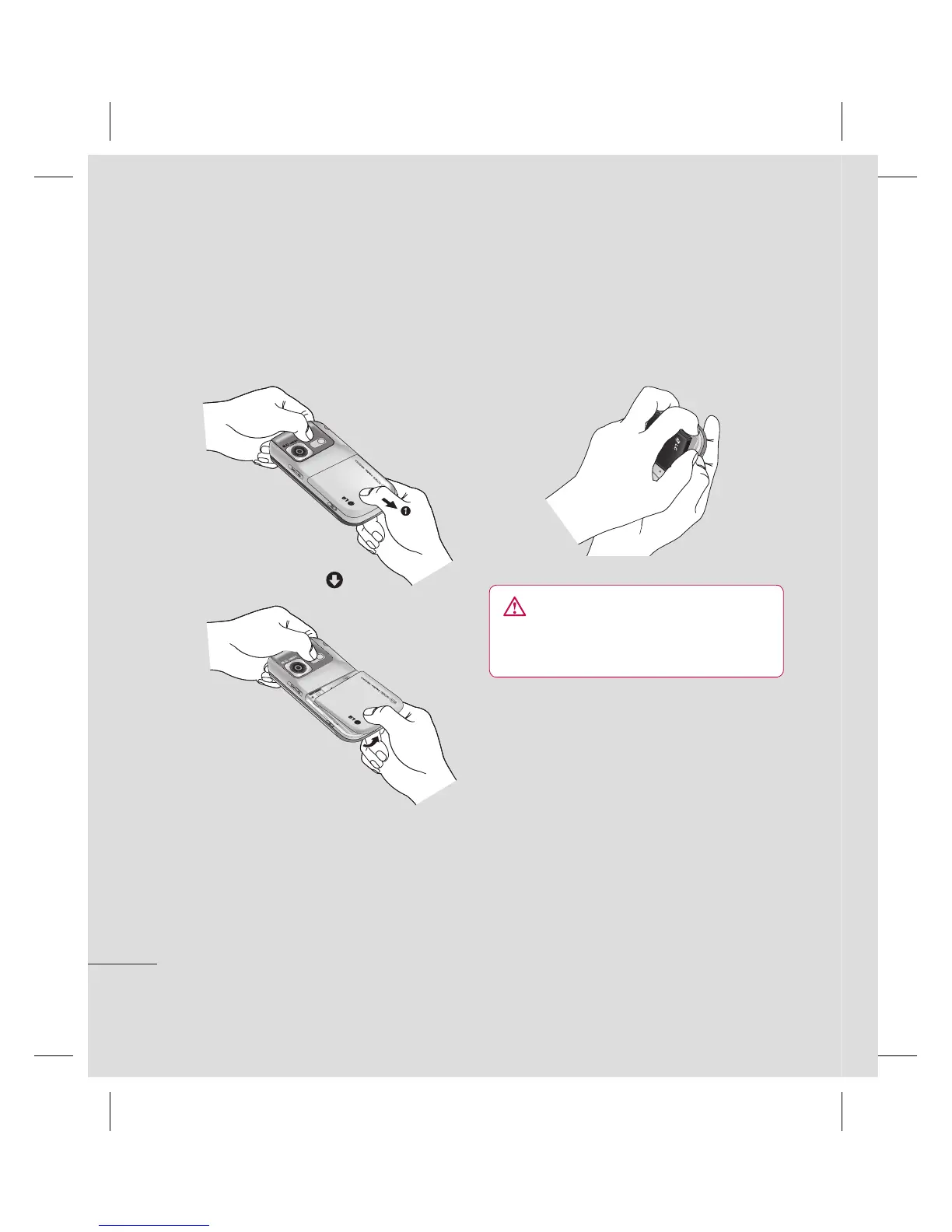
1 Remove the battery cover
Slide the battery cover towards the bottom
of the phone and lift up and away.
WARNING: Do not remove the battery
when the phone is switched on, as this may
damage the phone.
2 Remove the battery
Lever the bottom edge of the battery
and remove it carefully from the battery
compartment.
3 Install the SIM card
Slide the SIM card into the SIM card slot.
Make sure that the gold contact area on
the card is facing downwards. To remove
the SIM card, pull it gently in the opposite
direction.



 To Next Page