9
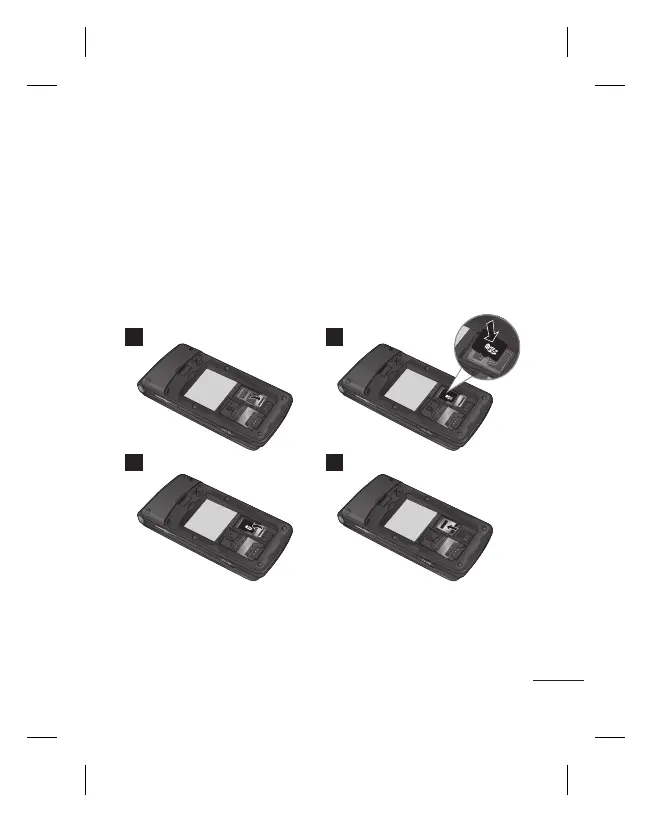
To insert a memory card first you should remove the back cover and
remove the battery then Lift the memory card cover and insert a microSD
card with the gold contact area facing downward. Close the memory card
cover so that it clicks shut, then insert the battery then attach the back
cover.
To remove the memory card, gently push it as shown in the diagram.
Note: A memory card is an optional accessory.
1 2
3 4
Installing a Memory Card



 To Next Page