EasyManua.ls Logo

LG L203WT - User Manual

LG L203WT
32 pages
Print Icon
To Next Page IconTo Next Page
Loading...
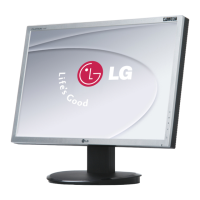
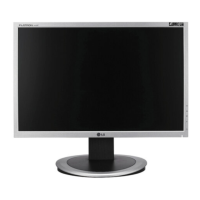
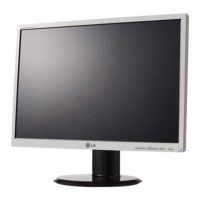
EUT Type: 20” LCD Monitor
FCC ID: BEJL203WTN
Test Report No.: GETEC-E3-05-085
FCC Class B Certification
APPENDIX H
: USER’S MANUAL

Other manuals for LG L203WT

Questions and Answers

  • J
    Jonathan WilliamsonAug 15, 2025
    What to do if my LG L203WT displays 'OUT OF RANGE' or 'CHECK SIGNAL CABLE'?
    • T
      Terry PrattAug 15, 2025
      If your LG Monitor displays an 'OUT OF RANGE' message, it means the signal from your PC's video card is outside the monitor's supported horizontal or vertical frequency range. Refer to the 'Specifications' section to reconfigure your display settings. If you see a 'CHECK SIGNAL CABLE' message, the connection between your PC and the LG Monitor is loose. Ensure the signal cable is properly connected. Also, verify the power cord is correctly connected to the power outlet and that the monitor is powered on by pressing the Power button. Adjusting the brightness and contrast may also help. If the monitor is in power saving mode, try moving the mouse or pressing any key to wake it. Finally, ensure your PC is turned on. If the power indicator is amber, it could also indicate a power issue.
  • G
    gbuckAug 18, 2025
    Why is my LG L203WT Monitor screen blinking and how to fix it?
    • C
      Cynthia GarciaAug 18, 2025
      If your LG Monitor screen is blinking, it might be set to interlace mode. Change it to the recommended resolution. Also, ensure that the power voltage is high enough, specifically higher than AC100-240V 50/60Hz.
  • J
    Jeffrey DavisAug 21, 2025
    Why does my LG L203WT say 'OUT OF RANGE' and how to fix it?
    • B
      brittanytaylorAug 21, 2025
      The 'OUT OF RANGE' message on your LG Monitor means that the signal from your PC (video card) is outside the horizontal or vertical frequency range of the display. Consult the 'Specifications' section of this manual and configure your display again.
  • R
    Robert TylerAug 25, 2025
    What to do if no image appears on my LG L203WT?
    • G
      Grant ContrerasAug 25, 2025
      If no image appears on your LG Monitor, ensure the power cord is correctly connected to the power outlet. Also, make sure you have pressed the Power button. Try adjusting the brightness and contrast settings. If the monitor is in power saving mode, move the mouse or press a key. Finally, verify that your PC is turned on.
  • J
    Jeffrey WarrenAug 27, 2025
    What does 'CHECK SIGNAL CABLE' message mean on LG L203WT and how to fix it?
    • C
      Christopher JohnsonAug 28, 2025
      The 'CHECK SIGNAL CABLE' message on your LG Monitor indicates that the signal cable between your PC and the display is not properly connected. To resolve this, check the signal cable and try again.
  • L
    lisa04Aug 30, 2025
    How to fix incorrect display image on LG L203WT Monitor?
    • A
      Aaron FletcherAug 30, 2025
      To fix an incorrect display image on your LG Monitor, first, press the AUTO/SELECT button to automatically adjust the display to the ideal setting. If the results are unsatisfactory, adjust the image position using the H position and V position icons in the on-screen display. Also, check Control Panel --> Display --> Settings to see if the frequency or resolution has been changed, and readjust the video card to the recommended resolution if needed.
  • K
    Kelly JohnsonSep 2, 2025
    How to unlock OSD on LG Monitor?
    • J
      James DiazSep 2, 2025
      You can unlock the OSD controls on your LG Monitor by pushing the MENU button for several seconds until the message 'OSD UNLOCKED' appears.
  • J
    Justin Alexander Jr.Sep 5, 2025
    How to fix vertical bars or stripes visible on LG L203WT Monitor?
    • J
      John RobinsonSep 5, 2025
      To correct vertical bars or stripes visible on your LG Monitor, begin by pressing the AUTO/SELECT button to automatically adjust the display image. If the issue persists, use the CLOCK icon in the on-screen display to decrease the vertical bars or stripes.
  • M
    Michael AlvaradoSep 8, 2025
    How to resolve horizontal noise or unclear characters on LG L203WT?
    • C
      crystalleeSep 8, 2025
      To resolve horizontal noise or unclear characters on your LG monitor, first press the AUTO/SELECT button to automatically adjust your display image to the ideal setting. If the results are unsatisfactory, decrease the horizontal bars using the PHASE icon in the on-screen display. Also, check Control Panel --> Display --> Settings and adjust the display to the recommended resolution or adjust the display image to the ideal setting.
  • N
    Nathan SampsonSep 12, 2025
    What to do if the screen color is mono or abnormal on my LG Monitor?
    • C
      Craig VincentSep 12, 2025
      If the screen color on your LG Monitor is mono or abnormal, check if the signal cable is properly connected, using a screwdriver to fasten it if necessary. Also, ensure the video card is properly inserted in its slot. Finally, set the color setting higher than 24 bits (true color) at Control Panel - Settings.

LG L203WT Specifications

General IconGeneral
BrandLG
ModelL203WT
CategoryMonitor
LanguageEnglish

Related product manuals