
 Need help?
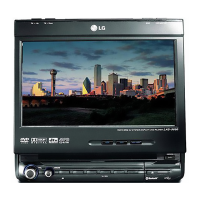
Do you have a question about the LG LAD-9600R and is the answer not in the manual?
Explains safety symbols for electrical hazards and important instructions.
Guidelines for safe vehicle operation, avoiding distractions, and proper function use.
Precautions regarding extreme temperatures, moisture, and environmental exposure.
Instructions on proper handling to prevent damage and avoid impacts.
Warnings and instructions for safe use of the product's laser system.
Information on the environmentally responsible disposal of old electronic appliances.
Explains symbols for playable discs and notes on compatibility.
Lists supported disc formats and general handling instructions.
Provides guidance on disc cleaning and DVD regional code restrictions.
Details the functions of buttons and controls located on the unit's front panel.
Describes how to adjust the monitor and lists all included accessories.
Explains the functions of each button on the remote control for operating the unit.
Instructions for installing the remote control battery and performing a system reset.
Illustrates the wiring connections for the main unit, hide-away unit, and accessories.
Details wiring for speakers, power source, ignition, and reverse gear.
Specific steps for connecting the reverse lead for rear view camera functionality.
Procedures for detaching/attaching the control panel and installing the hide-away unit.
General installation steps, removing existing units, and ISO-DIN installation.
Covers turning the unit on/off, LCD panel adjustments, and inserting discs.
Explains disc ejection, volume control, mute function, source selection, and equalizer settings.
How to use a secondary monitor and select sources in dual mode.
Details on using the rear camera for parking assistance.
Customizing display language, setback, brightness, contrast, and dimmer settings.
Configuring background animations and rear camera display options.
Adjusting balance, fader, woofer, SRS WOW effects, and user equalizer presets.
Configuring rear speaker output, beep behavior, and DVD audio/subtitle/menu languages.
Setting screen aspect ratio, device lock, and parental control levels.
Procedures for changing passwords, setting area codes, and DivX VOD registration.
Configuring RDS TA/PI modes and selecting various input sources.
Steps to establish a wireless Bluetooth connection and pair the phone with the unit.
Details on entering PIN codes, confirming connections, and enabling auto-connection.
Explains headset mode operation and its limitations compared to hands-free.
Checking connected phones, accessing information, and managing auto/manual connections.
Renaming Bluetooth devices, setting visibility, and managing phone book entries.
Deleting entries, editing contacts, and initiating calls from the phone book.
Instructions for making calls using the keypad and speed dial functions.
Procedures for answering calls, using recent call history, and choosing audio output.
How to listen to radio stations, use auto scan, and store preset frequencies.
Understanding RDS data display and automatic station switching for better reception.
Configuring traffic announcements (TA), program type selection (PTY), and region tracking.
How to view additional text information broadcast by RDS radio stations.
Playing audio CDs and MP3/WMA files, including track/file navigation.
Browsing file lists, and using Repeat, Shuffle, and Scan playback modes.
Accessing and viewing metadata like song title and artist from discs.
Initial playback of DVDs/VCDs and navigating menu screens.
Detailed controls for play, stop, pause, skip, search, and accessing disc menus.
Selecting chapters/titles, audio languages, subtitles, and camera angles.
Managing repeat playback options and understanding usage notes.
Playing DivX files, supported formats, and compatibility requirements.
Controls for playback, pausing, skipping, searching, and browsing DivX file lists.
Setting repeat modes, and selecting audio and subtitle languages for DivX files.
How to view photo files and specifications for supported image formats.
Playing files from a USB device and navigating folders/files.
Addresses common problems like power, sound, and operation with corrective actions.
Lists codes for setting language and area preferences.
A list of manufacturers and models of Bluetooth phones compatible with the unit.
Detailed technical specifications including power, dimensions, and performance metrics.
Provides contact numbers and website links for customer support and software updates.
 General
| Brand | LG |
|---|---|
| Model | LAD-9600R |
| Category | Car Video System |
| Language | English |

 To Next Page

