EasyManua.ls Logo

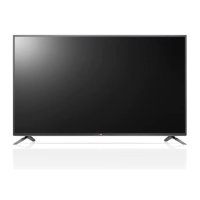
LG LB70 Series - User Manual

LG LB70 Series
208 pages
Print Icon
To Next Page IconTo Next Page
Loading...
www.lg.com
LB63** LB68** LB72** LB87**
LB65** LB69** LB73**
LB67** LB70** LB86**
LED TV
*
Please read this manual carefully before operating your
set and retain it for future reference.
* LG LED TVs are LCD TVs
with LED backlighting.
OWNER’S MANUAL
Click! User Guide
P/NO : MFL68027021(1502-REV02)
Printed in Korea
*MFL68027021*

Questions and Answers

  • C
    Catherine JohnsonSep 12, 2025
    Why does my LG LED TV say 'No Signal' when connecting to PC via HDMI/DVI?
    • M
      Michael ReyesSep 12, 2025
      If your LG LED TV displays 'No Signal' or 'Invalid Format' when connected to a PC via HDMI/DVI, try turning the TV off and then on again using the remote control. If that doesn't work, reconnect the HDMI cable. As a final step, restart your PC while the TV is powered on.
  • M
    Megan ChoiAug 25, 2025
    What to do if my LG LB70 has no image and sound?
    • S
      Sandra JamesAug 25, 2025
      If your LG LED TV shows no image and produces no sound, first verify that the TV is powered on. Next, ensure the power cord is securely connected to a working wall outlet. You can test the outlet by plugging in another device to see if it works.
  • J
    John Reed IVAug 25, 2025
    Why does my LG LB70 LED TV keep turning off?
    • T
      Toni ElliottAug 26, 2025
      If your LG LED TV turns off suddenly, here are a few things to check: * The power supply might be interrupted. Check the power control settings. * Ensure that the Automatic Standby, Sleep Timer, or Timer Power Off functions are not activated in the Timers settings. * If the TV is on but not receiving a signal, it will automatically turn off after 15 minutes of inactivity.
  • A
    Ashley GrantSep 23, 2025
    Why does my LG LB70 LED TV make noise?
    • A
      Amy KnoxSep 23, 2025
      A change in ambient humidity or temperature may result in an unusual noise when your LG LED TV turns on or off. This is normal, and there is no problem with your product.
  • J
    Jonathan RodriguezSep 12, 2025
    Why does my LG LED TV show 'No Signal' on the screen?
    • A
      amber90Sep 12, 2025
      If “No Signal” appears on your LG LED TV screen, first check if the signal cable is properly connected between the TV and other devices. Then, verify the selected input source by pressing the INPUT button on your remote.
  • B
    brandoncruzSep 17, 2025
    How to fix LG LCD TV remote control not working?
    • J
      Jeffery BlakeSep 17, 2025
      If you're unable to control your LG LCD TV with the remote, start by checking the remote control sensor on the TV. Make sure there are no obstacles blocking the path between the remote and the TV. Also, verify that the batteries in the remote are working and properly installed.
  • K
    Kimberly WeberSep 5, 2025
    What to do if my LG LB70 LED TV turns off suddenly?
    • N
      Nicole PierceSep 5, 2025
      If your LG LED TV turns off suddenly, check the power control settings. The power supply may be interrupted. Also, verify if the Sleep Timer or Timer Power Off feature is activated in the Timers settings. Note that the TV will turn off automatically after 15 minutes of inactivity if there is no signal.
  • M
    Mary ThompsonSep 6, 2025
    What to do if my LG LCD TV turns off suddenly?
    • K
      Kelly BergSep 6, 2025
      If your LG LCD TV turns off unexpectedly, it could be due to a few reasons. First, the power supply might be interrupted, so check the power control settings. Second, the Automatic Standby, Sleep Timer, or Timer Power Off functions may be activated in the Timers settings. Finally, if the TV doesn't receive a signal for 15 minutes, it will automatically turn off.
  • A
    amandathomasSep 18, 2025
    How to fix 'No signal' or ‘Invalid Format’ on LG LB70 LED TV when connecting to PC (HDMI/DVI)?
    • M
      Michael Thomas DDSSep 18, 2025
      If you see a ‘No signal’ or ‘Invalid Format’ message on your LG LED TV when connecting to a PC via HDMI/DVI, try turning the TV off and then on again using the remote control. Reconnect the HDMI cable. If the issue persists, restart your PC while the TV is on.
  • M
    mallory89Aug 30, 2025
    What to do if my LG LED TV says no signal?
    • E
      Edwin WilcoxAug 30, 2025
      If your LG LED TV displays 'No Signal', ensure the signal cable is correctly connected between the TV and any connected devices. Also, verify the selected input source by pressing the INPUT button on your remote.

LG LB70 Series Specifications

General IconGeneral
Display TypeLED
Smart TVYes
HDMI Ports3
Wi-FiYes
Operating SystemwebOS
BluetoothNo
Resolution1920 x 1080 pixels

Related product manuals